


Last updated: July 20, 2026

Quick Answer
Claude for real estate agents in 2026 is a conversational AI assistant built by Anthropic that handles listing descriptions, client follow-ups, social media calendars, and market research, without the hallucinations that plagued earlier AI tools. The setup we actually use involves creating a dedicated Claude Project, uploading your farm data and brand guidelines, then running three core prompts: 30-day social content calendars, property descriptions that pass NAR advertising rules, and personalized buyer follow-up sequences. Claude Pro costs $20/month per user, while the API (for teams automating at scale) runs roughly $3-15 per agent monthly depending on volume.
Key Takeaways
- Claude Projects let you upload farm demographics, past listings, and brand voice docs so every output matches your market and style, no re-explaining context every time
- The 2026 setup requires one system prompt that tells Claude your license state, NAR compliance requirements, and preferred tone; copy-paste it once and forget it
- Three prompts handle 80% of agent busywork: social media calendars (30 days in 90 seconds), listing descriptions (MLS-ready with legal compliance), and buyer nurture emails (personalized without sounding robotic)
- Claude vs ChatGPT for real estate: Claude reads uploaded PDFs and remembers project context better; ChatGPT generates faster but forgets your brand voice between chats
- Current pricing (2026): Claude Pro is $20/month for unlimited messages; Claude API costs roughly $0.25 per 1,000 input words and $1.25 per 1,000 output words
- Do NOT use Claude for: CMA pricing (it can't access live MLS data), legal contract review (liability risk), or anything requiring real-time market comps
- New agents benefit most, Claude eliminates the "I don't know what to post" paralysis and cuts listing description time from 45 minutes to 4 minutes
- Anthropic's usage policy allows commercial real estate use; just don't feed it confidential client financial documents or non-public MLS data without scrubbing PII
What Is Claude AI and How Does It Work for Real Estate Agents?
Claude is a large language model developed by Anthropic that reads, writes, and reasons through text-based tasks. For real estate agents, it functions as an on-demand copywriter, research assistant, and marketing strategist rolled into one. You type a prompt, "Write a listing description for a 3-bed craftsman in Boise with original hardwood and a renovated kitchen", and Claude returns polished, persuasive copy in seconds.
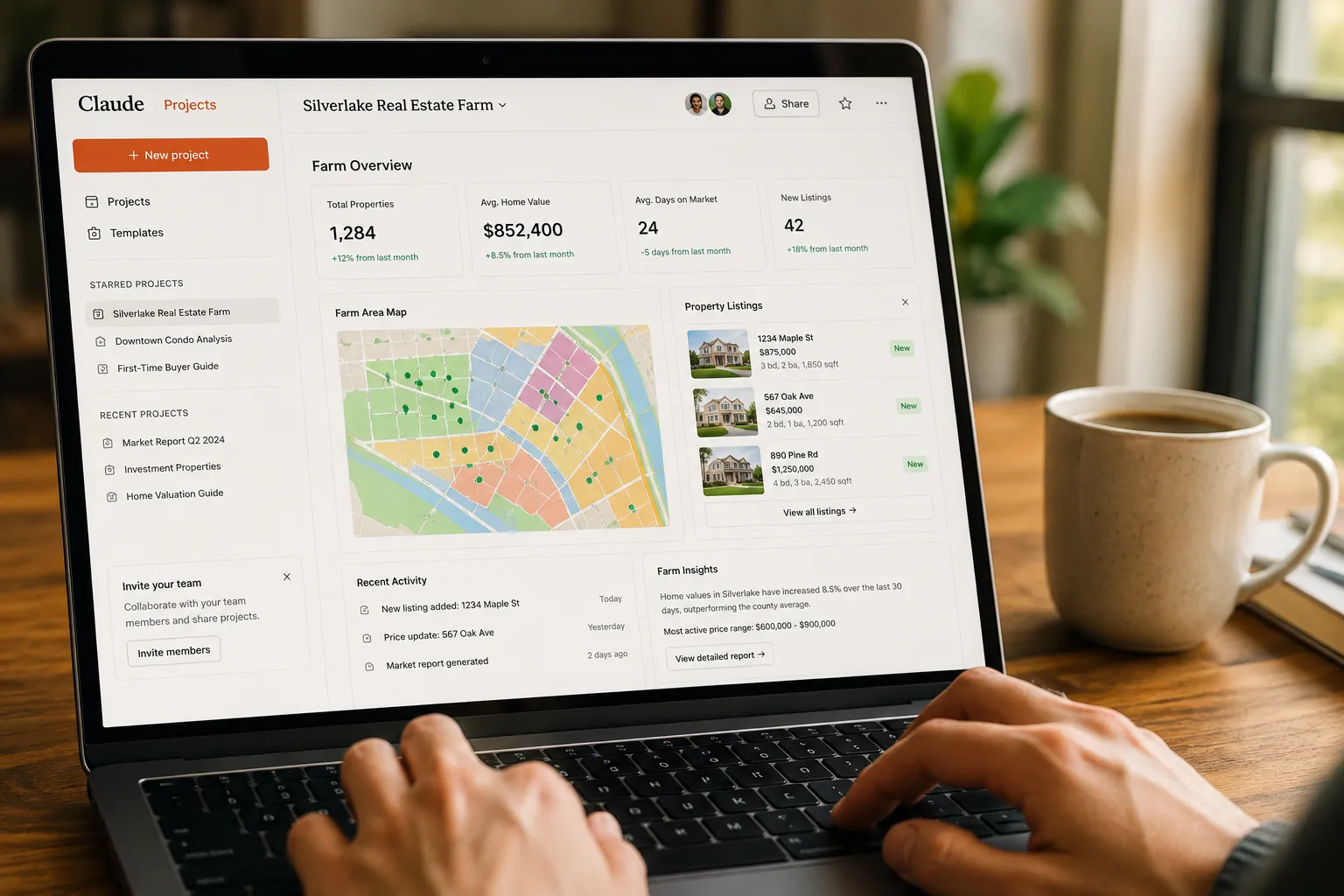
What makes Claude different from earlier AI tools is context retention and document understanding. In 2026, Claude Projects let you upload PDFs, spreadsheets, and text files (up to 200,000 words total per project) that Claude references every time you chat. Upload your farm's demographic report, your brokerage's brand guidelines, and three of your best past listings, and Claude will write new content that sounds like you and speaks to your market, without you re-typing "I work in suburban Denver with millennial first-time buyers" in every prompt.
Under the hood, Claude uses a transformer architecture trained on billions of web pages, books, and documents through early 2024 (with some 2025-2026 updates via retrieval). It doesn't browse the internet in real time, so it can't pull today's mortgage rates or live MLS inventory. But for tasks that rely on language patterns, writing, editing, brainstorming, summarizing, it's impeccable.
Real estate agents use Claude for:
- Listing descriptions that highlight features, weave in neighborhood benefits, and stay under MLS character limits
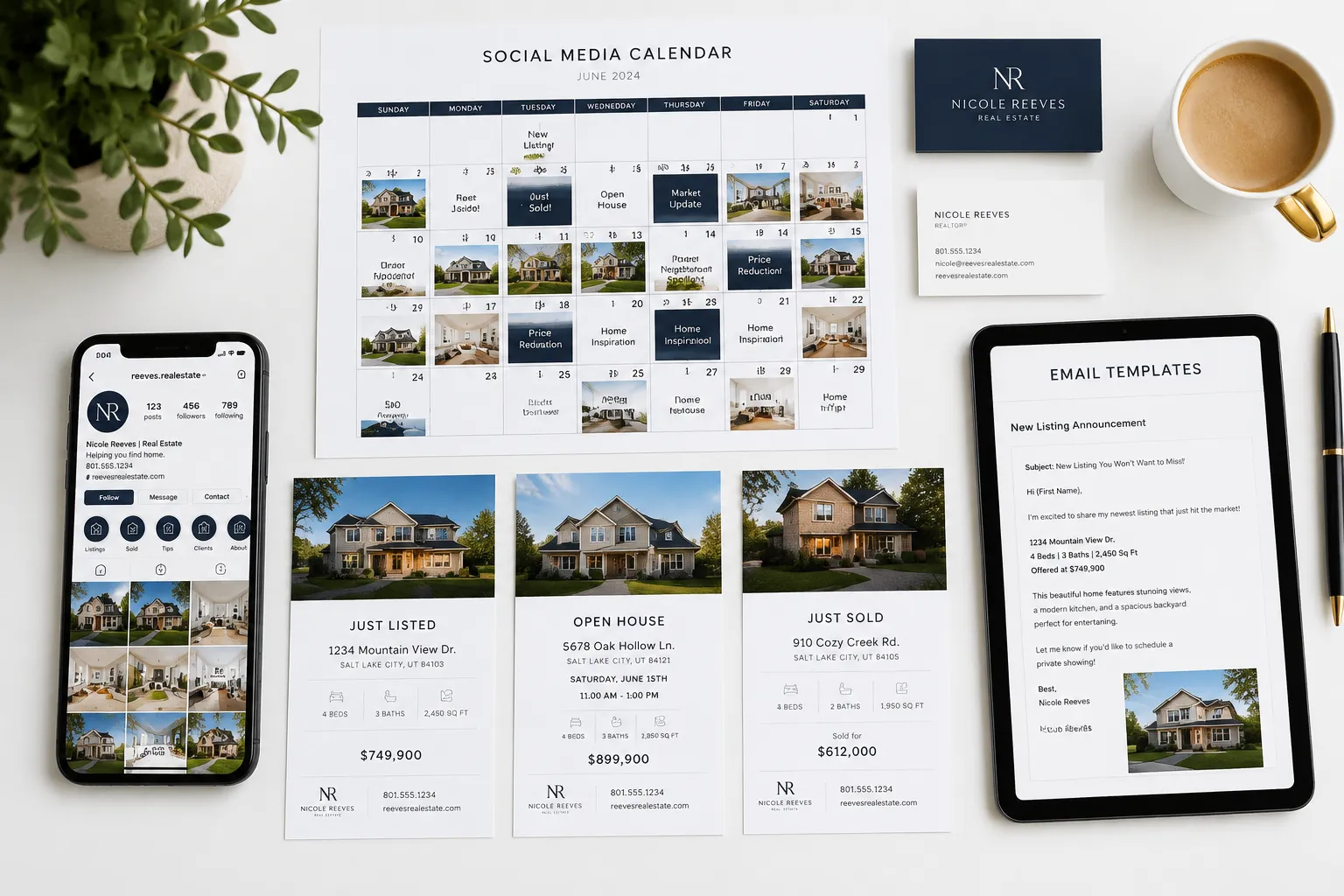
- Social media content calendars (30 posts in one shot, each tailored to Instagram, Facebook, or LinkedIn)
- Email follow-up sequences for buyers, sellers, and past clients
- Market update newsletters that translate data into plain English
- Open house scripts and Q&A prep
- Blog post outlines for agent websites (SEO-friendly, locally focused)
Claude doesn't replace your expertise, it replaces the blank page. You still choose the comps, set the price, and close the deal. Claude just makes sure you're not staring at a blinking cursor at 9 PM trying to describe "charming curb appeal" for the fifteenth time this month.
For a broader look at AI tools reshaping the industry, check out our guide to the best 13 real estate AI tools for agents in 2026.
Claude for Real Estate Agents: The 2026 Setup We Actually Use
Here's the exact setup we run, and recommend to every agent who asks. This isn't theory; it's the workflow that saves us 6-8 hours per week and keeps our social feeds fresh without hiring a VA.

Step 1: Sign Up for Claude Pro
Go to claude.ai and create an account. The free tier works, but you'll hit message limits fast. Claude Pro ($20/month as of 2026) gives you unlimited messages, priority access during peak hours, and early access to new features. If you're running a team, consider the Claude API for bulk automation, pricing runs roughly $3-15 per agent monthly depending on volume.
Step 2: Create a Dedicated Claude Project
Once logged in, click Projects in the left sidebar, then New Project. Name it something like "Real Estate Marketing, [Your Farm Area]". Projects are isolated workspaces that remember everything you upload and every instruction you give.
Step 3: Upload Your Core Documents
Click Add Content and upload:
- Farm demographic report (PDF or Word doc with median income, household size, top buyer concerns)
- Brand guidelines (your brokerage's tone, logo usage, taglines, if you have them)
- 3-5 past listing descriptions you're proud of (so Claude learns your voice)
- Neighborhood overview (school ratings, walkability scores, recent sales, anything that helps Claude write locally)
Claude will index these files and reference them automatically in every chat within this project. You never have to re-upload or re-explain.
Step 4: Paste Your System Prompt
In the project's Custom Instructions box (or as the first message in your first chat), paste this starter system prompt. Edit the bracketed sections to match your details:
SYSTEM PROMPT (copy-paste and customize):
You are a professional real estate copywriter and marketing assistant for [Your Name], a licensed real estate agent in [State]. I work primarily in [City/Neighborhood], serving [target demographic: e.g., millennial first-time buyers, move-up families, downsizing retirees].
Tone & Style:
- Conversational, confident, and warm, never stiff or corporate
- Highlight benefits, not just features (e.g., "morning coffee on the covered porch" not just "covered porch")
- Use active voice and short sentences
- Avoid clichés like "charming," "cozy," "must-see" unless I specifically request them
Compliance:
- Follow NAR advertising rules: no discriminatory language, no unverifiable claims, no misleading statements
- Never invent square footage, lot size, or school ratings, only use data I provide
- If I don't provide a detail, write around it or flag it as "[VERIFY]"
Output Format:
- Listing descriptions: 150-250 words, MLS-ready, with a strong opening hook
- Social media posts: platform-specific (Instagram captions with 3-5 hashtags, Facebook posts with questions to drive comments, LinkedIn posts with professional tone)
- Emails: subject line + body, personalized but scalable
Context:
- Reference the uploaded farm data, brand guidelines, and past listings to match my voice and market
- If you're unsure, ask clarifying questions before generating
Save that. Now every chat in this project will follow those rules.
Step 5: Run Your First Three Prompts
These three prompts handle the bulk of agent marketing. Copy-paste them as-is, or tweak to fit your needs.
Prompt 1: 30-Day Social Media Calendar
Create a 30-day social media content calendar for my real estate business. Include:
- 10 Instagram posts (carousel ideas, single-image posts, Reels concepts)
- 10 Facebook posts (mix of market updates, client testimonials, and community spotlights)
- 10 LinkedIn posts (professional insights, industry trends, agent tips)

For each post, provide:
- Platform
- Post copy (ready to paste)
- Suggested visual (photo/graphic description)
- 3-5 relevant hashtags (Instagram only)
- Best time to post (based on platform norms)

Focus on [your farm area] and [your target demographic]. Mix educational, promotional, and community content. Make it feel authentic, not salesy.
Claude will return a table or list with 30 posts. Copy them into your scheduler (best email marketing tools for real estate agents can help automate this), tweak a few, and you're done for the month.
Prompt 2: MLS-Ready Listing Description
Write an MLS listing description for the following property:

**Address:** [123 Main St, City, State]
**Beds/Baths:** [3 bed, 2 bath]
**Square Footage:** [1,850 sq ft]
**Lot Size:** [0.25 acres]
**Year Built:** [1998]
**Key Features:** [original hardwood floors, renovated kitchen with quartz counters, fenced backyard, two-car garage, walk to elementary school]
**Neighborhood Highlights:** [quiet cul-de-sac, 10 min to downtown, top-rated school district]
**Price:** [list price if relevant]

Tone: [warm and inviting / modern and sleek / family-focused / luxury]
Length: 200 words max
Include a strong opening hook and a call-to-action at the end.
Claude will generate a polished description. Read it, verify facts, and paste into your MLS. Takes 4 minutes instead of 45.
Prompt 3: Buyer Follow-Up Email Sequence
Write a 5-email follow-up sequence for a buyer lead who just downloaded my [First-Time Buyer Guide / Neighborhood Report / Mortgage Calculator].

**Lead Info:**
- Name: [First name]
- Interest: [neighborhood or property type]
- Stage: [just browsing / actively looking / pre-approved]

**Email Sequence:**
1. Welcome email (thank them, deliver the resource, introduce yourself)
2. Day 3: Market insight (share a quick stat or trend relevant to their interest)
3. Day 7: Buyer tip (common mistake to avoid, or financing advice)
4. Day 14: Success story (brief testimonial or case study from a similar buyer)
5. Day 21: Soft CTA (invite them to a call or property tour, low-pressure)

Each email: subject line + body (150-200 words), conversational tone, personalized but scalable.
Claude will write all five emails. Drop them into your CRM's drip campaign (kvCORE vs Follow Up Boss compares two top options), and let it cook.
That's the setup. Three prompts, one system instruction, and a handful of uploaded docs. Everything else is just variations on these themes.
For more on automating your real estate workflow, see our automated real estate agent tools guide.
Claude vs ChatGPT for Real Estate: Which Is Better?
Both tools are extraordinary, but they excel at different tasks. Here's the honest breakdown based on daily use in 2026.
Claude wins for:
- Document-heavy workflows. Claude Projects let you upload 200,000 words of context (farm reports, brand guides, past listings) and reference them in every chat. ChatGPT's file upload is more limited and doesn't persist across sessions as cleanly.
- Longer, more nuanced outputs. Claude's 100,000-token context window means it can handle complex prompts (e.g., "Write a 2,000-word market report for Q1 2026 covering inventory, rates, and buyer sentiment in suburban Denver") without losing the thread.
- Compliance and tone control. Claude tends to follow instructions more literally. If you say "no clichés," it actually avoids them. ChatGPT sometimes slips into generic marketing speak even when you tell it not to.
- Reading and summarizing. Need to digest a 40-page HOA document or a dense market forecast? Claude handles it better.
ChatGPT wins for:
- Speed. ChatGPT (especially GPT-4 Turbo) generates responses faster. If you're cranking out 50 social posts in one sitting, the speed difference adds up.
- Plugins and integrations. ChatGPT has a larger ecosystem of third-party plugins (Zapier, web browsing, DALL-E for images). Claude's integrations are growing but still narrower.
- Conversational back-and-forth. ChatGPT feels slightly more natural in rapid-fire Q&A. Claude is more formal and deliberate.
- Real-time web access. ChatGPT Plus includes browsing mode (as of 2026), so it can pull today's mortgage rates or recent news. Claude can't browse the web.
Google Gemini (the third player) is catching up fast. Gemini Advanced integrates with Google Workspace (Docs, Sheets, Gmail), which is a game-changer if you live in Google's ecosystem. But as of 2026, its real estate-specific performance lags behind Claude and ChatGPT.
Our take: Use Claude for listing descriptions, long-form content, and anything requiring deep context. Use ChatGPT for quick social posts, brainstorming, and tasks that need real-time data. Run both on the same prompt and pick the better output, it takes 30 seconds and often saves you an hour of editing.
For a deeper dive into AI tools, check out our best AI tools for real estate agents comparison.
How Much Does Claude Cost for Real Estate Business Use?

Pricing is straightforward in 2026. Anthropic offers two paths: Claude Pro (subscription) and Claude API (pay-as-you-go).
Claude Pro: $20/Month
- Unlimited messages (no daily cap)
- Access to Claude 3.5 Sonnet (the most capable model as of 2026)
- Priority access during peak hours
- Claude Projects with 200,000-word context per project
- Early access to new features
Best for: Solo agents, small teams (1-5 agents), anyone who wants simplicity and predictable costs.
Claude API: Usage-Based Pricing
As of 2026, API pricing for Claude 3.5 Sonnet runs approximately:
- Input tokens: $0.25 per 1,000 words
- Output tokens: $1.25 per 1,000 words
Example cost: If you generate 100 listing descriptions per month (averaging 200 words each, with 100-word prompts), you'd use roughly 30,000 input tokens and 20,000 output tokens, about $7.50 + $25 = $32.50/month. Divide that across a team of 10 agents, and it's $3.25 per agent.
Best for: Brokerages, teams automating at scale, or tech-savvy agents building custom workflows (e.g., auto-generating social posts from new MLS listings via API).
Hidden Costs to Consider
- Time to learn. Budget 2-3 hours to set up your first project, write your system prompt, and test prompts. After that, it's smooth sailing.
- Editing. Claude's output is 80-90% ready. You'll still spend 5-10 minutes per piece tweaking tone, verifying facts, and adding personal touches.
- Compliance risk. If you blindly copy-paste without reading, you might publish something that violates NAR rules or misrepresents a property. Always review.
Bottom line: For $20/month, Claude pays for itself if it saves you one hour. Most agents report saving 6-8 hours per week once they're up to speed.
For more on managing your real estate business finances, see our best accounting software for real estate agents guide.
Best Claude Prompts for Writing Real Estate Listings
Listing descriptions are where Claude shines. Here are five copy-paste prompts that handle 90% of scenarios. Customize the bracketed sections.
Prompt 1: Standard Single-Family Home
Write an MLS listing description for:
- Address: [123 Elm St, City, State]
- Beds/Baths: [4 bed, 2.5 bath]
- Sq Ft: [2,100]
- Lot: [0.3 acres]
- Year Built: [2005]
- Key Features: [open floor plan, granite counters, master suite with walk-in closet, fenced yard, two-car garage]
- Neighborhood: [family-friendly, top schools, parks nearby]
- Tone: warm and inviting
- Length: 200 words
- Include a hook and a CTA.
Prompt 2: Luxury Property
Write a luxury listing description for:
- Address: [456 Lakeview Dr, City, State]
- Beds/Baths: [5 bed, 4 bath]
- Sq Ft: [4,500]
- Lot: [1.2 acres, waterfront]
- Year Built: [2018]
- Key Features: [chef's kitchen with Sub-Zero appliances, wine cellar, home theater, infinity pool, private dock, smart home system]
- Neighborhood: [gated community, lake access, 20 min to downtown]
- Tone: sophisticated, aspirational
- Length: 250 words
- Emphasize lifestyle and exclusivity.
Prompt 3: Fixer-Upper / Investor Property
Write a listing description for an investment property:
- Address: [789 Oak Ave, City, State]
- Beds/Baths: [3 bed, 1 bath]
- Sq Ft: [1,200]
- Lot: [0.15 acres]
- Year Built: [1965]
- Condition: needs cosmetic updates (original kitchen/bath, worn flooring, but solid bones)
- Key Features: [large lot, detached garage, central location, strong rental demand]
- Tone: opportunity-focused, honest about condition
- Length: 150 words
- Target: investors and flippers.
Prompt 4: Condo / Townhome
Write an MLS listing for a condo:
- Address: [Unit 302, 100 Main St, City, State]
- Beds/Baths: [2 bed, 2 bath]
- Sq Ft: [1,100]
- HOA: [$250/month, includes water/trash/gym]
- Key Features: [open layout, stainless appliances, in-unit laundry, balcony with city views, assigned parking]
- Building Amenities: [rooftop deck, fitness center, secure entry]
- Neighborhood: [walkable to restaurants, 5 min to light rail]
- Tone: urban, modern, lifestyle-focused
- Length: 180 words
Prompt 5: Rural / Acreage Property
Write a listing for a rural property:
- Address: [1234 County Road 45, City, State]
- Beds/Baths: [3 bed, 2 bath]
- Sq Ft: [1,800]
- Lot: [10 acres]
- Year Built: [1995]
- Key Features: [wraparound porch, pole barn, well and septic, mountain views, fenced pasture]
- Neighborhood: [20 min to town, quiet country living, great for horses or hobby farm]
- Tone: peaceful, spacious, escape-from-the-city
- Length: 200 words
Pro tip: After Claude generates the description, ask it to "rewrite this in a more [adjective] tone" (e.g., playful, formal, urgent). You'll get three variations in 60 seconds and pick the best.
For more on crafting compelling property marketing, see our real estate marketing automation guide.
Can Claude Help With MLS Data Entry and Property Descriptions?
Yes, but with limits. Claude can't log into your MLS and auto-populate fields (that requires API access your MLS probably doesn't offer). But it can draft every text field you'd normally type by hand.

What Claude handles well:
- Public remarks (the main listing description)
- Agent remarks (private notes for other agents)
- Showing instructions (e.g., "Call listing agent 1 hour ahead, lockbox code in agent remarks")
- Feature lists (turning raw data into benefit-focused bullets)
- Neighborhood descriptions (if you provide context)
What Claude can't do:
- Pull data from your MLS or CRM (it's not connected to live databases)
- Auto-fill dropdown menus or checkboxes (you still click those manually)
- Verify square footage, lot size, or tax records (you provide those; Claude just writes around them)
Workflow that works:
- Gather your property details (photos, measurements, features) in a simple text file or spreadsheet.
- Paste that data into Claude with a prompt: "Write MLS public remarks for this property: [paste details]."
- Claude returns polished copy in 10 seconds.
- Copy-paste into your MLS, verify facts, and publish.
Time saved: Listing descriptions that used to take 30-45 minutes now take 5 minutes (including review and edits). Over a month, that's 4-6 hours back in your schedule.
Bonus: Claude can also generate social media teasers from the same listing data. Prompt: "Turn this listing into an Instagram caption (150 words, 5 hashtags, call-to-action to DM for details)." Boom, instant content.
For more on streamlining your workflow, check out our best transaction management software guide.
Is Claude Allowed Under NAR Rules and Real Estate Regulations?
Short answer: Yes, but you're still responsible for everything Claude writes.
The National Association of REALTORS® (NAR) doesn't ban AI tools. But NAR's Code of Ethics and advertising standards still apply to AI-generated content. You can't hide behind "the AI wrote it" if a listing description violates fair housing laws or misrepresents a property.
Key compliance rules when using Claude:
- No discriminatory language. Claude won't intentionally write "perfect for families" (which implies discrimination against non-families), but it might slip in subtle bias if your prompt does. Always review.
- No unverifiable claims. Don't let Claude say "best school district in the state" unless you can cite a source. Stick to facts: "Rated 9/10 on GreatSchools.org."
- Accurate property details. If Claude invents square footage or lot size (because you didn't provide it), that's on you. Always cross-check numbers.
- Disclose material defects. Claude can't know about foundation cracks or roof leaks unless you tell it. Don't use AI to gloss over problems.
- Respect MLS rules. Some MLSs prohibit certain phrasing or require specific disclosures. Claude doesn't know your MLS's quirks, you do.
Best practice: Treat Claude like a junior copywriter. You wouldn't publish a new hire's work without reading it first. Same rule applies here.
Anthropic's usage policy (as of 2026) allows commercial use, including real estate marketing. Just don't feed Claude confidential client data (Social Security numbers, bank statements, non-public financial info) or proprietary MLS data that violates your MLS's terms of service.
Bottom line: Claude is a tool, not a loophole. Use it to save time, but own the output.
For more on agent compliance and best practices, explore our agent resources hub.
Claude Not Understanding Local Market Data: How to Fix
Claude doesn't know your market unless you teach it. Out of the box, it has general knowledge (e.g., "Denver's market is competitive"), but it can't tell you that inventory in your specific ZIP code dropped 12% last quarter or that the elementary school down the street just got a new principal.
Why Claude struggles with local data:
- It's trained on public web data through early 2024 (with some 2025-2026 updates), but hyper-local details (your farm's median days on market, recent comps, neighborhood gossip) aren't in its training set.
- It can't browse the web in real time (unlike ChatGPT Plus with browsing mode).
- It won't access your MLS unless you manually copy-paste data.
How to fix it:
Solution 1: Upload a Market Report
Create a simple Word doc or PDF with:
- Your farm's key stats (median home price, average DOM, inventory levels, buyer demographics)
- Recent sales comps (5-10 recent closings with addresses, prices, and key features)
- Neighborhood highlights (new developments, school ratings, walkability scores, local businesses)
Upload this to your Claude Project. Now every prompt will reference it. Prompt: "Write a Q1 2026 market update email for my database, focusing on [your farm area]. Use the uploaded market data."
Solution 2: Paste Data Directly Into Prompts
If you don't want to upload files, just paste the data into your prompt:
Here's recent sales data for my farm area (ZIP 80202):
- 123 Main St: 3 bed, 2 bath, 1,800 sq ft, sold $525K, 8 DOM
- 456 Elm St: 4 bed, 2.5 bath, 2,100 sq ft, sold $610K, 14 DOM
- 789 Oak Ave: 3 bed, 2 bath, 1,650 sq ft, sold $495K, 6 DOM

Write a market insight post for Instagram highlighting the trend (homes under $550K are moving fast, larger homes taking longer). 150 words, 5 hashtags.
Claude will analyze the data and write the post. Fresh, local, and based on real numbers.
Solution 3: Use Claude + ChatGPT in Tandem
If you need real-time data (today's mortgage rates, breaking news), use ChatGPT's browsing mode to pull it, then paste the summary into Claude for polished writing. Example:
- Ask ChatGPT: "What are today's 30-year fixed mortgage rates?"
- ChatGPT returns: "6.8% as of [date], per Freddie Mac."
- Paste that into Claude: "Write a market update email. Rates are 6.8% as of [date]. Explain what this means for buyers in [your market]."
It's a two-step process, but it works.
Pro tip: Update your uploaded market report quarterly. Set a calendar reminder. Fresh data = fresh content.
What Real Estate Tasks Should I Not Use Claude For?
Claude is powerful, but it's not a magic wand. Here's what to avoid, and why.
1. Comparative Market Analysis (CMA) Pricing
Why not: Claude can't access live MLS data, recent comps, or market trends in real time. It might suggest a price based on outdated info or generic assumptions, which could cost your client thousands (or lose you the listing).
What to do instead: Use your MLS's CMA tools or dedicated software (Cloud CMA, HouseCanary). Let Claude write the narrative summary after you've set the price.
2. Legal Contract Review
Why not: Real estate contracts are legally binding. Claude isn't a lawyer, and it can miss critical clauses, state-specific requirements, or red flags. If something goes wrong, "the AI missed it" won't hold up in court.
What to do instead: Review contracts yourself or consult a real estate attorney. Claude can summarize a contract in plain English (helpful for clients), but never rely on it for legal advice.
3. Predicting Market Trends
Why not: Claude's training data is static (through early 2024, with some updates). It can't predict interest rate changes, housing crashes, or local inventory shifts. Any "prediction" is educated guessing at best.
What to do instead: Use Claude to explain trends (e.g., "Write a blog post explaining how rising rates affect buyer demand"), but source your data from economists, MLS reports, or market analysts.
4. Client Financial Advice
Why not: Claude isn't a financial advisor. It can explain mortgage types or down payment options in general terms, but it can't tell a specific client whether to buy now or wait, or how much house they can afford.
What to do instead: Refer clients to a lender or financial planner. Use Claude to draft educational content (e.g., "First-Time Buyer's Guide to Mortgages"), but always include a disclaimer.
5. Automated Client Communication (Without Review)
Why not: Claude can draft emails, but it doesn't know your client's personality, urgency, or emotional state. An auto-sent email that feels robotic or tone-deaf can kill rapport.
What to do instead: Use Claude to draft, then personalize before sending. Add a sentence about their kids, their timeline, or something from your last conversation. That 30-second edit makes all the difference.
6. Replacing Your Judgment
Why not: Claude is a tool, not a partner. It doesn't have your market knowledge, client relationships, or instincts. If you blindly follow its output, you're not serving your clients, you're outsourcing your job.
What to do instead: Use Claude to handle busywork (writing, formatting, brainstorming), then apply your expertise to refine, verify, and deliver.
Rule of thumb: If a task requires real-time data, legal liability, or human judgment, don't delegate it to Claude. If it's writing, editing, or idea generation, Claude's your best friend.
Do New Agents or Experienced Realtors Benefit More From Claude?
Both, but in different ways.
New Agents (0-2 Years Licensed)
Biggest benefit: Confidence and speed. New agents often freeze when it's time to write a listing, post on social media, or send a follow-up email. They don't have a library of past work to reference, and they're terrified of sounding inexperienced.
Claude eliminates that paralysis. Prompt: "Write a listing description for a 3-bed ranch in [city]." Boom, professional copy in 10 seconds. New agents can study Claude's output, learn what works, and build their own voice over time.
Where it helps most:
- Social media (no more "I don't know what to post")
- Listing descriptions (learn by example)
- Email templates (follow-ups, introductions, market updates)
- Confidence (knowing you have a fallback when you're stuck)
Caution: New agents sometimes over-rely on AI and skip the learning. Don't let Claude replace mentorship, training, or market research. Use it as a shortcut, not a substitute for skill-building.
Experienced Agents (3+ Years)
Biggest benefit: Time savings and scale. Experienced agents know what to write, they just don't have time to write it. Claude lets them delegate the grunt work and focus on high-value tasks (prospecting, negotiating, closing).
Where it helps most:
- Batch content creation (30 social posts in one sitting)
- Repurposing (turn one blog post into 10 social snippets)
- Team delegation (give your TC or assistant Claude prompts to run)
- Consistency (maintain your brand voice even when you're slammed)
Caution: Experienced agents sometimes dismiss AI as "not good enough" because the first draft isn't perfect. Remember: Claude's job is to get you 80% of the way there. You add the final 20% (your voice, your market knowledge, your client's story).
Bottom line: New agents use Claude to learn and build confidence. Experienced agents use it to scale and reclaim time. Both win.
For more on growing your real estate business, check out our best CRM for real estate agents guide.
Common Mistakes Real Estate Agents Make When Using Claude
We've seen these mistakes dozens of times. Avoid them and you'll get better results faster.
Mistake 1: Vague Prompts
Bad prompt: "Write a listing description."
Why it fails: Claude doesn't know the property, the market, or your tone. It'll generate generic fluff.
Fix: Be specific. Include address, beds/baths, key features, neighborhood, tone, and length. The more detail you provide, the better the output.
Mistake 2: Not Reviewing Output
The trap: Copy-paste Claude's first draft straight into the MLS or social media without reading it.
Why it fails: Claude occasionally invents details, uses awkward phrasing, or misses your market's nuances. Blind trust = embarrassing mistakes.
Fix: Always read, edit, and verify. Budget 5 minutes per piece. It's still faster than writing from scratch.
Mistake 3: Ignoring the System Prompt
The trap: Skipping the system prompt (or custom instructions) and re-explaining your preferences in every chat.
Why it fails: You waste time and get inconsistent results.
Fix: Set up your system prompt once (see Step 4 above). Claude will remember your tone, compliance rules, and market context in every chat.
Mistake 4: Using Claude for Real-Time Data
The trap: Asking Claude for today's mortgage rates, current inventory, or recent comps.
Why it fails: Claude's training data is static. It'll guess or use outdated info.
Fix: Pull real-time data yourself (from your MLS, lender, or market reports), then paste it into Claude for analysis or writing.
Mistake 5: Expecting Perfection on the First Try
The trap: Getting frustrated when Claude's first draft isn't exactly what you wanted.
Why it fails: AI is iterative. The first output is a starting point, not the finish line.
Fix: Use follow-up prompts: "Make this more conversational," "Cut it to 150 words," "Add a stronger call-to-action." Claude improves with feedback.
Mistake 6: Not Uploading Context
The trap: Typing the same background info (your market, your brand, your target demographic) into every prompt.
Why it fails: You waste time and get inconsistent results.
Fix: Upload your farm data, brand guidelines, and past work to a Claude Project. Claude will reference them automatically.
Mistake 7: Forgetting to Personalize
The trap: Sending AI-generated emails or social posts without adding a personal touch.
Why it fails: Clients can tell when something's templated. It feels cold and transactional.
Fix: Add one sentence that's unique to the recipient, mention their timeline, their kids, or something from your last conversation. That 30-second edit builds trust.
Pro tip: Keep a "Claude wins" folder. Every time Claude generates something great, save it. Over time, you'll build a library of prompts and outputs that work for your market.
Claude API vs Claude Pro for Real Estate Teams
If you're a solo agent, Claude Pro ($20/month) is the obvious choice. But if you're running a team or brokerage, the Claude API might save you money and unlock automation.
Claude Pro: Best for Solo Agents and Small Teams
Pros:
- Simple: no coding, no setup beyond creating an account
- Unlimited messages (no per-word billing)
- Projects feature (upload docs, set instructions, done)
- Predictable cost ($20/month per user)
Cons:
- Manual: you type prompts, copy-paste outputs
- No automation (can't connect to your CRM, MLS, or scheduler)
- Doesn't scale well beyond 5-10 agents
Use it if: You want simplicity, you're comfortable with manual workflows, and you don't need to integrate Claude with other tools.
Claude API: Best for Teams and Automation
Pros:
- Automation: connect Claude to your CRM, MLS, or marketing platform (via Zapier, Make, or custom code)
- Cost-effective at scale: if 20 agents each generate 50 listings/month, API pricing is cheaper than 20 Pro subscriptions
- Customizable: build workflows tailored to your brokerage (e.g., auto-generate social posts from new MLS listings)
Cons:
- Requires technical setup (or hiring a developer)
- Usage-based pricing (harder to predict costs)
- No built-in Projects feature (you manage context in your code)
Example workflow (API):
- New listing hits your MLS.
- Zapier triggers a Claude API call with the listing data.
- Claude generates a description, Instagram caption, and Facebook post.
- Outputs auto-populate in your CRM and social scheduler.
- Agent reviews and publishes.
Cost comparison (20-agent team, 50 listings/month each):
- Claude Pro: 20 agents × $20/month = $400/month
- Claude API: ~1,000 listings × $0.50 per listing (rough estimate) = $500/month
At smaller volumes, Pro is cheaper. At higher volumes (or with heavy automation), the API wins.
Bottom line: Solo agents and small teams should start with Claude Pro. Brokerages with 10+ agents and a tech-savvy admin should explore the API.
For more on scaling your real estate business, see our best real estate marketing automation platform guide.
How to Train Claude on Your Specific Real Estate Market and Listings
Claude doesn't "learn" in the traditional sense (it's not retrained on your data). But you can teach it your market and voice by uploading the right context and refining prompts over time.
Step 1: Build Your Market Knowledge Base
Create a single document (Word, Google Doc, or PDF) with:
- Farm demographics: median income, household size, age ranges, buyer motivations
- Neighborhood highlights: schools, parks, walkability, new developments, local businesses
- Market stats: median home price, average DOM, inventory levels, year-over-year trends
- Common buyer objections: (e.g., "Buyers worry about commute times" or "HOA fees are a sticking point")
- Your unique selling points: (e.g., "I specialize in first-time buyers" or "I'm the go-to agent for waterfront properties")
Upload this to your Claude Project. Now every prompt will reference it.
Step 2: Upload 5-10 Past Listings You're Proud Of
Claude learns your voice by example. Upload listing descriptions, social posts, or emails that sound like you. Claude will mimic your tone, structure, and phrasing in new outputs.
Pro tip: Include a mix, luxury listings, starter homes, condos, rural properties, so Claude can adapt to different scenarios.
Step 3: Refine Prompts With Feedback
After Claude generates something, don't just accept it. Give feedback:
- "Make this more conversational."
- "Add a stronger call-to-action."
- "Focus more on the neighborhood, less on the house."
- "Use shorter sentences."
Claude will adjust. Over time, you'll learn which prompts produce the best results for your market.
Step 4: Create a Prompt Library
Save your best prompts in a Google Doc or note-taking app. Label them:
- "Luxury listing description"
- "First-time buyer email sequence"
- "Instagram market update post"
- "Open house invitation"
When you need content, copy-paste the relevant prompt, swap in new details, and go. This turns Claude into a one-click content machine.
Step 5: Update Your Context Quarterly
Markets change. Update your uploaded market report every quarter with fresh stats, new comps, and emerging trends. This keeps Claude's outputs current and relevant.
Bottom line: Claude doesn't "learn" automatically, but with the right setup, it feels like it does. Invest 2-3 hours upfront, and you'll save 6-8 hours per week forever.
Does Claude Integrate With Zillow, MLS, or Dotloop?
As of 2026, Claude doesn't have native integrations with Zillow, MLS platforms, or transaction management tools like Dotloop. But you can connect them using automation platforms like Zapier or Make (formerly Integromat).
What's Possible (With Automation)
Example 1: Auto-Generate Listing Descriptions From MLS
- New listing enters your MLS.
- Zapier pulls the listing data (address, beds/baths, features).
- Zapier sends the data to Claude via API.
- Claude generates a description.
- Zapier pastes the description back into your MLS or CRM.
Example 2: Auto-Post New Listings to Social Media
- New listing enters your MLS.
- Zapier pulls the data and sends it to Claude.
- Claude generates an Instagram caption and Facebook post.
- Zapier posts to your social accounts (or saves drafts for review).
Example 3: Auto-Generate Market Reports From Zillow Data
- Zapier scrapes Zillow data (median prices, inventory) for your farm area.
- Zapier sends the data to Claude.
- Claude writes a market update email.
- Zapier sends the email to your database via Mailchimp or your CRM.
What You Need
- Claude API access (not Claude Pro, the API is required for automation)
- Zapier or Make account (free tier works for low-volume workflows; paid plans for higher volume)
- Basic tech comfort (or hire a VA or developer to set it up)
What's Not Possible (Yet)
- Claude can't log into your MLS and click buttons (it's not a browser automation tool)
- It can't pull data from platforms that don't offer APIs or webhooks (some smaller MLSs)
- It can't replace your CRM's built-in automation (e.g., Follow Up Boss's drip campaigns), it's a supplement, not a replacement
Bottom line: Direct integrations don't exist, but with Zapier or Make, you can build powerful workflows that connect Claude to your existing tools. It's not plug-and-play, but it's doable, and worth it if you're generating high volumes of content.
For more on real estate automation, check out our marketing automation for real estate guide.
Can Claude Replace My Real Estate Assistant or Transaction Coordinator?
No, but it can handle 30-40% of their workload, freeing them up for higher-value tasks.
What Claude Can Replace
- Drafting emails: Follow-ups, introductions, market updates, open house invitations
- Writing listing descriptions: MLS public remarks, agent remarks, social media teasers
- Creating social media content: Posts, captions, hashtags, content calendars
- Summarizing documents: HOA docs, inspection reports, market forecasts (into plain English)
- Generating templates: Buyer guides, seller checklists, neighborhood reports
What Claude Can't Replace
- Client communication: Phone calls, texts, relationship-building (humans do this better)
- Transaction coordination: Managing deadlines, chasing signatures, coordinating inspections (requires judgment and follow-through)
- Problem-solving: Handling last-minute issues, negotiating repairs, calming nervous clients (requires empathy and experience)
- Data entry: Clicking through MLS forms, uploading photos, updating CRM records (Claude can draft text, but it can't click buttons)
The Smart Play: Claude + Human Assistant
Use Claude to draft, then have your assistant review, personalize, and send. This cuts their workload in half and lets them focus on tasks that require a human touch.
Example workflow:
- You close a listing.
- Claude generates a "just sold" social post, a thank-you email to the client, and a market update for your database.
- Your assistant reviews, tweaks, and schedules/sends.
- Total time: 10 minutes instead of 60.
Cost comparison:
- Full-time assistant: $40K-$60K/year
- Part-time assistant + Claude Pro: $20K/year + $240/year = $20,240/year
If Claude lets you downsize from full-time to part-time (or handle more volume with the same assistant), it pays for itself 100x over.
Bottom line: Claude isn't a replacement, it's a force multiplier. Use it to automate the repetitive stuff, then let your human team handle the rest.
FAQ
What is the difference between Claude and ChatGPT for real estate agents?
Claude excels at document-heavy workflows and long-form content, with better context retention through Projects (200,000 words per project). ChatGPT generates faster and includes real-time web browsing, making it better for quick tasks and pulling current data like mortgage rates. For listing descriptions and brand-consistent content, Claude wins. For speed and real-time research, ChatGPT edges ahead.
How much does Claude cost for a real estate team in 2026?
Claude Pro costs $20 per month per user with unlimited messages. For teams using the Claude API, pricing runs approximately $0.25 per 1,000 input words and $1.25 per 1,000 output words. A 10-agent team generating 100 listings monthly might spend $30-50 total via API, versus $200 for 10 Pro subscriptions.
Can I use Claude to write MLS listing descriptions legally?
Yes, but you remain responsible for accuracy and compliance. Claude-generated descriptions must follow NAR advertising rules (no discriminatory language, no unverifiable claims) and accurately represent the property. Always review output, verify facts, and ensure compliance with your MLS's specific requirements before publishing.
Does Claude have access to live MLS data or current market statistics?
No. Claude's training data extends through early 2024 with some 2025-2026 updates, but it cannot access live MLS feeds or real-time market data. You must manually provide current comps, inventory numbers, or market stats by uploading reports or pasting data into prompts.
What real estate tasks should I never use Claude for?
Never use Claude for comparative market analysis pricing, legal contract review, predicting market trends, client-specific financial advice, or automated client communication without human review. These tasks require real-time data, legal expertise, or human judgment that AI cannot provide safely or accurately.
How do I train Claude on my specific real estate market?
Create a Claude Project and upload a market knowledge base document containing farm demographics, neighborhood highlights, recent comps, and common buyer objections. Add 5-10 past listings that reflect your voice. Update this context quarterly and refine prompts with feedback to teach Claude your market and style over time.
Can new real estate agents benefit from using Claude?
Absolutely. New agents benefit most from Claude's ability to eliminate "blank page paralysis" when writing listings, social posts, or emails. It provides professional templates they can learn from while building confidence. The key is using Claude as a learning tool, not a replacement for mentorship and market education.
Does Claude integrate with Follow Up Boss or kvCORE?
Not natively. However, you can connect Claude to CRMs like Follow Up Boss or kvCORE using automation platforms like Zapier or Make. This requires Claude API access and basic technical setup but enables workflows like auto-generating email sequences or social posts from new leads or listings.
What are Claude Projects and why do real estate agents need them?
Claude Projects are isolated workspaces that remember uploaded documents (up to 200,000 words) and custom instructions across all chats. For agents, this means uploading farm data, brand guidelines, and past listings once, then getting consistent, on-brand output every time without re-explaining context.
How long does it take to set up Claude for real estate use?
Initial setup takes 2-3 hours: creating an account, starting a Project, uploading context documents, writing your system prompt, and testing core prompts. After setup, daily use takes minutes. Most agents report the time investment pays back within the first week through saved writing time.
Can Claude help with real estate social media marketing?
Yes. Claude generates platform-specific content including Instagram captions with hashtags, Facebook posts designed to drive comments, LinkedIn thought leadership, and 30-day content calendars. Provide your market context and brand voice, and Claude produces ready-to-post content in seconds, though personalization before posting improves engagement.
Is Claude better than hiring a virtual assistant for real estate content?
Claude handles repetitive writing tasks (listings, emails, social posts) faster and cheaper than a VA,$20/month versus $15-25/hour. However, VAs handle tasks Claude cannot: phone calls, data entry, transaction coordination, and relationship management. The best approach combines both: Claude drafts, VA personalizes and executes.
Conclusion
Claude for real estate agents in 2026 isn't hype, it's the setup that saves 6-8 hours per week and keeps your marketing fresh without burning out. The workflow is simple: create a Claude Project, upload your farm data and brand docs, paste the system prompt we gave you, then run the three core prompts (social calendars, listing descriptions, email sequences). That's it. You're not learning to code or mastering some complex platform. You're just teaching Claude your market once, then letting it handle the busywork forever.
The agents winning with Claude right now aren't the tech geniuses, they're the ones who got tired of staring at blank screens at 9 PM, trying to write "charming curb appeal" for the fifteenth time. They're the new agents who finally have professional-sounding content without faking confidence. They're the experienced agents who realized their time is worth more than $20/month.
Start with one prompt. Generate one listing description. If it saves you 30 minutes, you're already ahead. If it doesn't, tweak the prompt and try again. Claude gets better the more you use it, and so do you. The 2026 setup we actually use isn't gatekeeping, it's right here. Now let it cook and watch your content calendar fill itself.
For more tools and strategies to grow your real estate business, explore our agent resources hub and best real estate lead generation software guide.