
Last updated: July 20, 2026

Quick Answer
NotebookLM for real estate agents is Google's free AI research assistant that lets you upload neighborhood documents, sold comps, school ratings, HOA rules, zoning maps, local news, and query them instantly. Unlike ChatGPT, NotebookLM grounds every answer in your uploaded sources, so you're not getting hallucinated data when a buyer asks about walkability scores or recent sales. It's basically a neighborhood brain you build once and reference forever, and it even generates an audio overview that sounds like a podcast episode about your farm area.
Key Takeaways
- NotebookLM is a free Google AI tool that creates a searchable knowledge base from documents you upload, perfect for building a neighborhood brain with comps, school data, HOA docs, and local market intel
- Unlike ChatGPT, NotebookLM cites specific sources for every answer, reducing hallucination risk when presenting market data to clients
- The Audio Overview feature converts your uploaded neighborhood documents into a 10-15 minute AI-generated podcast, extraordinary for farm area marketing and social media content
- You can upload up to 50 sources per notebook (PDFs, Google Docs, websites, YouTube transcripts) and run unlimited queries against them
- NotebookLM works best when you feed it fresh, specific data, county assessor records, GreatSchools reports, Zillow sold listings, and local news archives
- It's impeccable for listing presentations: upload property details and neighborhood data, then generate custom talking points in seconds
- The tool doesn't replace your CRM but complements it, think of NotebookLM as your research assistant, not your transaction manager
- Common mistakes include uploading outdated sources, asking vague questions, and forgetting to verify AI-generated claims before sharing with clients
What Is NotebookLM and How Does It Work for Real Estate?
Google NotebookLM is an AI-powered research and note-taking tool built on the Gemini language model. For real estate agents, it functions as a personal knowledge base where you upload documents about a neighborhood, property, or market, and the AI reads, organizes, and answers questions based solely on what you've fed it.
Here's the based part: NotebookLM doesn't pull from the open internet like ChatGPT. Every response is grounded in your uploaded sources, and it cites them inline. That means when a buyer asks, "What's the average price per square foot in Maplewood?" and you query your notebook, the answer comes from the actual sold comps you uploaded last week, not some random Zillow article from 2019.
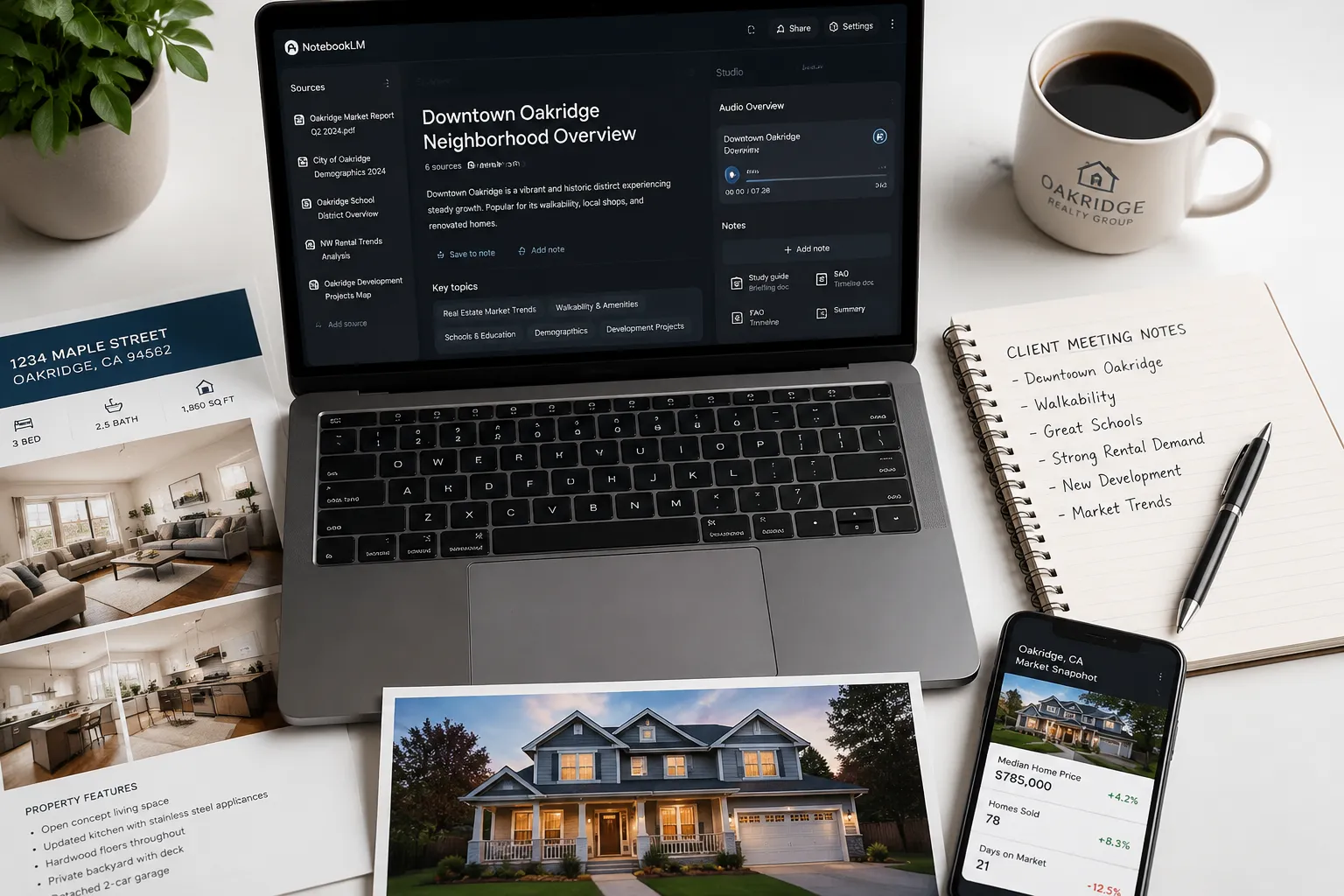
The interface is clean. You create a notebook (think of it as a project folder), upload sources (PDFs, Google Docs, website URLs, YouTube video transcripts, even pasted text), and start asking questions. NotebookLM generates summaries, pulls quotes, creates study guides, and, this is where it gets fresh, produces an Audio Overview that sounds like two podcast hosts discussing your uploaded content.
For real estate agents, this is a game-changer for farm area marketing. You can build a neighborhood brain once, update it quarterly, and have instant access to every data point a client might ask about during a showing or consultation.
How NotebookLM Differs from Traditional Real Estate Tools
Traditional real estate tools, your CRM, MLS, Zillow, even ChatGPT, serve different purposes. Your CRM tracks leads and transactions. The MLS gives you raw listing data. Zillow aggregates public records. ChatGPT generates content but often hallucinates facts.
NotebookLM sits in a different lane. It's not a CRM replacement; it's a research assistant. You're not managing contacts or scheduling showings here. You're building a curated knowledge repository that answers hyper-specific questions about your farm area, and you're doing it with sources you trust.
The real estate AI tools we've covered before, like the best AI tools for real estate agents, focus on lead generation, email automation, and transaction management. NotebookLM is about knowledge retention and instant recall. It's the difference between a power dialer and a reference library.
And unlike most AI tools, NotebookLM is completely free. No subscription tiers, no usage caps, no gate keeping. Google is letting this cook, and agents who adopt it early are building an unfair advantage.
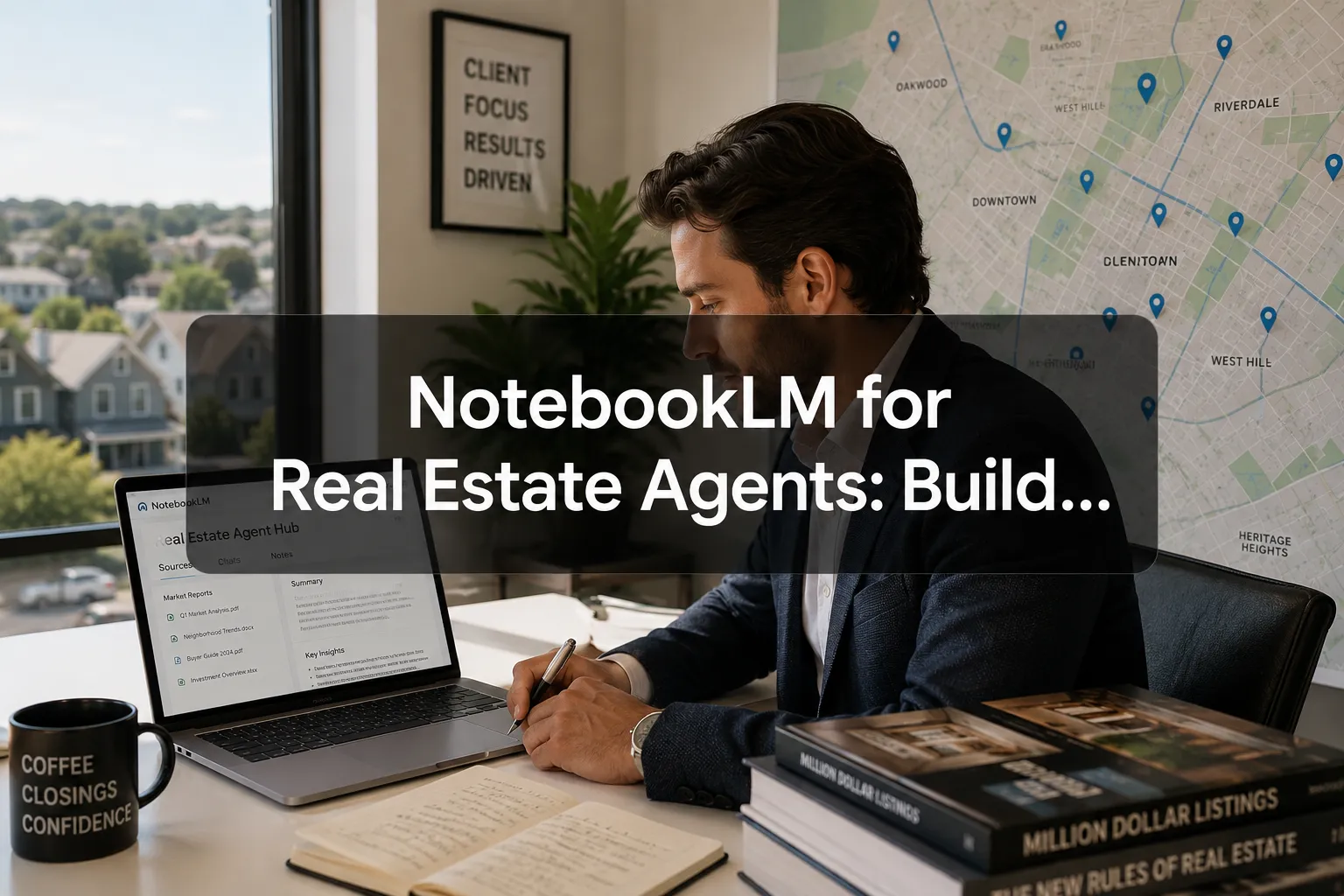
NotebookLM for Real Estate Agents: Build a Neighborhood Brain
Building a neighborhood brain in NotebookLM means creating a single, searchable repository of every relevant data point about your farm area. This isn't just about uploading random PDFs and hoping for the best. You need a system.
Start by defining your farm area. Are you focusing on a specific ZIP code? A school district? A master-planned community? Once you know your boundaries, you'll gather the 10 essential source documents that form the foundation of your neighborhood brain.
Here's the step-by-step process we use:
Step 1: Create a New Notebook
Log into NotebookLM (notebooklm.google.com) and click "New Notebook." Name it after your farm area, "Maplewood Neighborhood Brain" or "Downtown Lofts Market Intel." Keep it specific.
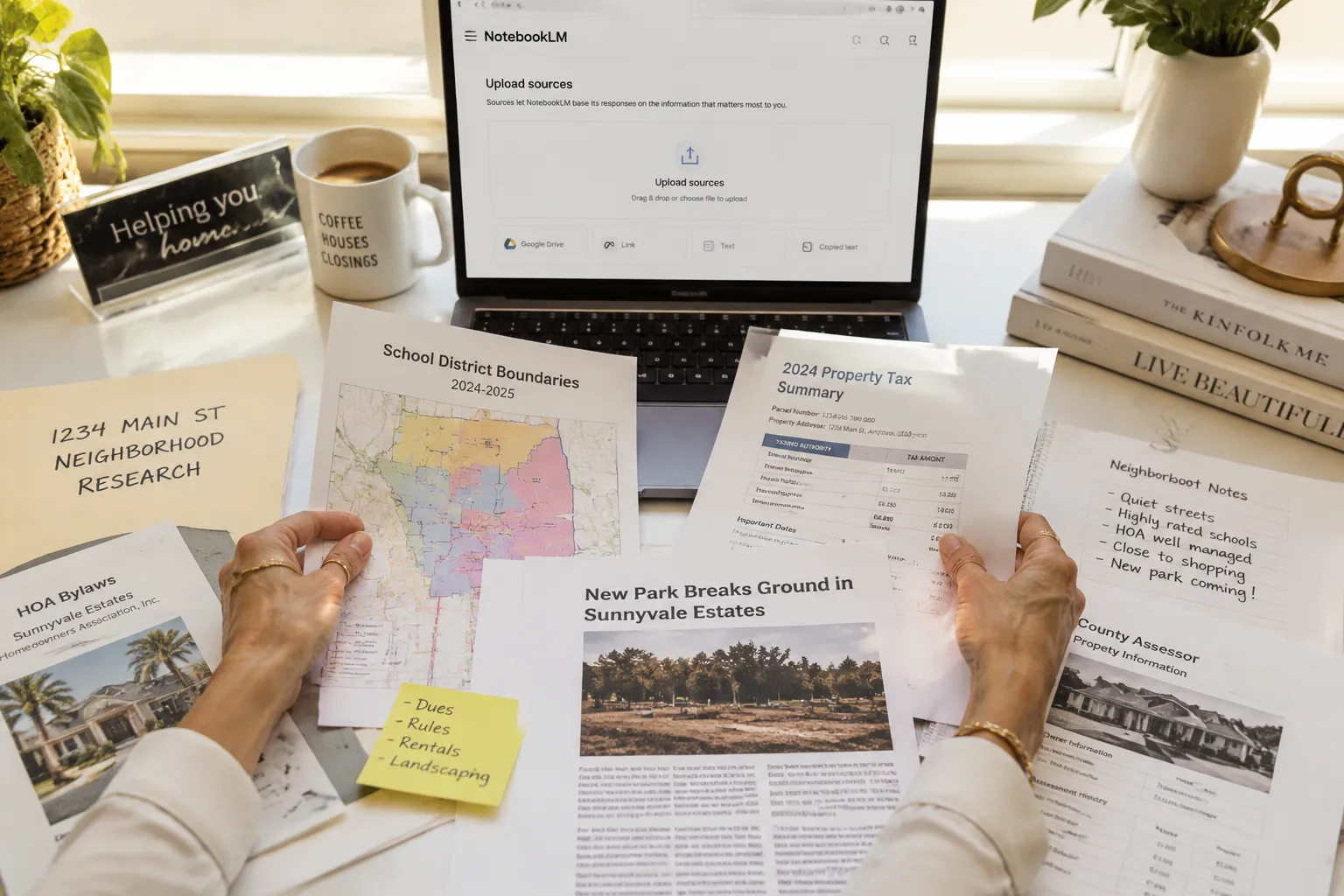
Step 2: Upload Your 10 Core Sources
These are the documents every neighborhood brain needs. Gather them before you start uploading:
- Sold Comps Report (Last 12 Months), Export from your MLS or pull from Zillow. Include address, sale price, price per square foot, days on market, and sale date.
- School District Ratings, Download GreatSchools reports or district performance summaries. Parents ask about schools first.
- County Assessor Property Records, Tax assessments, lot sizes, year built, recent permits. Public records are gold.
- HOA Documents, Bylaws, CC&Rs, fee schedules, meeting minutes. If your farm has an HOA, this is non-negotiable.
- Zoning Maps and Regulations, City planning documents, zoning codes, future development plans. Buyers want to know if a commercial building is going up next door.
- Local News Archives, Save articles about new businesses, infrastructure projects, crime reports, community events. Context matters.
- Walkability and Transit Data, Walk Score reports, bus routes, bike lane maps. Urban buyers care deeply about this.
- Demographic Data, Census reports, median income, age distribution, household size. Helps you tailor messaging.
- Market Trend Reports, Quarterly market updates from your brokerage, local real estate associations, or title companies.
- Your Own Neighborhood Notes, Personal observations, client feedback, hidden gems, local quirks. This is your secret sauce.
Step 3: Upload and Organize
Drag and drop each document into your notebook. NotebookLM accepts PDFs, Google Docs, text files, website URLs, and even YouTube video links. If you have a local news segment about your neighborhood, paste the YouTube URL, NotebookLM will transcribe and index it.
Step 4: Run Your First Query
Once your sources are uploaded, ask a question: "What's the average sale price in Maplewood over the last 12 months?" NotebookLM will scan your sold comps report and give you a cited answer. If the data isn't in your sources, it will tell you, no hallucination.
Step 5: Generate an Audio Overview
Click "Audio Overview" in the top right. NotebookLM will generate a 10-15 minute podcast-style conversation between two AI hosts discussing your uploaded neighborhood data. This is extraordinary for social media. Post it to Instagram, Facebook, or your newsletter for real estate agents as a "State of the Neighborhood" update.
Step 6: Update Quarterly
Your neighborhood brain is only as fresh as your data. Set a calendar reminder to upload new sold comps, school ratings, and local news every quarter. Let it cook, the more you feed it, the smarter it gets.
How to Use NotebookLM for Listing Presentations and Buyer Consultations
NotebookLM shines when you're sitting across from a client and they ask a question you didn't prep for. Instead of fumbling through your phone or promising to "send that info later," you open your neighborhood brain and pull the answer in real time.
Here's how to use NotebookLM in client-facing scenarios:
Listing Presentations
Before you meet with a seller, create a property-specific notebook. Upload:
- The subject property's tax records and recent appraisal
- Sold comps within a half-mile radius
- Your CMA (Comparative Market Analysis)
- Photos and descriptions of recent upgrades
- Neighborhood data from your main farm area notebook
During the presentation, when the seller asks, "Why are you pricing us at $485K when the house down the street sold for $510K?" you query NotebookLM: "Compare 123 Main St to 456 Oak Ave, what are the key differences?"
The AI will cite square footage, lot size, upgrades, days on market, and sale date, all from your uploaded sources. You look impeccable, and the seller trusts your pricing strategy.
Buyer Consultations
Buyers ask a million questions. "What's the crime rate?" "Are there good coffee shops?" "How's the school district?" "What's the HOA fee?"
Instead of Googling mid-conversation, you pull up your neighborhood brain and ask: "Summarize crime trends in Maplewood over the last year." NotebookLM cites your local news archives and police reports. You answer with authority.
You can also generate a custom buyer guide. Ask NotebookLM: "Create a one-page summary of Maplewood for first-time buyers, include schools, walkability, recent sales, and local amenities." Export the response as a PDF and email it to your client. They'll share it with their spouse, and you'll stay top of mind.
Farm Area Marketing
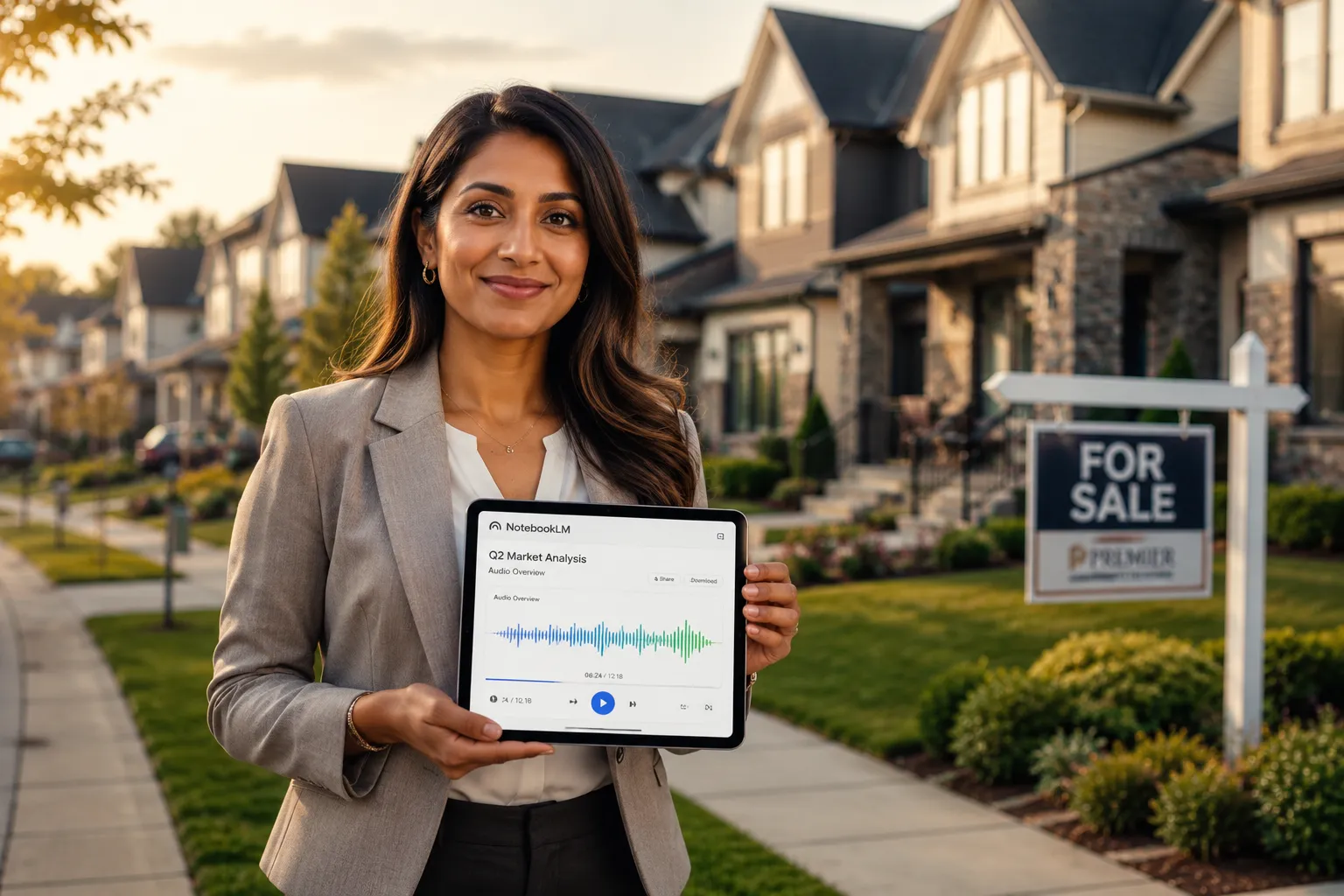
The Audio Overview feature is a cheat code for real estate farming. Upload your neighborhood data, generate the podcast, and post it as a "Neighborhood Market Update" on social media. Add captions, trim it to 60 seconds for Instagram Reels, or embed the full episode in your email newsletter.
People love audio content. It's passive, consumable during a commute, and feels more personal than a blog post. And because NotebookLM generates it from your actual data, it's accurate and relevant, not generic AI slop.
Five Copy-Paste Queries Every Real Estate Agent Should Run
Once your neighborhood brain is built, these five queries will give you instant, client-ready insights:
"What's the average price per square foot in [Neighborhood] over the last 12 months?"
Use this for pricing conversations and CMAs. NotebookLM will cite your sold comps report."Summarize the top three schools in [Neighborhood] and their ratings."
Parents ask this first. Have the answer ready before they do."What are the HOA fees and restrictions in [Community]?"
Buyers hate surprises. Pull this data from your uploaded HOA documents."List recent infrastructure or development projects in [Neighborhood]."
Cite your local news archives. Buyers want to know if property values are trending up."Create a one-page buyer guide for [Neighborhood], include schools, walkability, median income, and recent sales."
Export this as a PDF and send it to every buyer lead. It's a low-effort, high-value touchpoint.
These queries work because they're specific, actionable, and grounded in your uploaded sources. You're not asking NotebookLM to guess, you're asking it to organize and present data you already have.
NotebookLM vs ChatGPT: Which AI Tool Should Real Estate Agents Use?
This is the question we get most often. The answer: both, but for different reasons.
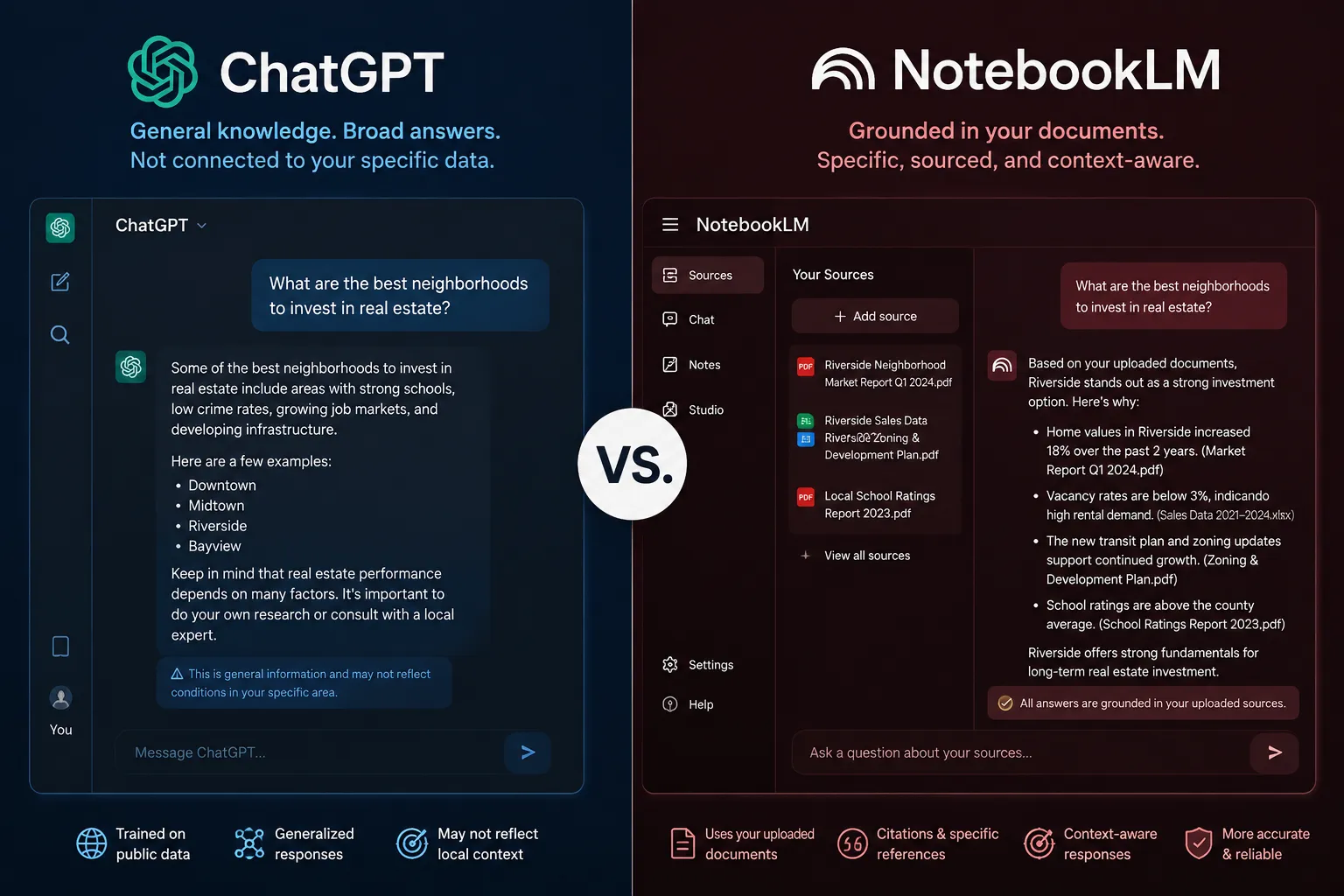
ChatGPT is a generalist. It's trained on the open internet and can generate content, brainstorm ideas, write emails, and answer general questions. But it hallucinates. Ask ChatGPT, "What's the median home price in Maplewood?" and it might give you a number from 2021 or make one up entirely. It's not grounded in real-time, verified data.
NotebookLM is a specialist. It only knows what you upload. Ask the same question, and it will cite your sold comps report or tell you the data isn't in your sources. No hallucination, no guessing.
For real estate agents, here's how we use both:
- ChatGPT: Email templates, social media captions, blog post outlines, brainstorming listing descriptions. Anything creative or general-purpose.
- NotebookLM: Market data, neighborhood research, client-facing presentations, farm area marketing. Anything that requires accuracy and source citations.
If you're building a real estate agent tech stack, both tools belong in it. They're complementary, not competitive.
One more thing: NotebookLM integrates with Google Workspace. If you're already using Google Docs, Drive, and Calendar, the workflow is seamless. ChatGPT requires more manual copy-pasting.
How Much Does NotebookLM Cost for Real Estate Professionals?
Zero dollars. NotebookLM is completely free.
No subscription tiers, no usage caps, no hidden fees. Google released it as an experimental tool in 2023 and has kept it free through 2026. You can create unlimited notebooks, upload up to 50 sources per notebook, and run unlimited queries.
The Audio Overview feature? Free. The citation system? Free. The Google Docs integration? Free.
This is rare in the AI space. Most tools nickel-and-dime you with freemium models, limited queries, paywalled features, per-seat pricing. NotebookLM is the opposite. Google is subsidizing it to compete with OpenAI and Microsoft, and real estate agents are the beneficiaries.
That said, there's no guarantee it stays free forever. Google has a history of killing experimental products (RIP Google Reader, Google+, Inbox). Our advice: use it now, build your neighborhood brain, and export your data regularly. If Google ever pivots to a paid model, you'll have your sources backed up.
For context, here's how NotebookLM compares to other AI tools real estate agents pay for:
- ChatGPT Plus: $20/month for GPT-4 access
- Jasper AI: $49/month for marketing copy
- Copy.ai: $36/month for content generation
- NotebookLM: $0/month for research and knowledge management
If you're already paying for a CRM for real estate agents or email marketing software, NotebookLM doesn't add to your monthly burn rate. It's pure upside.
What Kind of Neighborhood Data Should I Add to NotebookLM?
The quality of your neighborhood brain depends on the quality of your sources. Garbage in, garbage out. Here's what to prioritize:
Essential Data (Upload First)
- Sold Comps: Last 12 months minimum, ideally 24 months for trend analysis. Include address, sale price, price per square foot, days on market, and sale date.
- School Ratings: GreatSchools reports, district performance data, test scores, teacher-to-student ratios. Parents research this obsessively.
- HOA Documents: Bylaws, CC&Rs, fee schedules, meeting minutes, architectural guidelines. Buyers need to know what they're signing up for.
- Zoning and Land Use: City planning documents, zoning maps, future development plans, variance requests. Helps you spot value plays and warn buyers about potential issues.
- Local News: Articles about new businesses, infrastructure projects, crime reports, school funding, community events. Context is everything.
High-Value Data (Upload Second)
- Walkability and Transit: Walk Score reports, bus routes, bike lanes, proximity to parks and shopping. Urban buyers prioritize this.
- Demographics: Census data, median income, age distribution, household size, education levels. Helps you tailor messaging.
- Market Trend Reports: Quarterly updates from your brokerage, local real estate associations, title companies. Gives you macro context.
- Property Tax Records: County assessor data, recent assessments, tax rates, exemptions. Buyers want to know their monthly carrying costs.
- Permit Data: Recent building permits, renovations, new construction. Signals neighborhood investment and future value.
Nice-to-Have Data (Upload Third)
- Local Business Directories: Coffee shops, restaurants, gyms, grocery stores. Quality of life matters.
- Crime Statistics: Police reports, crime maps, neighborhood watch updates. Be honest, buyers will find this anyway.
- Environmental Data: Flood zones, soil reports, air quality, noise levels. Especially important in coastal or industrial areas.
- Historical Sales Data: 5-10 year trends if available. Helps you tell a story about long-term appreciation.
Data Sources We Recommend
- MLS: Your primary source for sold comps and active listings.
- Zillow: Public records, sold history, Zestimate data (take with a grain of salt).
- GreatSchools.org: School ratings and reviews.
- County Assessor Website: Tax records, lot sizes, year built, permits.
- City Planning Department: Zoning maps, development plans, variance requests.
- Local News Websites: Archive articles about your farm area.
- Walk Score: Walkability, transit, and bike scores.
- Census.gov: Demographic data by ZIP code or census tract.
- Nextdoor: Community sentiment, local issues, neighborhood vibe (screenshot relevant threads).
One pro tip: Don't just upload raw data. Add your own commentary. Create a Google Doc titled "Maplewood Insider Notes" and write down observations from showings, client feedback, hidden gems, and local quirks. Upload that doc to your notebook. It's the secret sauce that makes your neighborhood brain uniquely yours.
Is NotebookLM Good for New Agents or Experienced Realtors?
Both. But the use cases differ.
For New Agents
If you're fresh out of real estate school and intimidated by AI tools (but won't admit it), NotebookLM is your on-ramp. It's free, the interface is intuitive, and it doesn't require coding or technical skills. You upload documents, ask questions, and get answers. That's it.
New agents often struggle with knowledge gaps. You don't know the neighborhood as well as the 20-year veteran down the hall. You haven't memorized school ratings, HOA fees, or recent sales. NotebookLM levels the playing field. Build your neighborhood brain, and you'll sound like an expert in your first buyer consultation.
It's also impeccable for real estate farming. Pick a farm area, build a notebook, generate an Audio Overview, and start posting neighborhood market updates on social media. You'll establish yourself as the local expert faster than agents who rely on generic Zillow posts.
For Experienced Realtors
If you've been in the business for years, NotebookLM is a force multiplier. You already have the knowledge, NotebookLM just organizes it and makes it instantly accessible.
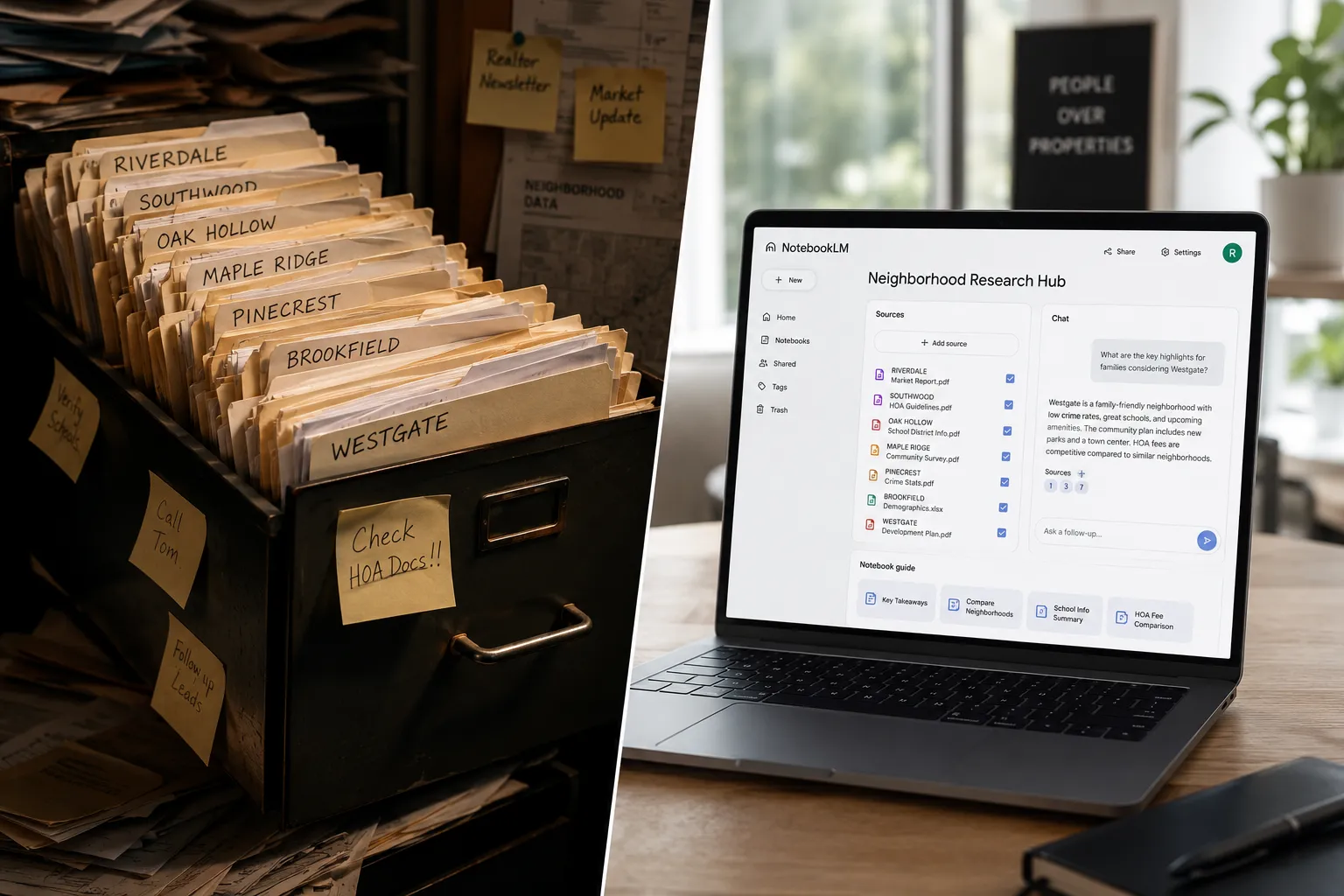
Experienced agents accumulate mountains of data: old CMAs, market reports, client notes, neighborhood intel. Most of it sits in filing cabinets or buried in Google Drive. NotebookLM turns that archive into a searchable, queryable knowledge base.
You can also delegate research to junior agents or assistants. Have them build and maintain your neighborhood brains, then you query them during client meetings. It's a scalable system that doesn't require you to memorize every data point.
One more thing: Experienced agents often mentor newer agents. NotebookLM is a teaching tool. Build a neighborhood brain, share it with your mentee, and show them how to query it. They'll learn faster, and you'll look like a tech-savvy leader.
Common Mistakes Real Estate Agents Make When Using NotebookLM
We've seen agents get excited about NotebookLM, upload a bunch of random PDFs, and then complain that it doesn't work. Here are the mistakes to avoid:
Mistake 1: Uploading Outdated Sources
Your neighborhood brain is only as fresh as your data. If you upload sold comps from 2022 and never update them, you'll give clients stale information. Set a quarterly reminder to refresh your sources.
Mistake 2: Asking Vague Questions
"Tell me about Maplewood" is too broad. NotebookLM will generate a generic summary. Instead, ask: "What's the median sale price in Maplewood over the last 12 months?" Specificity gets better answers.
Mistake 3: Forgetting to Verify AI-Generated Claims
NotebookLM is grounded in your sources, but it's still AI. It can misinterpret data or pull the wrong citation. Always double-check answers before sharing them with clients. Trust, but verify.
Mistake 4: Overloading a Single Notebook
You can upload up to 50 sources per notebook, but that doesn't mean you should. If you cram every neighborhood in your city into one notebook, queries get messy. Create separate notebooks for each farm area.
Mistake 5: Ignoring the Audio Overview Feature
This is the most underutilized feature. Agents upload documents, run queries, and never click "Audio Overview." You're leaving content on the table. Generate the podcast, post it to social media, and watch engagement spike.
Mistake 6: Treating NotebookLM Like a CRM
NotebookLM is not a CRM. It doesn't track leads, schedule follow-ups, or manage transactions. It's a research tool. Use it alongside your CRM for real estate agents, not instead of it.
Mistake 7: Not Backing Up Your Data
Google could shut down NotebookLM tomorrow (unlikely, but possible). Export your sources and save them locally. Don't rely on a free tool as your only data repository.
NotebookLM Not Finding My Uploaded Neighborhood Documents: Troubleshooting Tips
If NotebookLM isn't pulling data from your uploaded sources, here's how to fix it:
Issue 1: The Document Isn't Fully Indexed Yet
After uploading, NotebookLM needs a few minutes to process and index the document. If you query immediately, it might not have finished. Wait 2-3 minutes and try again.
Issue 2: The Document Is Scanned or Image-Based
NotebookLM can't read scanned PDFs or image files. If your sold comps report is a scanned printout, the text isn't machine-readable. Convert it to a text-based PDF using Adobe Acrobat or an OCR tool.
Issue 3: The Data Isn't in Your Sources
This sounds obvious, but it's the most common issue. If you ask, "What's the crime rate in Maplewood?" and you haven't uploaded crime data, NotebookLM will tell you it doesn't have that information. Check your sources.
Issue 4: Your Query Is Too Vague
"Tell me about schools" won't work if you have 10 documents uploaded. Be specific: "What's the GreatSchools rating for Maplewood Elementary?"
Issue 5: The Document Format Is Unsupported
NotebookLM accepts PDFs, Google Docs, text files, website URLs, and YouTube links. It doesn't accept Excel spreadsheets, PowerPoint slides, or proprietary file formats. Convert unsupported files to PDF or Google Docs first.
Issue 6: The Source Is Too Large
Each source has a size limit (around 500,000 words or 50 MB). If you upload a massive PDF, NotebookLM might truncate it. Break large documents into smaller chunks.
Issue 7: You're Using the Wrong Notebook
If you have multiple notebooks, make sure you're querying the right one. It sounds basic, but we've seen agents waste 20 minutes troubleshooting before realizing they were in the wrong notebook.
If none of these fixes work, delete the source and re-upload it. Sometimes the indexing process glitches, and a fresh upload solves it.
Best Alternatives to NotebookLM for Organizing Real Estate Knowledge
NotebookLM is extraordinary, but it's not the only tool in the game. Here are alternatives if you want to compare or supplement:
Notion
Notion is a workspace tool that combines notes, databases, and wikis. You can build a neighborhood brain manually by creating pages for each farm area, embedding documents, and linking related data. It's more flexible than NotebookLM but requires more setup. No AI-powered querying, though.
Best for: Agents who want full control over structure and design.
Evernote
Evernote is a classic note-taking app with tagging, search, and document storage. You can upload PDFs, clip web articles, and organize by neighborhood. It lacks AI features, so you're manually searching instead of querying.
Best for: Agents who prefer traditional note-taking over AI.
Obsidian
Obsidian is a markdown-based knowledge management tool with a focus on linking notes. You can build a "second brain" by connecting neighborhood data, client notes, and market research. It's powerful but has a learning curve.
Best for: Tech-savvy agents who want a local, offline knowledge base.
Roam Research
Roam is a networked note-taking app that emphasizes bidirectional linking. You can create a web of interconnected neighborhood data. It's expensive ($15/month) and overkill for most agents.
Best for: Agents who love deep research and knowledge graphs.
Google Drive + ChatGPT
You can store documents in Google Drive and manually query them with ChatGPT. It's clunky compared to NotebookLM, but it works if you're already in the Google ecosystem.
Best for: Agents who want a free, DIY solution.
Real Estate-Specific CRMs with Knowledge Bases
Some CRMs like kvCORE and Follow Up Boss have built-in note-taking and document storage. They're not as powerful as NotebookLM for querying, but they integrate with your lead management workflow.
Best for: Agents who want everything in one platform.
Our take: NotebookLM is the best free option for building a neighborhood brain. If you need more structure or offline access, try Notion or Obsidian. But for most agents, NotebookLM hits the sweet spot of power, simplicity, and cost (free).
Can I Share My NotebookLM Neighborhood Brain with My Team?
Yes, but with limitations.
NotebookLM allows you to share notebooks with other Google users. Click the "Share" button in the top right, enter their email address, and they'll get view or edit access. This is impeccable for team leads who want to build a shared knowledge base for their brokerage or team.
Here's how we recommend structuring shared notebooks:
- Team Lead: Creates and maintains the master neighborhood brain. Uploads sources, runs queries, generates Audio Overviews.
- Team Members: Have view-only access. They can query the notebook but can't edit or delete sources. This prevents accidental data loss.
- Junior Agents: Use the shared notebook to learn the farm area. They can run queries during buyer consultations without needing to build their own brain from scratch.
One caveat: Shared notebooks don't have granular permissions. You can't restrict access to specific sources or sections. Everyone with access sees everything. If you have sensitive client data, don't upload it to a shared notebook.
Also, shared notebooks count against the 50-source limit. If your team is large and everyone is uploading sources, you'll hit the cap quickly. In that case, create separate notebooks for each farm area and share them individually.
For brokerages, this is a scalable way to onboard new agents. Build neighborhood brains for your top farm areas, share them with incoming agents, and they'll ramp up faster than if they had to research everything themselves.
How to Use NotebookLM to Prepare for Buyer Consultations
Buyer consultations are where NotebookLM shines. Here's our step-by-step process:
Step 1: Build a Buyer-Specific Notebook
Before the consultation, create a new notebook for the buyer. Name it after them: "Smith Family Buyer Consultation." Upload:
- Neighborhood data for their target areas
- Sold comps in their price range
- School ratings (if they have kids)
- Mortgage pre-approval letter (if they've shared it)
- Your buyer guide template
Step 2: Run Pre-Consultation Queries
Ask NotebookLM:
- "What's the median home price in [Target Neighborhood]?"
- "List the top three schools in [Target Neighborhood]."
- "What are the average days on market for homes under $500K?"
- "Summarize recent sales in [Target Neighborhood], include price per square foot and sale dates."
Export the answers and bring them to the consultation. You'll look prepared and data-driven.
Step 3: Use NotebookLM During the Consultation
When the buyer asks a question you didn't prep for, pull up the notebook on your laptop or tablet. Query it in real time. Example:
Buyer: "What's the HOA fee in that community we drove through?"
You: (Opens NotebookLM, queries "HOA fees in [Community]") "It's $250/month, and that includes landscaping, pool maintenance, and trash service."
The buyer sees you're not guessing, you're pulling verified data from your sources.
Step 4: Generate a Custom Buyer Guide
After the consultation, ask NotebookLM: "Create a one-page buyer guide for [Target Neighborhood], include schools, walkability, median income, recent sales, and local amenities."
Export the response as a PDF, email it to the buyer, and CC yourself. It's a low-effort, high-value follow-up that keeps you top of mind.
Step 5: Update the Notebook as You Show Properties
After each showing, add notes to the notebook. Create a Google Doc titled "Smith Family Showing Notes" and write down their feedback: "Loved the kitchen in 123 Main St, hated the carpet in 456 Oak Ave." Upload the doc to the notebook.
Over time, you'll build a profile of their preferences. Before the next showing, query the notebook: "What features do the Smiths prioritize?" NotebookLM will summarize their feedback, and you'll show them properties that match.
This is next-level client service. Most agents forget what buyers said two showings ago. You'll remember everything because your neighborhood brain remembers for you.
Does NotebookLM Work Offline for Showing Properties?
No. NotebookLM is a web-based tool that requires an internet connection. If you're showing properties in a rural area with spotty cell service, you won't be able to query your notebook in real time.
Here's how to work around it:
Option 1: Pre-Export Key Data
Before the showing, run your most common queries and export the answers as PDFs or Google Docs. Save them to your phone or tablet for offline access. It's not as dynamic as live querying, but it works.
Option 2: Use Your Phone's Hotspot
If you have a laptop or tablet, tether it to your phone's hotspot. As long as you have cell service, you can access NotebookLM.
Option 3: Print a Cheat Sheet
Old-school, but effective. Print a one-page summary of key neighborhood data, median price, school ratings, HOA fees, recent sales, and bring it to the showing. You won't need to query anything.
Option 4: Use a Hybrid Approach
Store static data (school ratings, zoning maps, HOA docs) in a local note-taking app like Apple Notes or Evernote. Use NotebookLM for dynamic queries when you have internet access.
Our take: The offline limitation is annoying but not a dealbreaker. Most showings happen in areas with decent cell service, and you can always pre-export critical data. If you're regularly showing properties in dead zones, invest in a mobile hotspot or upgrade your phone plan.
Is NotebookLM Secure Enough for Client Information and MLS Data?
This is a fair question. You're uploading sensitive data, sold comps, client notes, HOA documents, to a Google server. Is it safe?
Here's what we know:
Google's Privacy Policy
NotebookLM is covered by Google's standard privacy policy. Google states that it doesn't use your uploaded content to train its AI models. Your data stays private and isn't shared with third parties.
Data Encryption
NotebookLM uses HTTPS encryption for data in transit and encrypts data at rest on Google's servers. This is standard for cloud-based tools.
Access Control
Only you (and anyone you explicitly share the notebook with) can access your data. Google employees don't have access unless you report a bug or request support.
Compliance
Google is GDPR-compliant and SOC 2 certified. If you're working with international clients or handling sensitive financial data, these certifications matter.
The Risk
No cloud tool is 100% secure. There's always a risk of data breaches, account hacking, or Google changing its privacy policy. If you're uploading highly sensitive client information (Social Security numbers, bank statements, medical records), don't use NotebookLM, or any cloud tool.
Our Recommendation
For typical real estate data, sold comps, school ratings, HOA docs, market reports, NotebookLM is secure enough. It's no riskier than storing documents in Google Drive or Dropbox.
For sensitive client data (pre-approval letters with SSNs, financial statements, personal notes), either redact the sensitive parts before uploading or store them locally in an encrypted folder.
Also, enable two-factor authentication on your Google account. This is non-negotiable. If your account gets hacked, the attacker has access to all your notebooks.
One more thing: Check your MLS's terms of service. Some MLSs prohibit uploading sold comps to third-party tools. If your MLS has strict data-sharing rules, consult your broker before uploading MLS data to NotebookLM.
Frequently Asked Questions
What is the difference between NotebookLM and Google Docs?
Google Docs is a word processor. NotebookLM is an AI research assistant that reads, organizes, and queries documents. You can upload Google Docs to NotebookLM, but they serve different purposes.
Can I use NotebookLM on my phone?
Yes. NotebookLM works in mobile browsers (Safari, Chrome). The interface is optimized for desktop, but you can query notebooks and view sources on your phone.
How many notebooks can I create?
Unlimited. You can create as many notebooks as you want, each with up to 50 sources.
Can I export my NotebookLM data?
Yes. You can copy-paste query responses, download uploaded sources, and export Audio Overviews as MP3 files (via screen recording or third-party tools).
Does NotebookLM integrate with Zillow or MLS?
Not directly. You have to manually export data from Zillow or your MLS and upload it to NotebookLM. There's no API integration yet.
Can I use NotebookLM for commercial real estate?
Absolutely. The same principles apply, upload market reports, zoning docs, lease comps, and tenant data. Build a property brain instead of a neighborhood brain.
What happens if Google shuts down NotebookLM?
Google will likely give advance notice (they did with Google Reader and Inbox). Export your sources and save them locally. Don't rely on any free tool as your only data repository.
Can I use NotebookLM to generate listing descriptions?
Yes, but it's not the best tool for that. ChatGPT or Jasper AI are better for creative writing. Use NotebookLM for research and data queries, not content generation.
Is NotebookLM better than hiring a virtual assistant?
Different use cases. A VA can handle tasks NotebookLM can't (scheduling, email management, social media posting). NotebookLM is better for instant data retrieval and knowledge management.
Can I upload videos to NotebookLM?
You can upload YouTube video URLs, and NotebookLM will transcribe and index the audio. You can't upload video files directly.
Does NotebookLM work in languages other than English?
Yes. NotebookLM supports multiple languages, but performance varies. English is the most reliable.
Can I use NotebookLM to track my transactions?
No. Use a transaction management software or CRM for that. NotebookLM is for research, not workflow management.
Conclusion
NotebookLM for real estate agents is one of those tools that feels too good to be free. You upload neighborhood data once, and you have a searchable, queryable knowledge base that makes you look like the most prepared agent in the room. The Audio Overview feature alone is worth the setup time, turn your farm area intel into a podcast episode, post it to social media, and watch your credibility spike.
The key is treating NotebookLM like a living document. Build your neighborhood brain, update it quarterly, and actually use it during consultations and presentations. Don't let it sit idle. The agents who adopt this now, while it's still free and most competitors are sleeping on it, will have an unfair advantage in 2026 and beyond.
Start with one farm area. Upload the 10 core sources we outlined. Run the five copy-paste queries. Generate an Audio Overview. Share it with your sphere. Let it cook, and watch what happens.
For more on building a tech stack that actually closes deals, check out our guides on best AI tools for real estate agents, real estate farming strategies, and email marketing platforms that turn cold leads into closings.
SEO Meta Title: NotebookLM for Real Estate Agents: Build Neighborhood
Tags: notebooklm for real estate agents, google notebooklm, real estate ai tools, neighborhood marketing, farm area strategy, listing presentation tools, real estate knowledge base, ai for realtors, notebooklm tutorial, real estate technology
For more agent tools, tutorials, and resources, visit the Agent Resources Hub.