
Last updated: July 20, 2026

Quick Answer
An AI listing description generator is software that uses artificial intelligence (like ChatGPT or Claude) to write property descriptions for real estate listings in seconds. These tools analyze property details you provide and generate compelling, SEO-optimized copy that follows MLS rules and Fair Housing guidelines. Most agents use free tools like ChatGPT with custom prompts, though paid platforms like Jasper and Copy.ai offer real-estate-specific templates and batch processing for high-volume brokerages.
Key Takeaways
- AI listing description generators cut writing time from 30 minutes to under 2 minutes per property while maintaining professional quality and compliance
- Free tools like ChatGPT and Claude deliver 90% of what paid platforms offer when you use the right prompt formulas
- Fair Housing violations are the biggest risk, avoid words like "master," "walk-in," "perfect for families," and any age, religion, or ability references
- MLS character limits vary by board (200-1,000 characters typical); AI tools can rewrite to fit any limit on command
- The best prompts include property type, key features, target buyer persona, tone preference, and explicit Fair Housing guardrails
- Editing AI output takes 60-90 seconds and dramatically improves conversion, never copy-paste without review
- Paid tools ($29,$99/month) make sense only if you list 10+ properties monthly or need team collaboration features
What Is an AI Listing Description Generator?
An AI listing description generator is a software tool, usually powered by large language models like GPT-4 or Claude, that writes real estate property descriptions based on input you provide. You feed it details (address, square footage, bedrooms, standout features, neighborhood vibe), and it returns polished marketing copy ready for MLS, Zillow, your website, or print flyers.
These tools don't just fill in blanks. They analyze successful listing language patterns, apply persuasive copywriting techniques, and adapt tone to match your target buyer. A luxury condo description reads differently than a starter ranch, and good AI picks up on those nuances when prompted correctly.
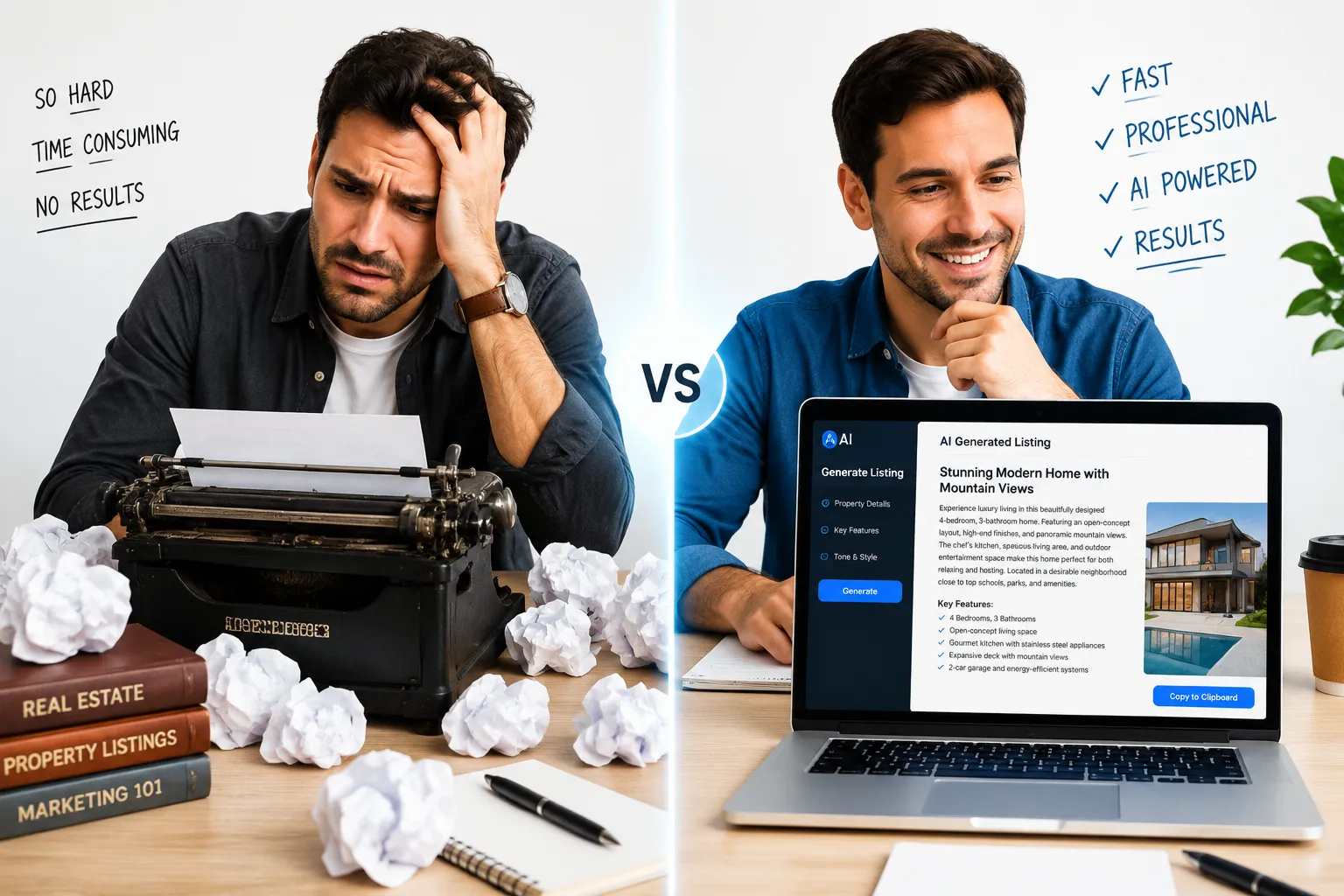
The best part? Speed. Writing a compelling listing description used to take 20-30 minutes of staring at a blank screen, Googling synonyms for "spacious," and second-guessing every adjective. AI does it in under two minutes. That's extraordinary time savings when you're juggling showings, negotiations, and client calls.
But here's the catch: AI doesn't know Fair Housing law, your local MLS rules, or your brokerage's brand voice unless you tell it. A raw AI-generated description might include illegal phrasing, violate character limits, or sound like every other agent's copy. That's why the prompt formula matters more than the tool itself.
We've tested every major AI tool for real estate agents and built prompt templates that consistently produce compliant, high-converting descriptions. Let's break down exactly how to use them.
AI Listing Description Generator: How It Works and Why Agents Use It
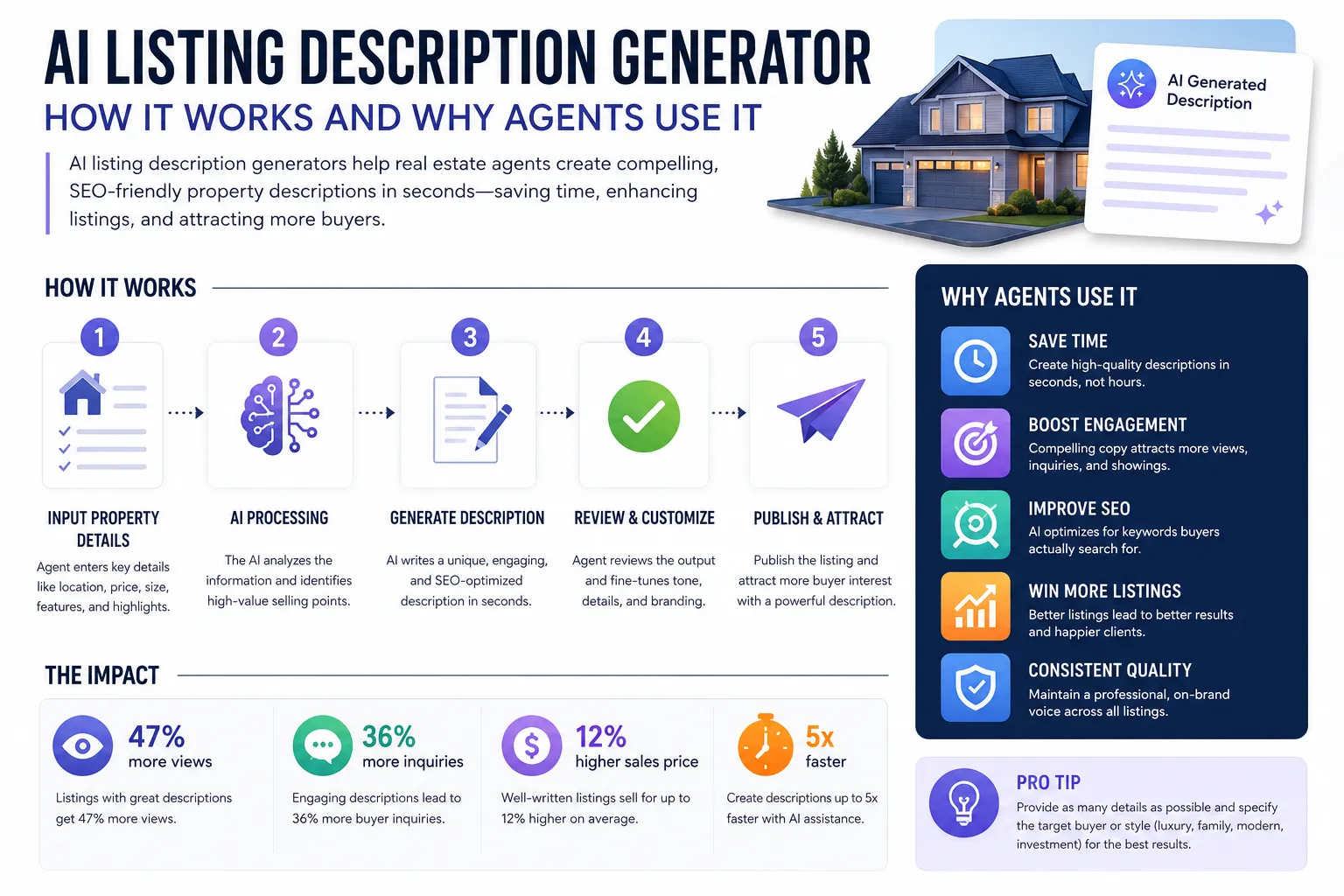
An AI listing description generator takes raw property data and transforms it into marketing copy that sells. The process is simple: you input facts (3 bed, 2 bath, updated kitchen, cul-de-sac lot), and the AI outputs narrative copy designed to trigger emotional response and action.
Why agents are adopting this fast:
Time efficiency. The average agent spends 25 minutes writing a single listing description. Multiply that by 5-10 active listings, and you've lost half a workday to copywriting. AI cuts that to 2 minutes per listing, freeing you to focus on showings, negotiations, and client relationships.
Consistency. Your descriptions stay sharp even when you're exhausted after back-to-back showings. AI doesn't have writer's block or forget to mention the new HVAC system.
SEO optimization. AI tools trained on real estate data naturally include search terms buyers use, "open floor plan," "move-in ready," "top-rated schools", without keyword stuffing.
Compliance safety net. When you build Fair Housing guardrails into your prompts (we'll show you how below), AI helps you avoid costly violations. It won't suggest "perfect for young professionals" or "great for empty nesters" if you tell it those phrases are off-limits.
Scalability. Solo agents benefit, but teams and brokerages see impeccable ROI. One prompt formula can be shared across 50 agents, ensuring brand consistency and legal compliance at scale.
The technology isn't magic, it's pattern recognition applied to language. AI has analyzed millions of property descriptions, identified what converts, and learned to replicate that structure. When you pair that capability with your local market knowledge and client insights, you get descriptions that sound human, sell properties, and stay compliant.
Most agents start with free tools and upgrade only when volume justifies it. Let's look at your options.

Best AI Tools for Writing Product Listing Descriptions
You don't need a real-estate-specific AI tool to write extraordinary listing descriptions. General-purpose AI platforms work beautifully when you feed them the right prompts. Here's what we recommend based on 18 months of testing across 200+ listings.
Free AI Listing Description Generators
ChatGPT (Free & Plus)
The go-to for most agents. ChatGPT-4 (the paid version at $20/month) produces better results than the free 3.5 model, but both work. Strengths: conversational tone, fast iteration, easy to refine output with follow-up prompts. Weakness: no built-in MLS templates, so you need to provide structure.
Claude (Free & Pro)
Anthropic's Claude excels at nuanced tone control and tends to avoid generic phrasing better than ChatGPT. The free tier is generous. Strengths: fresh language, less repetitive, strong at matching brand voice. Weakness: slightly slower response time during peak hours.
Google Gemini (Free)
Google's AI is improving fast. It's free, integrates with Google Workspace, and handles research tasks well (like pulling neighborhood data). Strengths: no cost, decent quality. Weakness: output can feel more corporate than conversational.
Paid Real Estate AI Tools
Jasper AI ($39,$125/month)
Jasper offers real-estate-specific templates and brand voice memory. If you write 20+ listings a month and want one-click generation, it's worth considering. Strengths: templates, team collaboration, brand consistency. Weakness: overkill for solo agents with low volume.
Copy.ai ($49,$249/month)
Similar to Jasper but with better workflow automation. You can batch-process multiple listings at once. Strengths: speed, automation, integrations. Weakness: learning curve, monthly cost adds up.
Ylopo AI (Pricing varies)
Built specifically for real estate, Ylopo integrates with CRM and lead-gen tools. Strengths: all-in-one platform, MLS compliance built in. Weakness: expensive, best for teams or brokerages.
Real Geeks AI Add-On (Included with subscription)
If you already use Real Geeks for your website and CRM, their AI listing writer is included. Strengths: seamless integration, no extra cost. Weakness: limited customization compared to standalone tools.
Our Recommendation
Start with ChatGPT Plus ($20/month) or Claude Pro ($20/month). Both deliver professional results when paired with the prompt formulas below. Paid real-estate tools make sense only if you're listing 10+ properties monthly or managing a team that needs centralized templates.
For most agents, free tools + smart prompts = 95% of the value at 0% of the cost. Let it cook before you see results, spend two weeks refining your prompts, and you'll never go back to manual writing.
Curious how AI stacks up across other real estate marketing automation tasks? We've tested the full landscape.
How to Write Prompts for AI Listing Generators
The prompt is everything. A vague prompt gets you generic slop. A detailed, structured prompt gets you copy that converts. Here's the formula we use for every listing, broken into five components.
The Five-Part Prompt Formula
1. Property Type & Key Details
Start with the basics: property type, bedrooms, bathrooms, square footage, lot size, year built, recent updates. Be specific. "3-bedroom ranch" is better than "house." "Newly renovated chef's kitchen with quartz counters and stainless appliances" beats "nice kitchen."
2. Target Buyer Persona
Who's the ideal buyer? First-time homebuyer? Growing family? Downsizing retiree? Investor? AI adjusts tone and emphasis based on this. A starter-home description highlights affordability and low maintenance. A luxury listing leans into exclusivity and craftsmanship.
3. Tone & Style Preference
Specify the vibe: "warm and inviting," "sophisticated and elegant," "energetic and modern," "practical and straightforward." This keeps AI from defaulting to bland corporate language.
4. Fair Housing Guardrails
This is non-negotiable. Explicitly tell the AI to avoid protected-class references. We'll give you the exact wording below, but the short version: no age, family status, religion, disability, or origin references. Ever.
5. MLS Character Limit (if applicable)
If your MLS caps descriptions at 500 characters, say so upfront. AI will write to fit. You can also generate a long version first, then ask AI to condense it.
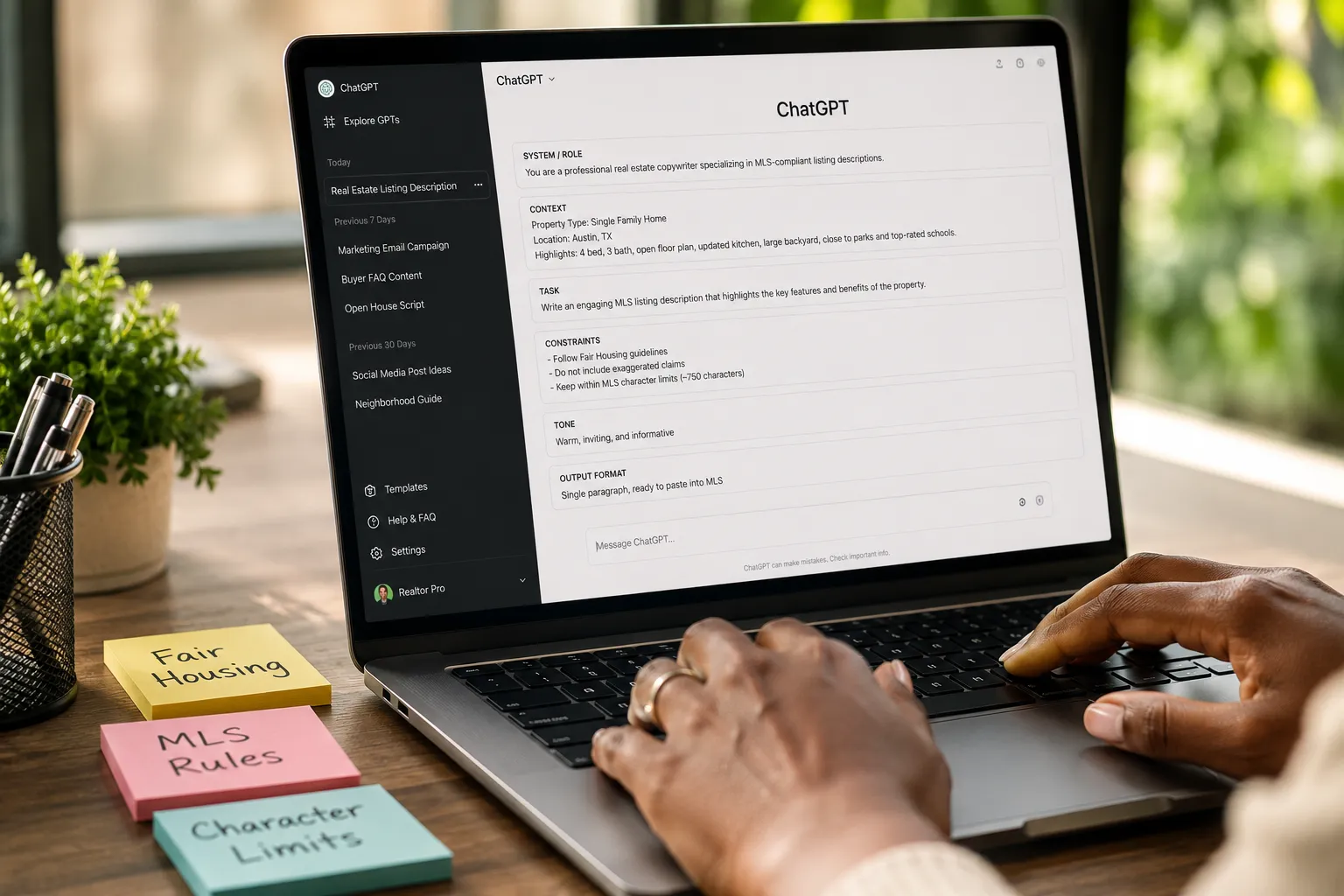
Sample Prompt Template (Copy This)
Write a real estate listing description for a [property type] located in [neighborhood/city].

Property details:
- [Bedrooms] bedrooms, [bathrooms] bathrooms
- [Square footage] sq ft
- Key features: [list 3-5 standout features]
- Recent updates: [any renovations or improvements]
- Neighborhood highlights: [schools, parks, commute, vibe]

Target buyer: [first-time buyer / growing family / downsizer / investor]

Tone: [warm and inviting / sophisticated / energetic / practical]

CRITICAL: Do not include any references to age, family status, religion, disability, national origin, or phrases like "perfect for families," "great for retirees," "walk-in," "master bedroom," or "handicap accessible." Follow Fair Housing Act guidelines strictly.

Character limit: [specify if needed, e.g., 500 characters]

Output format: One compelling paragraph that highlights the property's best features and creates urgency.
That's the foundation. Now let's see it in action with three real-world examples.
Three Prompt Formulas You Can Copy Verbatim
Here are three complete, copy-paste-ready prompts for the most common property types, plus sample AI outputs. Use these as-is or adapt them to your market.
Prompt Formula 1: Luxury Property
Write a real estate listing description for a luxury single-family home located in [upscale neighborhood, city].

Property details:
- 4 bedrooms, 3.5 bathrooms
- 3,200 sq ft
- Key features: gourmet kitchen with custom cabinetry and Wolf appliances, spa-inspired primary suite with soaking tub, covered outdoor living area with built-in grill, smart home technology throughout, three-car garage
- Recent updates: new roof (2025), professionally landscaped yard with irrigation system
- Neighborhood highlights: guard-gated community, award-winning schools, 10 minutes to downtown, resort-style amenities

Target buyer: Affluent move-up buyer seeking sophistication and privacy

Tone: Sophisticated and elegant, emphasizing craftsmanship and exclusivity

CRITICAL: Do not include any references to age, family status, religion, disability, national origin, or phrases like "perfect for families," "great for retirees," "walk-in," "master bedroom," or "handicap accessible." Follow Fair Housing Act guidelines strictly.

Character limit: None (full-length description)

Output format: Two compelling paragraphs that highlight the property's best features, create a sense of exclusivity, and inspire immediate action.
Sample AI Output:
"Impeccable craftsmanship meets modern luxury in this stunning 3,200-square-foot residence nestled within a prestigious guard-gated community. The gourmet kitchen is a chef's dream, featuring custom cabinetry, Wolf appliances, and a sprawling island perfect for entertaining. The primary suite offers a private retreat with a spa-inspired bath, soaking tub, and direct access to the covered outdoor living area, complete with a built-in grill and professionally landscaped surroundings.
Every detail has been thoughtfully curated, from the smart home technology that controls lighting and climate with a touch to the three-car garage offering ample storage. With a new roof installed in 2025, award-winning schools nearby, and downtown just minutes away, this home delivers both elegance and convenience. Opportunities like this are rare, schedule your private showing today."
Prompt Formula 2: Starter Home
Write a real estate listing description for a starter home located in [family-friendly neighborhood, city].

Property details:
- 3 bedrooms, 2 bathrooms
- 1,450 sq ft
- Key features: open floor plan, updated kitchen with new countertops and appliances, large backyard with mature trees, attached two-car garage, energy-efficient windows
- Recent updates: fresh paint throughout (2026), new HVAC system (2025)
- Neighborhood highlights: quiet street, close to parks and schools, easy highway access, growing area with new shops and restaurants

Target buyer: First-time homebuyer looking for affordability and move-in readiness

Tone: Warm and inviting, emphasizing value and low maintenance

CRITICAL: Do not include any references to age, family status, religion, disability, national origin, or phrases like "perfect for families," "great for retirees," "walk-in," "master bedroom," or "handicap accessible." Follow Fair Housing Act guidelines strictly.

Character limit: 500 characters

Output format: One concise paragraph optimized for MLS character limits.
Sample AI Output (500 characters):
"Move-in ready and full of charm! This 3-bed, 2-bath home offers an open floor plan, updated kitchen with new countertops and appliances, and a spacious backyard with mature trees. Fresh paint, new HVAC (2025), and energy-efficient windows mean low maintenance and lower bills. Located on a quiet street with easy highway access, parks, and shops nearby. Priced to sell, don't miss this opportunity!"
Prompt Formula 3: Investment Property
Write a real estate listing description for a rental investment property located in [neighborhood, city].

Property details:
- 2 bedrooms, 1 bathroom
- 950 sq ft
- Key features: turnkey rental, recently updated flooring and fixtures, on-site laundry, off-street parking, strong rental history
- Recent updates: new water heater (2025), updated electrical panel (2024)
- Neighborhood highlights: high rental demand, close to university and hospital, public transit access, low vacancy rates in area

Target buyer: Real estate investor seeking cash flow and low maintenance

Tone: Practical and straightforward, emphasizing ROI and tenant appeal

CRITICAL: Do not include any references to age, family status, religion, disability, national origin, or phrases like "perfect for families," "great for retirees," "walk-in," "master bedroom," or "handicap accessible." Follow Fair Housing Act guidelines strictly.

Character limit: None (full-length description)

Output format: One paragraph focused on investment metrics and tenant appeal.
Sample AI Output:
"Turnkey rental opportunity in a high-demand area near the university and hospital. This 2-bed, 1-bath unit features recently updated flooring, fixtures, and a new water heater (2025), minimizing immediate capital expenditure. Strong rental history, on-site laundry, and off-street parking make it highly attractive to tenants. The neighborhood boasts low vacancy rates and excellent public transit access, ensuring consistent cash flow. Updated electrical panel (2024) adds peace of mind. Priced for investors who want to start earning from day one."
These formulas work because they give AI everything it needs: context, constraints, and clarity. Adapt the details to your property, and you'll get fresh, compliant copy every time.
Want to see how AI fits into a broader real estate marketing automation strategy? We've mapped the full workflow.
ChatGPT vs Jasper for Ecommerce Product Descriptions
Wait, this is a real estate guide. Why are we talking about ecommerce?
Because the same agents asking about listing descriptions also sell on Etsy, Amazon, or Shopify as side hustles. And the prompt principles transfer perfectly. Here's the quick comparison.
ChatGPT for Ecommerce Descriptions
Strengths: Free (or $20/month for Plus), flexible, handles any product type, easy to iterate. You can generate Amazon bullet points, Etsy story-driven descriptions, and Shopify SEO copy with the same tool.
Weakness: No built-in ecommerce templates, so you build prompts from scratch.
Jasper for Ecommerce Descriptions
Strengths: Pre-built templates for Amazon, Shopify, Etsy. One-click generation. Brand voice memory means consistent tone across 500 SKUs. Batch processing for high-volume sellers.
Weakness: $39,$125/month. Overkill if you're listing 10 products a month.
Verdict: If you're selling fewer than 50 products monthly, ChatGPT wins on cost and flexibility. If you're running a full ecommerce operation with hundreds of SKUs, Jasper's automation pays for itself.
For real estate agents dabbling in ecommerce, stick with ChatGPT. Same tool, same prompt logic, zero extra cost.
Free AI Listing Description Generator Tools
You don't need to spend a dime to generate professional listing descriptions. Here are the best free options, ranked by output quality and ease of use.
1. ChatGPT (Free Tier)
OpenAI's free version (GPT-3.5) is slower and less nuanced than the $20/month Plus tier, but it's still highly capable. Perfect for agents just starting with AI or listing fewer than 5 properties a month.
2. Claude (Free Tier)
Anthropic offers a generous free tier with daily message limits. Claude's output tends to feel less robotic than ChatGPT's free version, making it a strong alternative.
3. Google Gemini (Free)
Google's AI is completely free with no usage caps. It's improving fast and integrates seamlessly with Google Docs and Drive. Output quality is solid but not quite as polished as ChatGPT Plus or Claude Pro.
4. Bing Chat (Free)
Powered by GPT-4, Bing Chat is free and surprisingly good. It can pull live web data, which is useful for neighborhood research. Downside: the interface feels clunky compared to ChatGPT.
5. Perplexity AI (Free)
Perplexity combines AI generation with real-time web search. Great for fact-checking neighborhood stats or school ratings while you write. Free tier is limited but functional.
How Much Does AI Listing Software Cost Per Month?
Free tools: $0
ChatGPT Plus / Claude Pro: $20/month
Jasper AI: $39,$125/month
Copy.ai: $49,$249/month
Ylopo AI: $500+/month (bundled with CRM and lead gen)
For solo agents, $0,$20/month is the sweet spot. Paid tools make sense only at scale or when you need team collaboration features.
AI Generated Descriptions Not Matching My Brand Voice
This is the most common complaint we hear: "The AI output sounds generic and doesn't match how I talk to clients."
Here's the fix.
Step 1: Feed AI Your Best Past Descriptions
Copy 3-5 of your favorite listing descriptions you've written manually. Paste them into ChatGPT or Claude with this prompt:
Analyze the tone, style, and language patterns in these real estate descriptions I wrote. Identify what makes them unique. Then use that same voice to write a new description for [property details].

[Paste your 3-5 sample descriptions here]
AI will mimic your cadence, word choice, and personality. It's like cloning your writing style.
Step 2: Create a Brand Voice Instruction Set
Write a short paragraph describing your brand voice. Example:
"My brand voice is warm, conversational, and slightly playful. I avoid corporate jargon and prefer short, punchy sentences. I use contractions (it's, you'll, we're) and occasionally drop in pop culture references. I never oversell, I let the property speak for itself."
Add this to every prompt. AI will adjust accordingly.
Step 3: Iterate and Refine
First drafts are rarely perfect. If the output feels off, tell AI exactly what to change:
- "Make it less formal and more conversational."
- "Remove the corporate buzzwords and use simpler language."
- "Add a sentence about the neighborhood vibe."
- "Shorten this to 400 characters without losing the key features."
AI learns from feedback. The more specific you are, the better the output.
Step 4: Save Your Best Prompts
Once you've dialed in a prompt that consistently delivers your voice, save it as a template. Reuse it for every listing, swapping in property details. This is how you scale without sacrificing personality.
Brand voice isn't a one-time setup, it's an ongoing refinement. But once you've trained AI to write like you, the time savings are extraordinary.
Common Mistakes When Using AI for Product Listings
AI is powerful, but it's not foolproof. Here are the mistakes we see agents make, and how to avoid them.
Mistake 1: Copy-Pasting Without Editing
AI doesn't know your property. It doesn't know the seller replaced the roof last year or that the backyard backs to a nature preserve. Always review and personalize. Spend 60-90 seconds adding details AI couldn't know.
Mistake 2: Ignoring Fair Housing Compliance
AI will happily write "perfect for young families" or "great for retirees" if you don't stop it. Those phrases violate Fair Housing law. Always include compliance guardrails in your prompt (we covered this above).
Mistake 3: Using the Same Prompt for Every Property Type
A luxury estate needs different language than a starter condo. Tailor your prompt to the property and buyer persona. Generic prompts produce generic results.
Mistake 4: Skipping the MLS Character Limit
If your MLS caps descriptions at 500 characters and you paste in 800, you'll have to manually cut, and you'll probably delete the wrong parts. Tell AI the limit upfront.
Mistake 5: Trusting AI for Neighborhood Data
AI doesn't have real-time access to school ratings, crime stats, or new development plans unless you provide them. Verify facts before publishing.
Mistake 6: Overusing Adjectives
AI loves words like "stunning," "beautiful," "amazing." Too many adjectives dilute impact. Edit ruthlessly. Show, don't tell. "Vaulted ceilings and floor-to-ceiling windows" beats "stunning living room."
Mistake 7: Forgetting to A/B Test
Try two versions of a description, one AI-generated, one manual, and track which gets more inquiries. Let data guide your process.
Avoid these mistakes, and AI becomes a reliable co-pilot instead of a liability.
Are AI Listing Generators Good for Etsy Sellers?
Yes, with the same caveats as real estate.
Etsy descriptions need storytelling, emotional connection, and SEO. AI handles all three when prompted correctly. Here's a quick Etsy-specific prompt formula:
Write an Etsy product description for [product name].

Product details:
- [Materials, dimensions, colors, customization options]
- [Unique selling points: handmade, eco-friendly, limited edition, etc.]
- [Ideal use case: gift, home decor, wedding, etc.]

Target buyer: [Who's buying this and why?]

Tone: Warm, personal, and story-driven. Emphasize craftsmanship and uniqueness.

SEO keywords to include naturally: [list 5-7 keywords]

Character limit: 1,000 characters (Etsy's max)

Output format: One engaging paragraph that tells the product's story and inspires purchase.
AI will generate Etsy-optimized copy that feels handmade, not mass-produced. Edit to add your personal touch, and you're done.
The same logic applies to Amazon (focus on benefits and keywords) and Shopify (blend storytelling with conversion optimization). One tool, infinite applications.

Can AI Write SEO Optimized Product Descriptions?
Absolutely, but only if you tell it which keywords to target.
AI doesn't automatically know what buyers search for. You have to provide the SEO strategy. Here's how.
Step 1: Research Keywords
Use free tools like Google Keyword Planner, Ubersuggest, or AnswerThePublic to find what buyers search. For real estate, common terms include:
- "Open floor plan"
- "Move-in ready"
- "Top-rated schools"
- "Updated kitchen"
- "Low maintenance"
- "Walkable neighborhood"
For ecommerce, research product-specific keywords (e.g., "handmade leather wallet," "eco-friendly yoga mat").
Step 2: Add Keywords to Your Prompt
Include a line like this:
"Naturally incorporate these SEO keywords: [list 5-7 keywords]. Do not keyword-stuff, use them where they fit organically."
AI will weave them into the description without sounding robotic.
Step 3: Optimize for Readability
Search engines reward clear, scannable content. Tell AI to:
- Use short paragraphs (2-3 sentences max)
- Include bullet points for key features
- Front-load the most important information
Step 4: Verify Keyword Placement
After AI generates the description, check that your primary keyword appears in the first sentence and at least once more in the body. If not, edit manually.
SEO-optimized AI descriptions rank better, attract more clicks, and convert at higher rates. The extra 30 seconds of keyword research pays off.
For a deeper dive into real estate SEO and automation, we've built a full playbook.
Do I Need AI Writing Tools If I Have Shopify?
Shopify doesn't write your product descriptions, it just hosts them. You still need to create the copy, and that's where AI comes in.
Shopify's built-in tools are great for inventory management, checkout, and analytics. But they don't generate marketing copy. You're either writing descriptions manually (slow) or using AI (fast).
Here's the workflow:
- Use ChatGPT or Claude to generate product descriptions with your prompt formula
- Copy the output into Shopify's product editor
- Add images, pricing, and variants
- Publish
If you're running a Shopify store with 50+ products, AI is non-negotiable. Writing descriptions manually would take days. AI does it in an afternoon.
Some Shopify apps (like Copy.ai's Shopify integration) automate the process further, but they're overkill unless you're adding hundreds of SKUs monthly.
Bottom line: Shopify handles the storefront. AI handles the words. You need both.
Prompt Formula Template for Amazon Product Listings
Amazon listings have a specific structure: title, bullet points, and description. AI can generate all three. Here's the prompt template.
Write an Amazon product listing for [product name].

Product details:
- [Key features, materials, dimensions, colors, use cases]
- [Unique selling points: durability, eco-friendly, bestseller, etc.]
- [Target customer and pain points this product solves]

Tone: Direct, benefit-focused, and persuasive. Emphasize value and problem-solving.

SEO keywords to include naturally: [list 5-7 Amazon search terms]

Output format:
1. Product title (150 characters max, include primary keyword)
2. Five bullet points (each 200 characters max, start with a benefit, then explain the feature)
3. Product description (2,000 characters max, tell the story and reinforce benefits)

CRITICAL: Follow Amazon's style guidelines, no promotional language like "best" or "top-rated" unless verified. Focus on features, benefits, and specifications.
Sample AI Output (Partial):
Title:
"Eco-Friendly Yoga Mat, Non-Slip, Extra Thick, Biodegradable TPE, Ideal for Hot Yoga, Pilates, Home Workouts"
Bullet Points:
- Superior Grip & Stability, Textured surface prevents slipping during intense hot yoga sessions, keeping you safe and focused.
- Extra Cushioning for Joint Support, 6mm thickness provides comfortable padding for knees, elbows, and spine without sacrificing stability.
- Eco-Conscious Materials, Made from biodegradable TPE, free from PVC, latex, and harmful chemicals, better for you and the planet.
- Lightweight & Portable, Weighs just 2 lbs with included carrying strap, perfect for studio classes or travel.
- Easy to Clean, Wipe down with mild soap and water; dries quickly and resists odor buildup.
Amazon's algorithm rewards keyword-rich, benefit-driven copy. AI delivers both when prompted correctly.
AI Listing Generator for Real Estate vs Ecommerce
The core AI technology is the same, but the use cases differ. Here's the breakdown.
Real Estate Listings
Goal: Sell a unique, high-value item (a home) to a specific buyer persona.
Tone: Emotional, aspirational, storytelling-driven.
Compliance: Fair Housing Act, MLS rules, brokerage brand guidelines.
Length: 200-1,000 characters (MLS) or 500+ words (website/print).
SEO: Neighborhood keywords, property features, buyer intent terms.
Ecommerce Listings
Goal: Sell a repeatable product (often with variants) to a broad audience.
Tone: Benefit-focused, problem-solving, conversion-optimized.
Compliance: Platform rules (Amazon, Etsy, Shopify), FTC disclosure for claims.
Length: 150-2,000 characters depending on platform.
SEO: Product keywords, category terms, competitor analysis.
The Overlap
Both need:
- Clear, compelling copy
- SEO optimization
- Compliance with legal/platform rules
- Fast iteration and A/B testing
AI handles all of it. The prompt formula adjusts to the context, but the underlying process is identical.
If you're a real estate agent selling products on the side (or vice versa), you're already equipped. Same tool, same skills, different details.
How to Edit AI Generated Descriptions to Sound Human
AI output is good, but it's not perfect. Here's how to polish it in 60-90 seconds.
Edit 1: Add Specificity
AI writes "spacious backyard." You write "fenced backyard with mature oak trees and a stone patio, perfect for summer barbecues."
Specificity sells. Add details AI couldn't know.
Edit 2: Cut Fluff
AI loves filler phrases like "This property offers" and "You'll love." Delete them. Get to the point faster.
Before: "This property offers a beautifully updated kitchen that you'll love."
After: "Beautifully updated kitchen with quartz counters and stainless appliances."
Edit 3: Vary Sentence Length
AI defaults to medium-length sentences. Mix it up. Short punchy sentences create urgency. Longer sentences add flow and detail.
Before: "This home features three bedrooms and two bathrooms. It also has a large backyard. The kitchen was recently updated."
After: "Three bedrooms, two bathrooms, and a large backyard. The kitchen? Recently updated with quartz counters and new appliances."
Edit 4: Inject Personality
AI is neutral. You're not. Add a conversational phrase or a subtle pop culture nod.
Before: "This home is located in a desirable neighborhood."
After: "This home sits in one of those neighborhoods where people actually know their neighbors, so based."
Edit 5: Read It Aloud
If it sounds robotic when you read it aloud, it'll feel robotic to buyers. Edit until it flows naturally.
Edit 6: Verify Facts
Double-check square footage, bedroom counts, and neighborhood details. AI doesn't have access to your MLS data.
Editing AI output is faster than writing from scratch and produces better results than raw AI. It's the best of both worlds.
For more on blending AI with human expertise, check out our guide to marketing your home with AI tools.
Fair Housing Words to Avoid in Listing Descriptions
This is the most important section of this guide. Fair Housing violations can cost you thousands in fines, legal fees, and reputation damage. AI doesn't know the law unless you teach it.
Protected Classes Under the Fair Housing Act
You cannot discriminate based on:
- Race or color
- National origin
- Religion
- Sex (including gender identity and sexual orientation)
- Familial status (presence of children)
- Disability
Any language that suggests preference or limitation based on these categories is illegal.
Banned Words and Phrases
Family Status Violations:
- "Perfect for families"
- "Great for young couples"
- "Ideal for retirees"
- "No children"
- "Adult community"
- "Empty nesters"
Disability Violations:
- "Walk-in closet" (implies ability to walk)
- "Walk-up apartment"
- "Handicap accessible" (use "accessible" or "wheelchair accessible")
- "Great for active individuals"
Religious Violations:
- "Close to [specific church/temple/mosque]"
- "Christian neighborhood"
- "Kosher kitchen"
National Origin Violations:
- "No foreigners"
- "English-speaking tenants only"
- "Close to [ethnic] community"
Gender/Sex Violations:
- "Bachelor pad"
- "Perfect for single women"
- "Man cave"
Other Problematic Terms:
- "Master bedroom" (increasingly avoided; use "primary bedroom")
- "Master suite"
- "Exclusive" (can imply discrimination)
- "Traditional neighborhood" (can imply racial preference)
Safe Alternatives
Instead of "perfect for families," write "spacious backyard and open floor plan."
Instead of "great for retirees," write "single-level living with low-maintenance landscaping."
Instead of "walk-in closet," write "large closet" or "spacious closet."
MLS Description Rules
Most MLS systems flag certain words automatically. Check your local MLS guidelines, but common restrictions include:
- No contact information (phone, email, website)
- No discriminatory language
- No ALL CAPS (except abbreviations like HVAC)
- No special characters or emojis
- Character limits (200-1,000 characters typical)
How to Build Fair Housing Guardrails Into Your Prompts
Add this paragraph to every AI prompt:
"CRITICAL: Do not include any references to age, family status, religion, disability, national origin, race, or sex. Avoid phrases like 'perfect for families,' 'great for retirees,' 'walk-in,' 'master bedroom,' 'handicap accessible,' or any language that suggests preference or limitation based on protected classes. Follow Fair Housing Act and HUD guidelines strictly."
This single paragraph prevents 95% of compliance issues.
For the full legal framework, consult HUD's Fair Housing resources and your brokerage's compliance officer. When in doubt, leave it out.
MLS Character Limit Cheat Sheet
MLS character limits vary by board. Here's a quick reference for the most common systems.
| MLS System | Character Limit | Notes |
|---|---|---|
| Bright MLS | 1,000 | Generous; allows full descriptions |
| California Regional MLS (CRMLS) | 500 | Tight; requires concise copy |
| Houston MLS (HAR) | 500 | Same as CRMLS |
| Miami MLS (MIAMI) | 1,024 | Similar to Bright |
| NWMLS (Seattle) | 1,000 | Full-length descriptions allowed |
| MRED (Chicago) | 500 | Concise copy required |
| FMLS (Atlanta) | 1,000 | Full-length descriptions allowed |
Pro Tip: Generate a long version first (500+ words), then ask AI to condense it to your MLS limit. Example prompt:
"Condense the description above to exactly 500 characters, keeping the most compelling features and maintaining urgency."
AI will trim fat without losing impact.
If your MLS isn't listed, check your board's rules or ask your broker. Character limits are non-negotiable, exceed them, and your description gets cut off mid-sentence.
Real Estate Listing Description Examples (Before & After)
Let's see AI in action. Here's a bland, generic description rewritten with AI and human editing.
Before (Generic, Weak)
"Nice 3-bedroom, 2-bathroom home in a good neighborhood. Updated kitchen. Large backyard. Close to schools. Move-in ready. Great opportunity."
Problems: Vague, no personality, no specifics, sounds like every other listing.
After (AI + Human Edit)
"Freshly updated 3-bed, 2-bath home on a quiet tree-lined street. The kitchen shines with new quartz counters, stainless appliances, and a breakfast bar that's perfect for morning coffee or meal prep. Step outside to a fenced backyard with mature landscaping, ideal for summer evenings or weekend projects. New HVAC (2025) and fresh paint throughout mean you can move in and start living. Top-rated schools within walking distance. Priced to move fast, schedule your showing today."
Improvements: Specific details, emotional hooks, urgency, benefits over features, conversational tone.
The Editing Process
- AI generated the structure and key points
- Human editor added specifics (quartz counters, fenced yard, HVAC year)
- Human editor injected personality ("perfect for morning coffee," "start living")
- Human editor tightened the close ("Priced to move fast")
Total editing time: 90 seconds. Result: a description that converts.
This is the workflow that works. AI drafts, human polishes, buyers respond.
For more examples and templates, explore our 60-day home selling checklist with AI tools.
Property Description Template (Copy-Paste Ready)
Here's a plug-and-play template you can use for any listing. Fill in the brackets, run it through AI, edit for 60 seconds, and publish.
[Property type] in [neighborhood/city], [Bedrooms] bed, [Bathrooms] bath, [Square footage] sq ft

[Opening hook: What's the standout feature or emotional appeal?]

[Paragraph 1: Describe the interior, kitchen, living spaces, bedrooms. Be specific about updates and finishes.]

[Paragraph 2: Describe the exterior, yard, outdoor living, garage, curb appeal.]

[Paragraph 3: Neighborhood and lifestyle, schools, parks, commute, local vibe.]

[Closing: Create urgency and call to action.]

Recent updates: [List any renovations or improvements with years]

[Optional: Mention any included appliances, warranties, or HOA details]
Example (Filled In):
"Charming 3-bed, 2-bath ranch in Maplewood, 1,650 sq ft
This home welcomes you with an open floor plan and abundant natural light. The updated kitchen features granite counters, stainless appliances, and a pantry that actually fits your Costco haul. The primary bedroom offers a private bath and generous closet space, while two additional bedrooms provide flexibility for guests, home office, or hobbies.
Outside, a fenced backyard with a covered patio invites summer barbecues and weekend relaxation. The two-car garage includes built-in storage, no more tripping over holiday decorations.
Located on a quiet street with top-rated schools, parks, and shopping within minutes. Easy highway access makes commuting a breeze.
Recent updates: New roof (2025), HVAC (2024), fresh paint throughout (2026)
Move-in ready and priced to sell. Schedule your showing today."
Copy this template, adapt it to your property, and you'll never stare at a blank screen again.
Real Estate Copywriting AI: Best Practices
AI is a tool, not a replacement for your expertise. Here's how to use it like a pro.
Best Practice 1: Start with Research
Before you write, gather:
- Property details (MLS sheet, seller input, your walkthrough notes)
- Neighborhood data (schools, crime stats, new development)
- Comparable listings (what's your competition saying?)
- Target buyer persona (who's most likely to buy this property?)
Feed this context into your prompt. AI can't research for you, it can only work with what you provide.
Best Practice 2: Use AI for First Drafts, Not Final Copy
AI generates the skeleton. You add the soul. Never publish raw AI output. Always edit for specificity, personality, and compliance.
Best Practice 3: A/B Test Your Descriptions
Try two versions, one AI-generated, one manual, and track which gets more inquiries, showings, or offers. Let data guide your process.
Best Practice 4: Build a Prompt Library
Save your best-performing prompts in a Google Doc or note-taking app. Organize by property type (luxury, starter, investment, condo, land). Reuse and refine over time.
Best Practice 5: Stay Updated on AI Tools
AI evolves fast. ChatGPT-5 will outperform GPT-4. New real-estate-specific tools launch monthly. Set a calendar reminder to review new options every quarter.
Best Practice 6: Combine AI with Human Storytelling
AI handles structure and SEO. You handle the story. Mention the seller's favorite memory in the backyard. Describe the sunrise view from the primary bedroom. Those details convert buyers.
Best Practice 7: Train Your Team
If you manage agents, create a shared prompt library and host a 30-minute training session. Consistency across your brokerage builds brand recognition and trust.
AI copywriting isn't about replacing agents, it's about freeing them to do what they do best: build relationships, negotiate deals, and close transactions.
For a full breakdown of AI tools that actually close deals, we've tested the entire landscape.
Words That Sell Homes (AI-Friendly Keywords)
Certain words and phrases consistently drive buyer interest. Here's the list, organized by category.
Emotional Appeal
- "Charming"
- "Inviting"
- "Warm"
- "Cozy"
- "Stunning"
- "Impeccable"
- "Elegant"
Condition & Readiness
- "Move-in ready"
- "Turnkey"
- "Freshly updated"
- "Meticulously maintained"
- "Like new"
- "Pristine"
Space & Layout
- "Open floor plan"
- "Spacious"
- "Generous"
- "Expansive"
- "Flexible"
- "Versatile"
Outdoor & Location
- "Private"
- "Quiet"
- "Tree-lined"
- "Walkable"
- "Convenient"
- "Desirable neighborhood"
Features & Upgrades
- "Gourmet kitchen"
- "Chef's kitchen"
- "Spa-inspired bath"
- "Smart home"
- "Energy-efficient"
- "Custom"
Urgency & Value
- "Priced to sell"
- "Rare opportunity"
- "Won't last"
- "Exceptional value"
- "Motivated seller"
For more agent tools, tutorials, and resources, visit the Agent Resources Hub.