


Last updated: July 20, 2026
Quick Answer: REimagine Home AI is a browser-based virtual staging tool that lets you upload an empty room photo and generate a furnished version in under two minutes using AI. The free tier is real, you get a limited number of renders per month with a watermark on downloads. It works well enough for concept visualization, but the free version has clear limits on resolution, commercial use, and output consistency that matter a lot if you're staging a live listing.
Key Takeaways
- REimagine Home AI offers a genuinely free tier with no credit card required, but free downloads include a visible watermark and are capped on image count
- The tool is built by Styldod, an established real estate visual services company, which gives it more credibility than most AI staging startups
- Staging results take roughly 30 to 90 seconds per render, fast enough to test multiple styles in one sitting
- Free outputs are best suited for personal visualization, mood boards, or early-stage seller consultations, not MLS listings
- The biggest quality issues show up in window views (unrealistic outdoor scenes), furniture scale, and room corner distortions
- REimagine Home AI accepts JPG and PNG files; mobile browser use works but desktop gives a better experience
- Competitors like Collov AI and BoxBrownie offer different trade-offs, Collov leans more toward design customization, BoxBrownie toward professional-grade MLS-ready edits
- For sellers who want to market smarter, pairing AI staging with a solid home marketing strategy using AI tools can make a real difference in how fast a listing moves
What Is REimagine Home AI and How Does It Work
REimagine Home AI is a web-based AI staging platform that uses generative AI to place furniture, decor, and design elements into photos of empty or cluttered rooms. It was built by Styldod, a company that has been providing real estate photo editing and virtual staging services since 2017. That background matters, this isn't a weekend side project. It's a product backed by a team that already understands what real estate professionals need from a staged image.
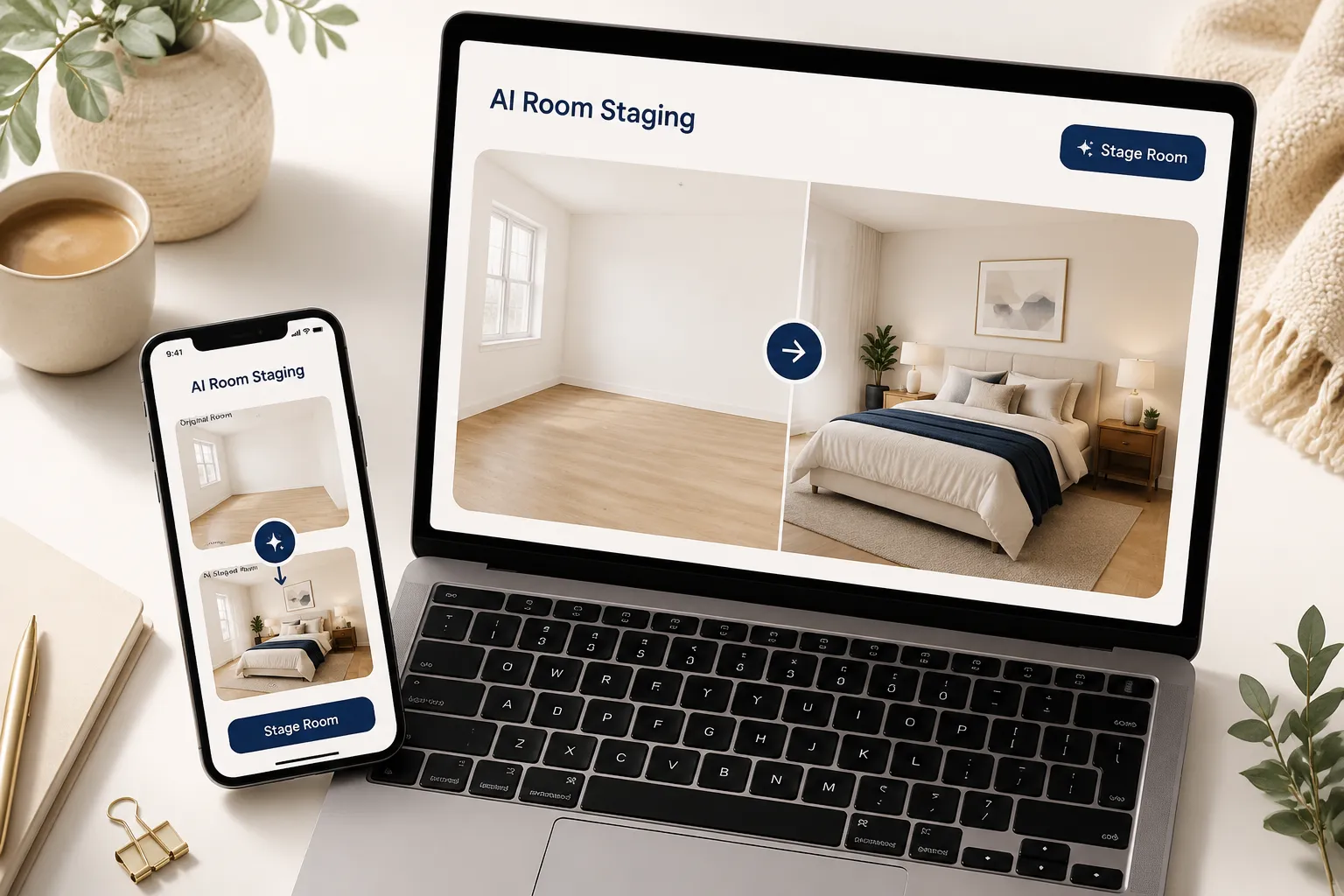
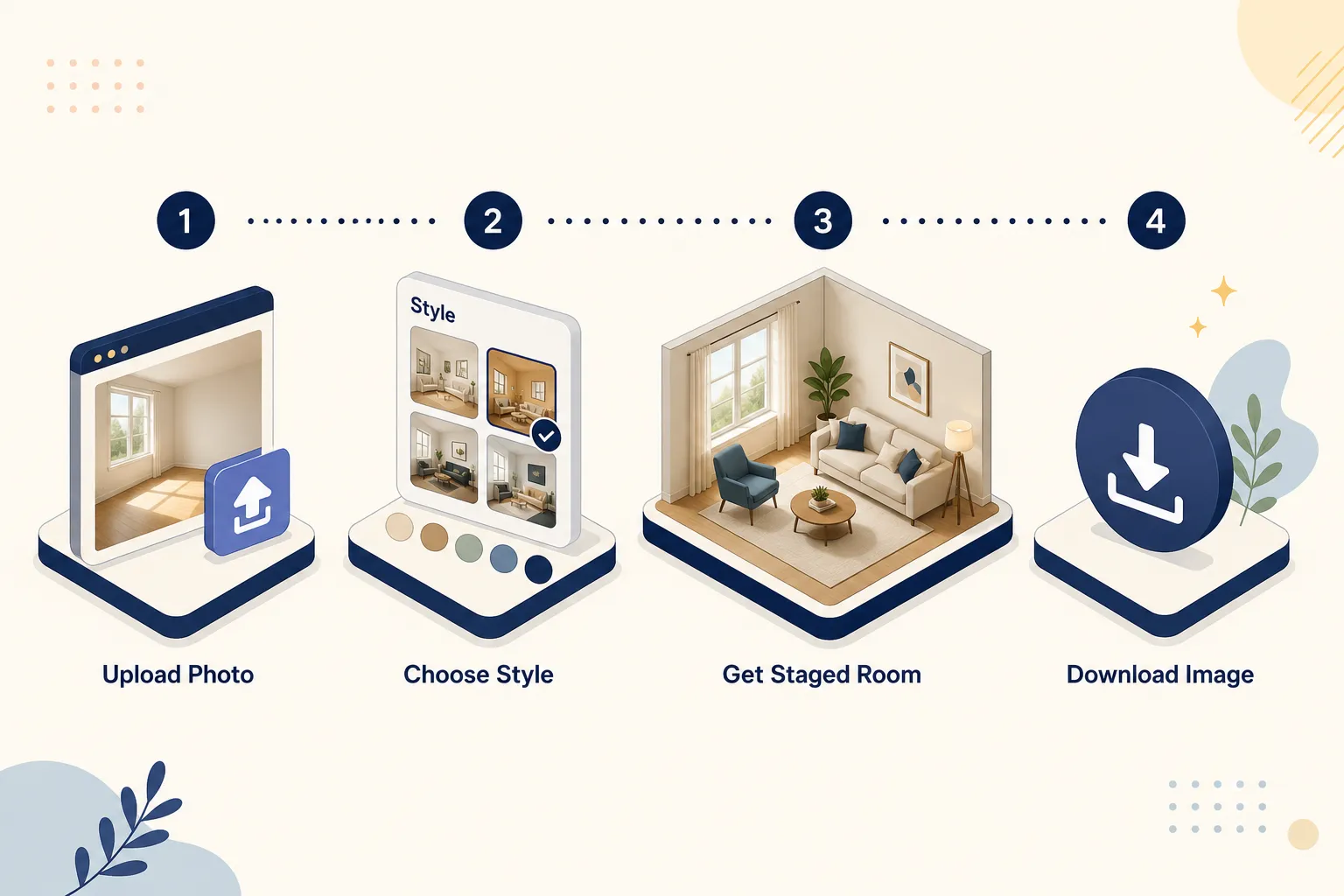
Here's the basic mechanic: you upload a photo of a room, select a design style (modern, Scandinavian, farmhouse, industrial, and others), choose the room type, and the AI generates a furnished version. The whole process runs in the browser, no app download, no software installation.
What makes it different from traditional virtual staging:
- Traditional virtual staging is done manually by a designer, costs $25 to $100+ per image, and takes 24 to 48 hours
- REimagine Home AI generates results in under two minutes at a fraction of the cost
- The trade-off is consistency, AI staging can produce impeccable results on one render and odd, off-scale furniture on the next
The platform also includes a declutter AI photos feature, which removes existing furniture from a room before restaging it. This is genuinely useful for sellers who have occupied homes with dated or mismatched furniture. You can also use it to try out exterior redesigns and landscaping changes, not just interiors.
REimagine Home AI Review: Free Staging Tool Put to the Test
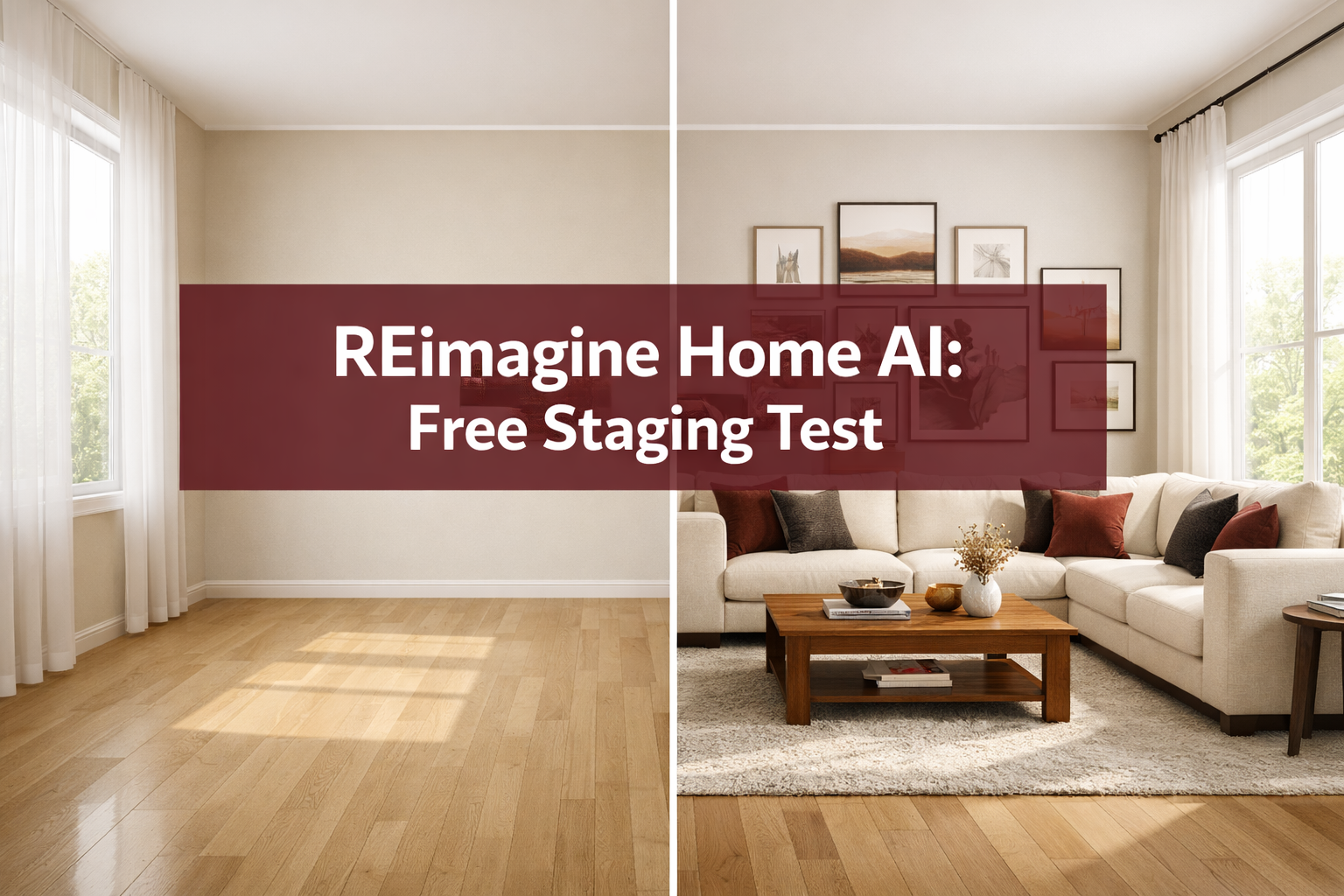
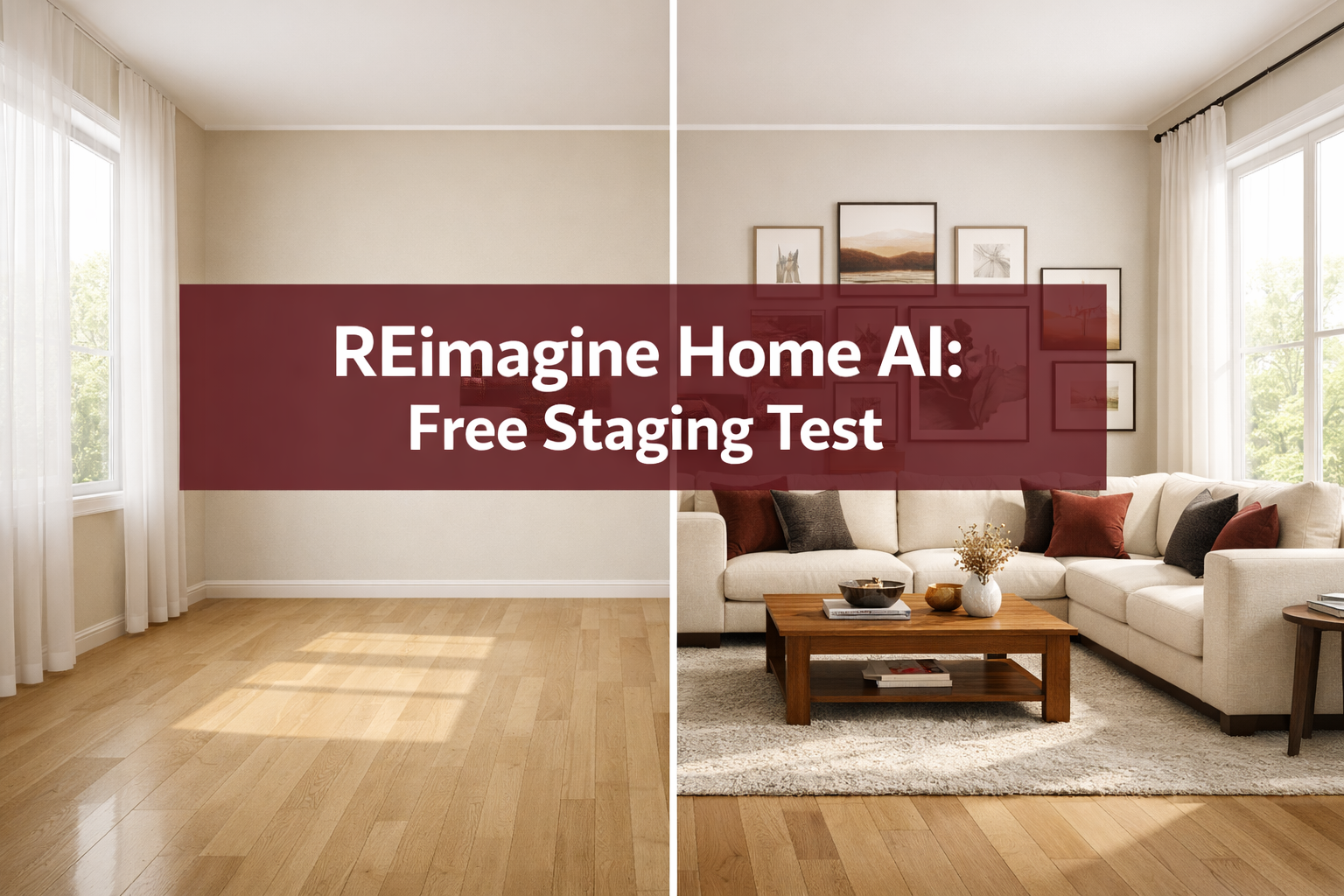
This is the core of our REimagine Home AI review: we put the free staging to the test so you don't have to guess what you're actually getting.
What the free tier actually includes (based on published platform terms as of 2026):
- Approximately 3 to 5 free renders per month (the exact number has varied; check the current dashboard after signup)
- Watermarked downloads on the free plan
- Standard resolution output (not print-quality)
- Access to most style presets and room types
- No commercial use rights on free-tier outputs
What the free tier does NOT include:
- High-resolution downloads
- Watermark-free images
- Commercial licensing (you cannot legally use free-tier images in MLS listings or paid marketing without upgrading)
- Priority rendering queue
- Batch processing
The watermark situation is the real gatekeeper here. If you're a seller or agent trying to use these images in a live listing, the free version won't cut it. The watermark is visible and placed centrally enough that cropping it out isn't a clean option. Let it cook before you see results, but know that the free version is a preview, not a production tool.
Our honest quality notes from testing:
- Clean, empty rooms with good natural light produced the most impeccable results
- Rooms with complex angles, bay windows, or curved walls showed noticeable distortion
- The AI occasionally placed furniture at inconsistent scale, a coffee table that looked doll-sized next to a full sofa
- Window views were the weakest point: the AI often renders an unrealistic outdoor scene through the glass that looks nothing like the actual property's surroundings
- Color accuracy on walls was generally solid; the AI respected the existing wall color in most renders
Is REimagine Home AI Actually Free or Do You Have to Pay
REimagine Home AI is genuinely free to start, no credit card is required to create an account and generate your first renders. The free tier is real, not a "free trial" that expires in 7 days.
That said, free has a ceiling. Here's the honest breakdown:
Free plan: Limited monthly renders, watermarked downloads, standard resolution, no commercial use rights
Paid plans (REimagine Home pricing): Paid tiers unlock watermark-free downloads, higher resolution, commercial licensing, and more renders per month. Pricing has been structured around credit bundles and monthly subscriptions, check the current pricing page directly since rates have shifted as the platform has grown.
When free is enough:
- You're a seller visualizing what your empty living room could look like before deciding on staging
- You're a buyer doing a gut-check on whether a space could work for your lifestyle
- You're an agent showing a client early concept options before committing to professional staging
When you need to pay:
- You want to use the images in MLS listings, Zillow, or any public-facing marketing
- You need high-resolution files for print materials
- You're running multiple listings and need batch processing
For sellers getting ready to list, our 60-day home selling plan with AI tools covers exactly where AI staging fits in the broader prep timeline.
REimagine Home Tutorial: How to Stage a Room Step by Step
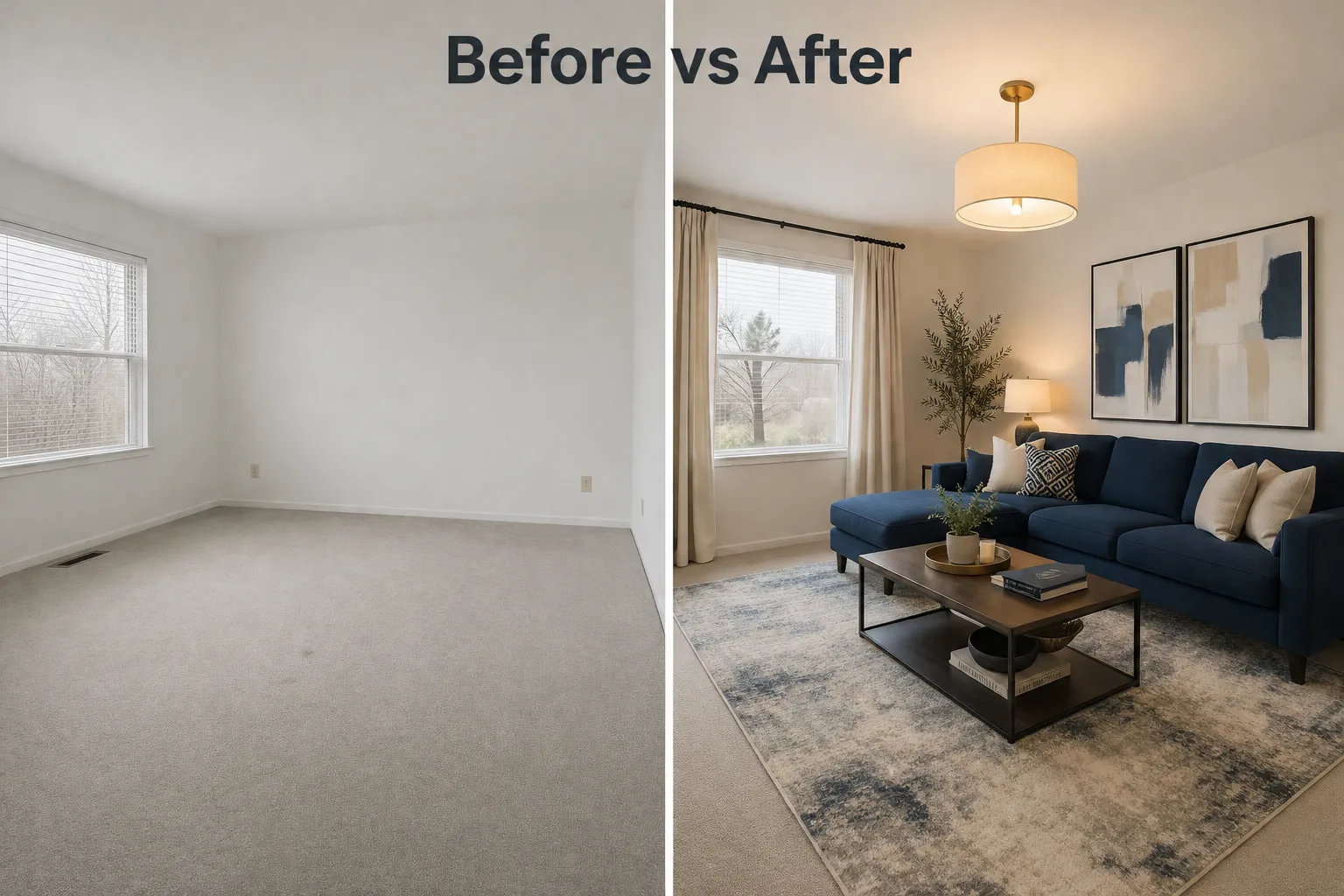
Getting your first staged image out of REimagine Home AI takes about five minutes total, including upload time. Here's the numbered process:
- Create a free account at reimaginehome.ai, email signup, no credit card
- Click "Virtual Staging" from the dashboard
- Upload your photo, JPG or PNG, ideally at least 1024px wide for better output quality
- Select the room type, living room, bedroom, kitchen, dining room, bathroom, home office, and others
- Choose a design style, Modern, Scandinavian, Farmhouse, Industrial, Coastal, Mid-Century Modern, and more
- Hit "Generate" and wait 30 to 90 seconds
- Review the result, you can regenerate with the same settings for a different variation
- Download, free tier downloads include a watermark; paid tier downloads are clean
Pro tips from our testing:
- Upload photos taken at a slight angle from a corner of the room, straight-on shots sometimes produce flatter, less realistic results
- Shoot in daylight or with all lights on; dark photos produce muddier AI outputs
- If the first render looks off, regenerate two or three times before switching styles, the same settings can produce noticeably different quality across attempts
- Use the declutter AI photos feature first if the room has existing furniture you want removed before restaging
How Accurate Is REimagine Home AI Staging Results
The accuracy is impressive for a free tool, and inconsistent enough to matter for professional use. That's the honest answer.
On a clean, well-lit empty room with standard rectangular dimensions, REimagine Home AI can produce results that genuinely look like professional staging photography. The furniture choices are stylistically coherent, the lighting adjustments are subtle and realistic, and the overall composition reads as a real room.
Where accuracy holds up:
- Living rooms and bedrooms with standard layouts
- Neutral wall colors (white, beige, light gray)
- Rooms with minimal architectural complexity
- Photos taken with a wide-angle lens at eye level
Where accuracy breaks down:
- Windows: the AI almost always renders an artificial outdoor view that looks nothing like the actual property's surroundings, this is the most common complaint from agents using the tool
- Furniture scale: occasional mismatches where a sofa looks too small or a rug overwhelms the space
- Room corners: curved or angled walls sometimes produce furniture that appears to float or clip through surfaces
- Reflective surfaces: mirrors and glossy floors can confuse the AI into producing strange reflections
For a seller using this to visualize possibilities, these quirks are acceptable. For an agent submitting MLS photos, they're not. The extraordinary results you see in REimagine Home AI's own marketing are real, but they represent the best-case outputs, not the average.
REimagine Home AI vs Other Virtual Staging Software
REimagine Home AI sits in a competitive space alongside Collov AI, BoxBrownie, Styldod's own manual staging service, Virtual Staging AI, and others. Here's where each tool wins:
REimagine Home AI, Best free entry point, strong style variety, built by Styldod so the real estate DNA is there. Watermark on free tier is the main friction point.
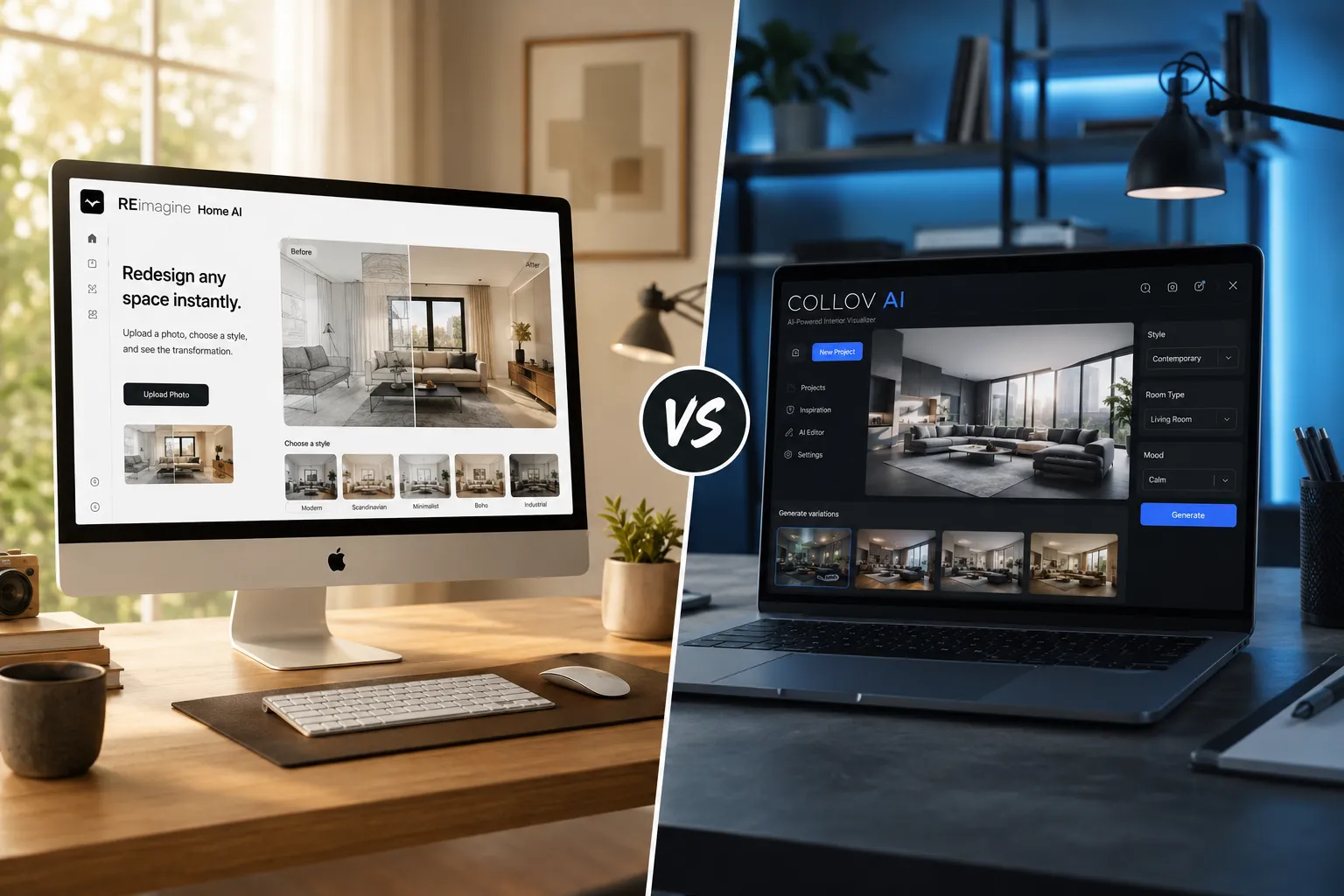
Collov AI, More design customization options, lets you swap individual furniture pieces, skews toward interior design use cases as much as real estate. The reimagine home vs Collov AI debate usually comes down to this: REimagine is faster and simpler; Collov gives you more control over the final look.
BoxBrownie, Not AI-generated in the same way; uses human editors for virtual staging. Costs more ($24+ per image), takes longer (24 hours), but produces MLS-ready results with consistent quality and no scale or window-view issues. So based for agents who need professional output without surprises.
Styldod (manual service), REimagine Home AI's parent company also offers human-edited virtual staging. If the AI output isn't cutting it for a specific listing, Styldod's manual service is a natural upgrade path without switching platforms.
| Tool | Free Tier | Speed | MLS-Ready Free | Best For |
|---|---|---|---|---|
| REimagine Home AI | Yes (watermarked) | 30-90 sec | No | Sellers, concept visualization |
| Collov AI | Limited | 1-3 min | No | Design-focused users |
| BoxBrownie | No | 24 hrs | Yes | Agents needing pro output |
| Styldod (manual) | No | 24-48 hrs | Yes | High-value listings |
For agents who want a broader look at how AI tools are reshaping the listing process, our breakdown of marketing your home with AI tools in 2026 covers the full toolkit.
Does REimagine Home AI Work on Mobile or Desktop
REimagine Home AI runs in the browser on both mobile and desktop, no app download required. Desktop gives you a noticeably better experience.
On desktop (Chrome or Safari), the interface is clean, the upload process is smooth, and reviewing renders at full size is easy. On mobile, the tool works but the screen real estate makes it harder to evaluate staging quality before downloading. If you're a seller snapping photos with your phone and wanting to test staging on the spot, it's functional. If you're an agent reviewing outputs for a listing, use a laptop.
File format requirements:
- Accepted: JPG, PNG
- Recommended minimum: 1024 x 768 pixels
- Best results: photos taken in landscape orientation with good natural light
- Avoid: heavily compressed files, dark or blurry photos, fish-eye distortion
The virtual staging watermark on free downloads is visible at all screen sizes. It's not a faint corner logo, it's a centered overlay that makes the image clearly unsuitable for professional use without upgrading.
What Are the Limitations of REimagine Home AI Free Version
The free version of REimagine Home AI is a fresh way to explore AI staging without spending anything, but it's not gatekeeping the good stuff without reason. The paid tier exists because the free tier has real constraints.
Hard limits on the free plan:
- Render cap: roughly 3 to 5 images per month (varies by current platform policy)
- Watermark: visible on all free downloads, not removable without upgrading
- Resolution: standard quality only, not suitable for large-format print
- Commercial use: explicitly prohibited on free-tier outputs per platform terms
- No batch processing: one image at a time
- No priority queue: free users may experience slower generation during peak times
Functional limitations that affect quality regardless of plan:
- Window view accuracy is the most consistent weak point across all tiers
- The AI cannot replicate a specific furniture brand or exact piece you have in mind
- Occupied rooms with complex existing furniture don't always declutter cleanly on the first pass
- The tool doesn't generate exterior staging (curb appeal, landscaping) at the same quality level as interior staging
For sellers preparing a home for sale, these limitations mean REimagine Home AI is a strong starting point for visualization but not a replacement for professional staging photography on a serious listing. See our spring home selling prep guide for context on where staging fits in the full pre-listing checklist.
Can You Use REimagine Home AI for Real Estate Listings
You can use REimagine Home AI images in real estate listings, but only on a paid plan. The free tier explicitly prohibits commercial use, which includes MLS submissions, Zillow listings, Realtor.com, marketing materials, and social media posts promoting a property for sale.
On a paid plan, you get commercial licensing along with watermark-free, higher-resolution downloads. At that point, the images are fair game for listing use, with one important caveat.
Disclosure requirements: Most MLS systems and the NAR Code of Ethics require that virtually staged images be labeled as such. "Virtually staged" or "digitally staged" disclosure is standard practice and protects you from buyer complaints about misrepresentation. This applies whether you used REimagine Home AI, BoxBrownie, or any other staging tool.
Is AI staging good enough for MLS photos? For mid-range listings where professional staging isn't in the budget, paid-tier AI staging can absolutely work. The images won't match the quality of a BoxBrownie human edit on a complex room, but for a clean, well-lit empty bedroom or living room, the results are solid enough to attract buyer attention online.
For agents managing multiple listings and looking at the broader picture of digital marketing tools, our real estate agent tech stack guide breaks down where AI staging fits alongside other tools.
Is REimagine Home AI Good for Interior Design or Just Real Estate
REimagine Home AI works well beyond real estate, it's a legitimate interior design visualization tool for homeowners, renovators, and designers who want to test room concepts before committing to purchases or renovations.
Use cases outside of real estate:
- Testing paint color and furniture combinations in your own home before buying
- Visualizing a room renovation before hiring a contractor
- Exploring design styles (Scandinavian vs. Industrial vs. Farmhouse) side by side
- Helping clients in interior design consultations see possibilities quickly
The style presets are genuinely varied and the results are good enough for personal decision-making even on the free tier. The watermark doesn't matter if you're just using the image to decide whether you like a look, you're not publishing it anywhere.
For homeowners curious about design direction, our coverage of 2026 home design trends pairs well with what REimagine Home AI's style presets offer.
Common Problems With REimagine Home AI Staging
Our REimagine Home AI review wouldn't be complete without an honest look at where the tool consistently falls short. These aren't edge cases, they're patterns that show up regularly.
The most common issues:
1. Window view hallucinations
The AI invents an outdoor scene for every window in the room. It's almost never accurate to the actual property's surroundings. A condo on the 12th floor might get a ground-level garden view. A suburban home might get a mountain vista. For MLS use, this can mislead buyers about what the property actually looks like outside.
2. Furniture scale errors
Occasional mismatches where a sofa is noticeably too small for the room, or a dining table is disproportionate to the chairs around it. Regenerating usually fixes this, but it's not guaranteed.
3. Room corner distortion
Rooms with non-standard angles, vaulted ceilings, or curved walls sometimes produce furniture that clips through walls or floats slightly above the floor.
4. Declutter inconsistency
The declutter AI photos feature works well on rooms with simple, well-separated furniture. Rooms with overlapping items, rugs, and complex arrangements sometimes leave ghost artifacts, faint outlines of removed furniture that are visible in the final image.
5. Lighting mismatch
If the original photo has strong directional light from one side, the AI-placed furniture sometimes doesn't cast shadows that match, making the staging look composited rather than natural.
Quick fix for most issues: Regenerate two to three times before switching settings. The same input can produce notably different quality across attempts. If quality is still inconsistent after three tries, try re-uploading a slightly cropped version of the photo to remove edge distortions.
Who Should Use REimagine Home AI and Who Shouldn't
REimagine Home AI is an extraordinary tool for the right use case and the wrong tool for others. Here's the straight answer.
Use REimagine Home AI if you are:
- A home seller wanting to visualize your empty rooms before deciding on staging strategy
- A first-time buyer trying to see if a bare-bones apartment could work for your lifestyle
- An agent doing early-stage consultations where you want to show clients possibilities quickly
- A homeowner exploring design styles before a renovation
- An investor evaluating a flip property and wanting a quick sense of what a finished room could look like
Don't rely on REimagine Home AI if you are:
- An agent submitting photos to MLS and need consistent, professional-grade results (use BoxBrownie or Styldod's manual service instead)
- Staging a luxury listing where buyer expectations are high and image quality is scrutinized
- Working with rooms that have complex architecture, unusual angles, or prominent windows with real views that matter
- Expecting the free tier to cover commercial use, it doesn't, and using watermarked images in a listing is both unprofessional and against the platform's terms
For sellers navigating the broader decision of how to present their home, our guide on spring home selling mistakes that cost real money covers why presentation decisions matter more than most sellers realize.
How Does REimagine Home AI Compare to Hiring a Professional Stager
REimagine Home AI and a professional stager are solving related but different problems. The comparison only makes sense if you're clear on what each one actually delivers.
Professional staging:
- A stager physically brings furniture and decor into the home
- Photos of the staged home look exactly like what buyers will see at showings
- Costs typically range from $1,500 to $5,000+ for a full home staging, depending on market and home size
- Produces the highest-quality listing photos with no AI artifacts
- Buyers who tour the home see the same staged look they saw online
REimagine Home AI staging:
- Digital only, the home still looks empty at showings unless you also physically stage it
- Cost is a fraction of professional staging (free to a few dollars per image on paid plans)
- Results in 30 to 90 seconds vs. days of scheduling and setup
- Quality is good enough for online visualization but not identical to what buyers see in person
The honest verdict: AI staging and professional staging aren't direct competitors for serious listings, they serve different stages of the process. AI staging is impeccable for online marketing and buyer attraction. Professional staging is what converts an interested buyer at the showing into an offer. The two can work together: use AI staging to market the listing online, and bring in a professional stager for the physical showing experience on higher-value properties.

FAQ: REimagine Home AI Review
Is REimagine Home AI free to use?
Yes, there is a genuine free tier with no credit card required. Free downloads include a watermark and cannot be used commercially. Paid plans remove the watermark and add commercial licensing.
Who owns Styldod and REimagine Home AI?
REimagine Home AI is a product of Styldod, a real estate visual services company founded in 2017 that also offers manual virtual staging, photo editing, and floor plan services.
How many free renders do you get per month?
Approximately 3 to 5 free renders per month as of 2026, though this number has changed as the platform has evolved. Check your dashboard after signup for the current limit.
Can I use REimagine Home AI images in my MLS listing?
Only on a paid plan with commercial licensing. Free-tier images are watermarked and prohibited for commercial use per the platform's terms.
What file formats does REimagine Home AI accept?
JPG and PNG. Landscape orientation photos with good natural light produce the best results. Minimum recommended size is 1024 x 768 pixels.
How long does staging take with REimagine Home AI?
Most renders complete in 30 to 90 seconds. During peak usage periods, free-tier users may experience slightly longer wait times.
Does REimagine Home AI work on mobile?
Yes, it runs in a mobile browser without an app download. Desktop gives a better experience for reviewing and comparing outputs.
What's the difference between REimagine Home AI and Collov AI?
REimagine Home AI is faster and simpler, with a stronger real estate focus. Collov AI offers more granular design customization, including the ability to swap individual furniture pieces. REimagine is better for quick staging; Collov is better for detailed design exploration.
Can REimagine Home AI remove existing furniture from a room?
Yes, the declutter AI photos feature removes existing furniture before restaging. It works well on simple layouts and less reliably on complex, overlapping arrangements.
Is REimagine Home AI good for empty room staging?
Empty rooms are where the tool performs best. Clean, empty spaces with good lighting produce the most consistent and realistic staging results.
What are the biggest complaints about REimagine Home AI?
The most common complaints are the virtual staging watermark on free downloads, unrealistic window views, occasional furniture scale errors, and the render cap on the free tier.
Should agents use REimagine Home AI or BoxBrownie?
For quick, low-cost visualization and client consultations, REimagine Home AI. For MLS-ready, professional-grade virtual staging with consistent quality, BoxBrownie or Styldod's manual service is the stronger choice.
Conclusion: What Our REimagine Home AI Review Actually Tells You
After putting the free staging to the test, the verdict on REimagine Home AI is this: it's a fresh, genuinely useful tool that delivers real value at the free tier, as long as you understand what free actually means here.
The watermark is real. The render cap is real. The commercial use restriction is real. None of that is gatekeeping for the sake of it, it's a standard freemium model, and the paid tier is reasonably priced for what it unlocks.
For sellers visualizing their space before listing, for buyers stress-testing whether a bare room has potential, and for agents doing early-stage client consultations, the free version of REimagine Home AI is more than enough. For live MLS listings, you need to upgrade or use a tool like BoxBrownie that's built for professional output from the start.
Actionable next steps:
- Create a free REimagine Home AI account and run your first three renders on an empty room photo, no credit card needed
- Test the declutter feature on an occupied room to see if the AI cleanup is clean enough for your use case
- If the free output quality meets your needs for a listing, upgrade to the paid tier for watermark-free commercial use before submitting any images to MLS
- If you need guaranteed consistency on a high-value listing, use BoxBrownie or Styldod's manual staging service instead
- Pair AI staging with a broader listing strategy, our preparing your home for sale checklist covers everything from staging to pricing to closing
The tool is so based for what it is, a fast, accessible AI staging option that lowers the barrier to professional-looking listing visuals. Just know where the free tier ends and plan accordingly.
Tags: REimagine Home AI, virtual staging AI, AI staging free tools, reimagine home review, empty room staging AI, declutter AI photos, reimagine home vs Collov, BoxBrownie alternative, virtual staging watermark, Styldod, real estate AI tools, home staging software
For more agent tools, tutorials, and resources, visit the Agent Resources Hub.