
Last updated: July 20, 2026

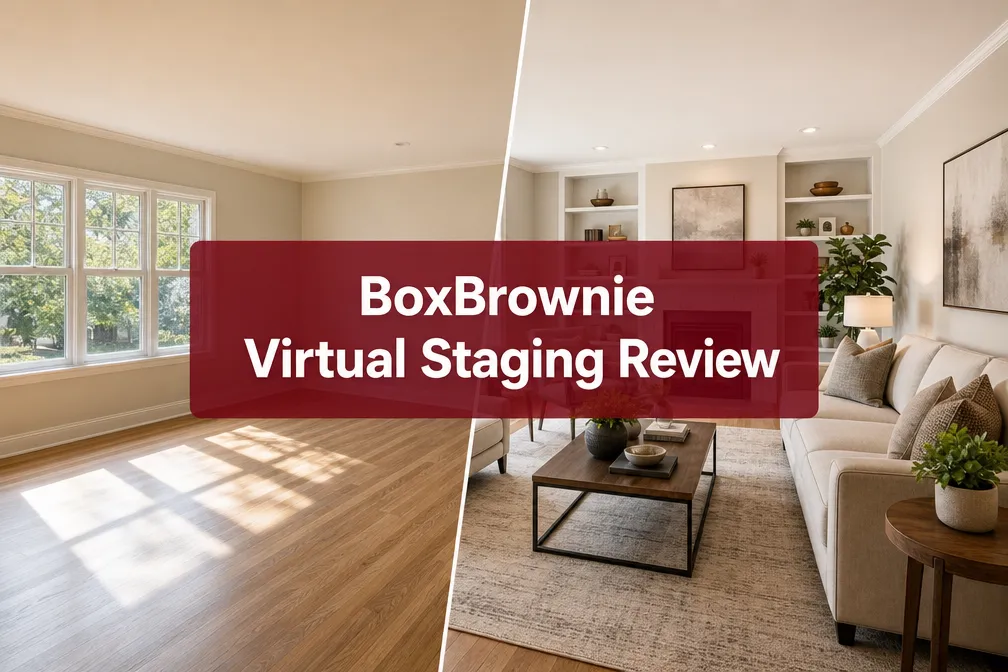
Quick Answer: BoxBrownie is a human-edited photo enhancement service for real estate listings, offering virtual staging starting at $24 per photo with a standard 24-hour turnaround. The quality is consistently strong, the pricing is transparent, and the workflow is straightforward, but it is not instant AI staging. If you need photos in under an hour, BoxBrownie is not your tool. If you need polished, MLS-ready images that actually look like a real room, it is one of the best options on the market in 2026.
Key Takeaways
- BoxBrownie virtual staging costs $24 per image for standard residential rooms, with no subscription required.
- Turnaround time is 24 hours for most orders, with a 48-hour window as the outer limit for complex edits.
- The service uses human editors, not generative AI, which produces more realistic results but requires patience.
- BoxBrownie also offers day-to-dusk conversions ($4 per image), item removal ($4 per image), and virtual renovation (starting at $24 per image).
- Accepted file formats include JPEG, PNG, and TIFF, minimum image resolution requirements apply.
- No free trial is available, but BoxBrownie offers a pay-per-image model with no commitment.
- Compared to instant AI tools like Collov AI and REimagine Home, BoxBrownie produces more realistic staging but takes longer and costs more per image.
- Virtual staging from BoxBrownie works for empty rooms, partially furnished spaces, and commercial properties.
- The biggest mistake users make is submitting low-resolution or poorly lit photos, garbage in, garbage out.
- For agents building a full listing marketing system, BoxBrownie pairs well with a strong real estate agent tech stack.

What Is BoxBrownie Virtual Staging and How Does It Work?
BoxBrownie is an Australian-founded, globally operating real estate photo editing platform that connects listing photos with a team of human editors who digitally furnish, enhance, or transform images. Virtual staging is its flagship service, editors take photos of empty or sparsely furnished rooms and add realistic furniture, decor, and styling to make the space look move-in ready.
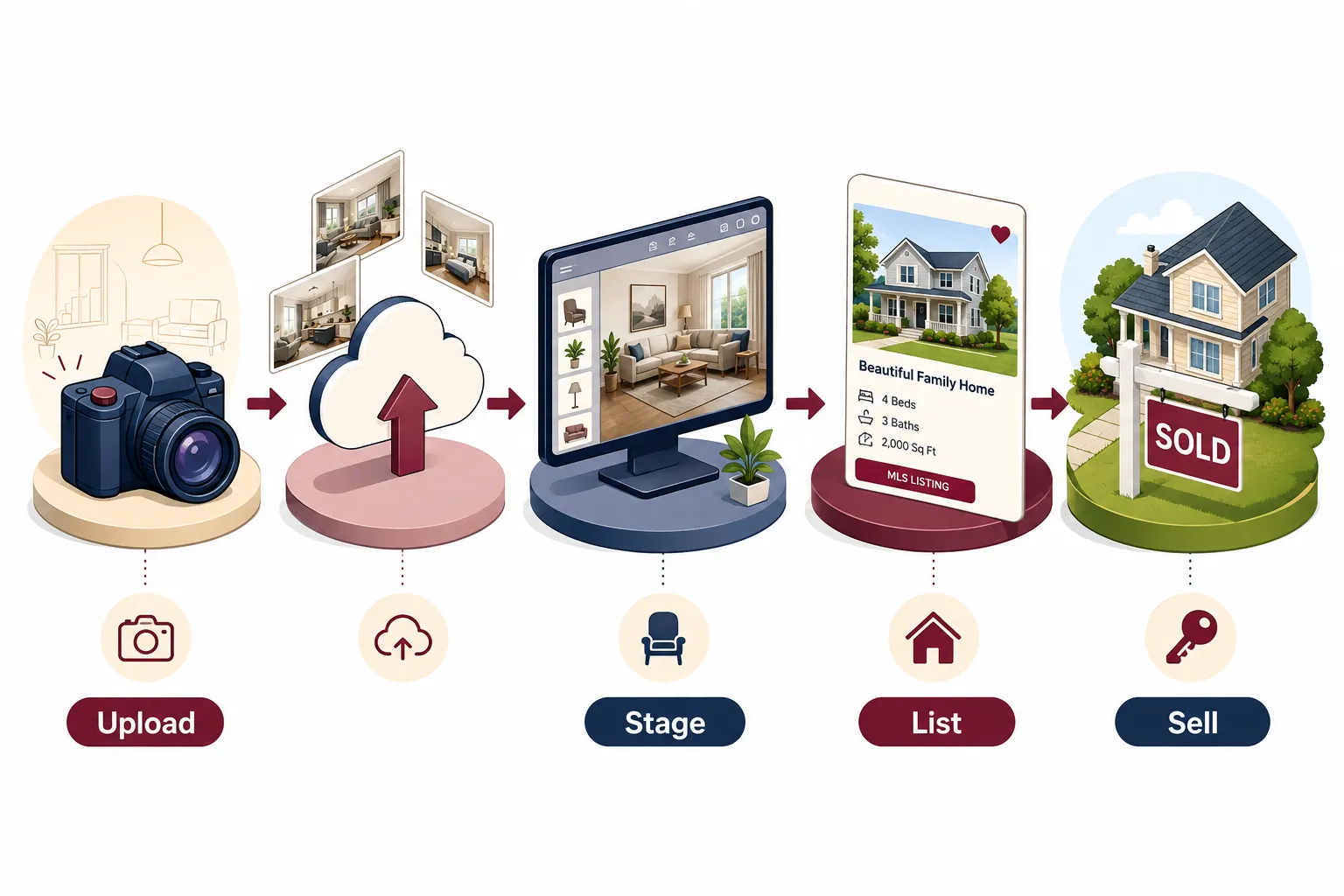
Here is how the process works from start to finish:
- Create a free account on BoxBrownie.com, no subscription required.
- Upload your photos directly to the platform. JPEG, PNG, and TIFF files are accepted. BoxBrownie recommends a minimum resolution of 2,000 pixels on the longest side for best results.
- Select your service, virtual staging, item removal, day-to-dusk, virtual renovation, or photo enhancement.
- Choose a room style, options include Modern, Scandinavian, Hamptons, Industrial, and others. You can also leave notes for the editor.
- Pay per image, no bundles required, no monthly commitment.
- Receive your edited images within the stated turnaround window, typically 24 hours.
- Review and request revisions, BoxBrownie includes one round of free revisions per order.
The human-editor model is what separates BoxBrownie from instant AI staging tools. An actual person is placing furniture, adjusting lighting, and matching perspective, which is why the results tend to look far more realistic than what generative AI produces in seconds.
BoxBrownie Virtual Staging Review: Cost, Turnaround, Results Breakdown
This is where most people doing a BoxBrownie virtual staging review want straight numbers. Here they are, pulled from BoxBrownie's published pricing as of 2026.
Per-Service Price List
| Service | Price Per Image | Turnaround |
|---|---|---|
| Virtual Staging (empty room) | $24 | 24 hours |
| Item Removal | $4 | 24 hours |
| Day to Dusk | $4 | 24 hours |
| Virtual Renovation | From $24 | 24-48 hours |
| Photo Enhancement | $1.60 | 24 hours |
| 360-Degree Virtual Staging | $64 | 48 hours |
Note: Prices listed are from BoxBrownie's published pricing page and are subject to change. Always verify current pricing directly on BoxBrownie.com before ordering.
What Does a Typical Listing Cost?
For a standard 3-bedroom listing where you stage the living room, primary bedroom, and one secondary bedroom, you are looking at three images at $24 each, $72 total. Add a day-to-dusk exterior shot for $4, and your full BoxBrownie order for that listing comes to $76. Compare that to physical staging, which can run $1,500 to $3,000 or more for a single month, and the BoxBrownie pricing starts to look extraordinary.
For sellers who want to understand all the costs involved in preparing a listing, our breakdown of seller closing costs puts virtual staging spend in full context.
How Long Does BoxBrownie Virtual Staging Take?
The standard BoxBrownie turnaround time is 24 hours for most services, including virtual staging, item removal, day-to-dusk, and photo enhancement. Virtual renovation and 360-degree staging can take up to 48 hours.
BoxBrownie does not currently offer a guaranteed rush delivery option for most services. If your listing photos are due in four hours, this is not the platform for that workflow. Plan your shoot and upload schedule around the 24-hour window, which means if you photograph a property Monday morning, you can have staged images ready for MLS by Tuesday morning.
Turnaround benchmarks to know:
- Virtual staging (standard): 24 hours
- Day-to-dusk conversion: 24 hours
- Item removal: 24 hours
- Virtual renovation BoxBrownie: 24-48 hours
- 360-degree virtual staging: 48 hours
- Revision requests: typically 12-24 hours after submission
The 24-hour model is a real differentiator compared to some competitors, but it does require planning. Agents who shoot listings on Friday afternoons and expect to list by Friday night will need a different solution, or they need to adjust their shoot schedule.
BoxBrownie Virtual Staging Results: Quality Compared to Competitors
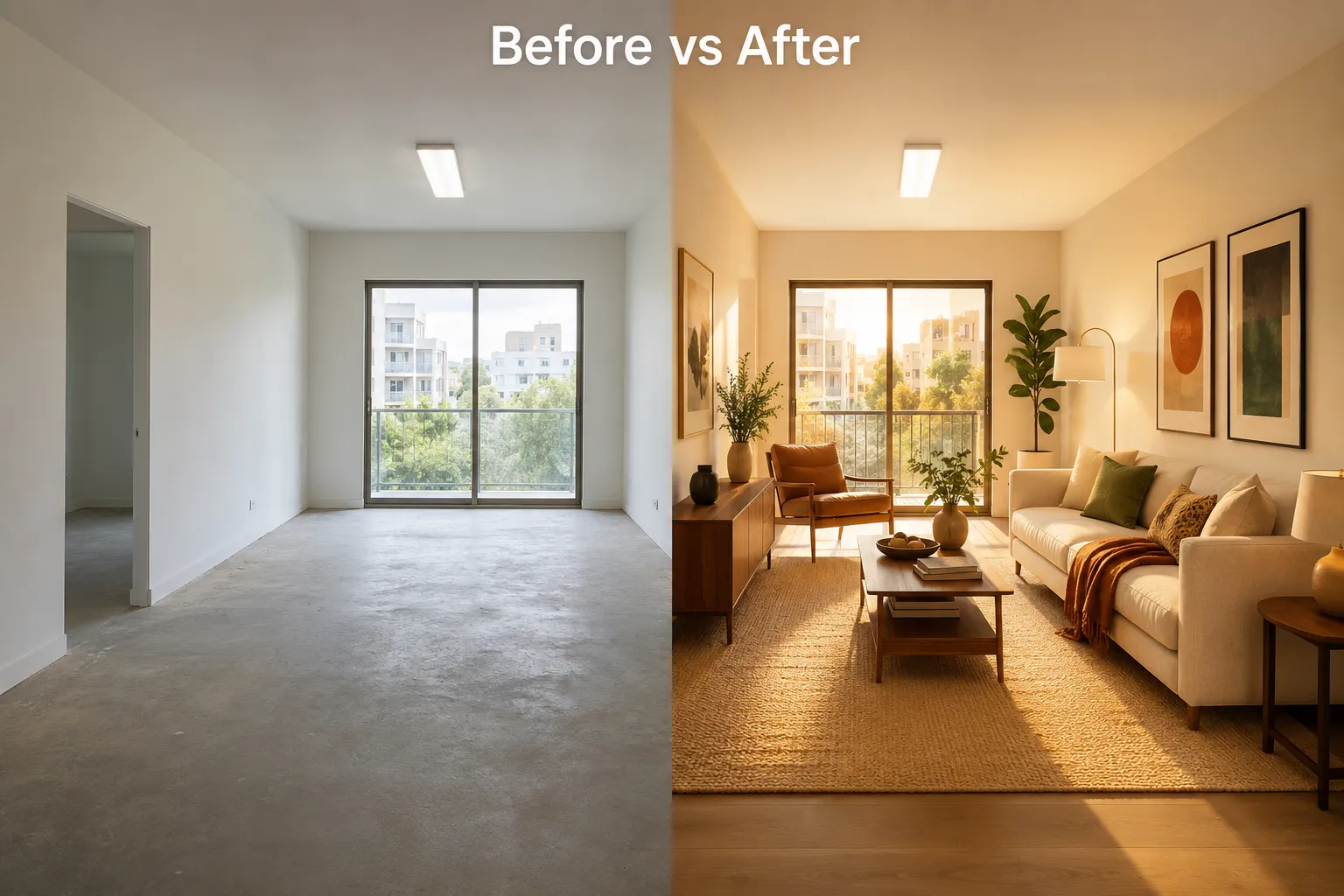
BoxBrownie consistently produces some of the most realistic virtual staging results available at this price point. The human-editor model means furniture placement respects room perspective, lighting is matched to the original photo, and shadows fall in the right direction. These are the details that make a staged photo look real versus obviously fake.
Where BoxBrownie Excels
- Perspective accuracy, furniture aligns with the room's vanishing point naturally
- Lighting consistency, added furniture matches the ambient light in the original photo
- Style variety, multiple design styles available, from Scandinavian to Hamptons
- Revision policy, one free revision round per order is included
Where BoxBrownie Has Limits
- Results are only as good as the source photo. A dark, blurry, or low-resolution image will produce a mediocre staged result regardless of editor skill.
- The 24-hour wait is a genuine constraint for fast-moving listing schedules.
- Some users report that very complex rooms (lots of existing furniture to work around) can produce inconsistent results on the first pass.
BoxBrownie Day-to-Dusk Results
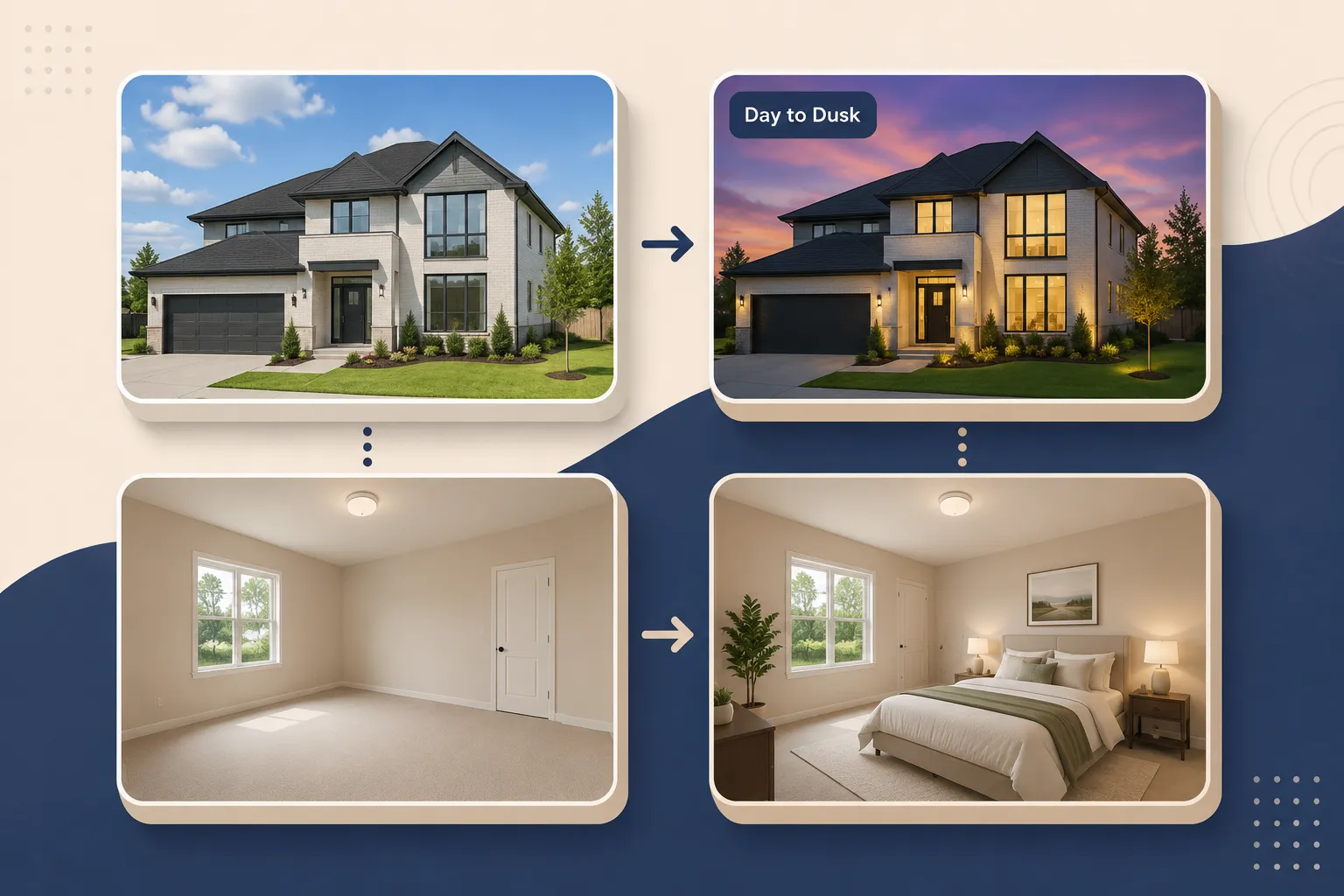
The BoxBrownie day-to-dusk service is genuinely impressive for $4 per image. Editors replace a flat daytime sky with a warm dusk atmosphere, add warm interior lighting through windows, and sometimes add subtle landscape lighting. The result looks like a professional twilight shoot without the cost or scheduling of one. For listing marketing, this is one of the highest-value services on the platform.
BoxBrownie Virtual Staging vs. Matterport vs. Other Staging Tools
BoxBrownie, Matterport, Collov AI, and REimagine Home all serve different parts of the virtual staging and listing media market. They are not direct competitors in the same category.
BoxBrownie is a human-edited photo enhancement service. You upload flat photos and get back edited images. It does not create 3D tours or interactive walkthroughs.
Matterport is a 3D scanning and virtual tour platform. It captures immersive walkthroughs of a property using a dedicated camera. Matterport does offer a "Matterport Showcase" with some staging features, but its core product is the 3D tour, not still-image staging. The two tools are complementary, not interchangeable. If you want to explore whether virtual tours are worth the investment, our analysis of virtual tours and drone photography covers the ROI question directly.
Collov AI and REimagine Home are instant generative AI staging tools. Upload a photo, select a style, and get a staged image back in seconds, often for free or at very low cost per image.
Human vs. AI Photo Editing in Real Estate: When Each Wins
| Scenario | Best Tool |
|---|---|
| Need staged photos in under 5 minutes | Collov AI or REimagine Home |
| Need MLS-quality realistic staging | BoxBrownie |
| Need a 3D interactive tour | Matterport |
| Need day-to-dusk exterior for $4 | BoxBrownie |
| Tight budget, high volume, lower quality acceptable | AI staging tools |
| Luxury listing where quality is non-negotiable | BoxBrownie |
The honest take on human vs. AI photo editing for real estate: generative AI tools have gotten genuinely good, but they still produce artifacts, floating furniture, warped floors, impossible shadows. For a $500,000 listing, those artifacts matter. For a quick social media post or a virtual renovation concept to show a buyer, AI tools are so based it makes sense to use them first.
BoxBrownie is where you go when you need to let it cook before you see results, and the results justify the wait.
Is BoxBrownie Virtual Staging Worth the Money?
Yes, for most real estate use cases in 2026, BoxBrownie virtual staging is worth the cost. At $24 per image, it is dramatically cheaper than physical staging, produces results that hold up to buyer scrutiny, and requires no subscription.
Choose BoxBrownie if:
- You are listing a vacant property and need buyers to visualize the space
- You are an agent who values listing photo quality as part of your brand
- You need a day-to-dusk exterior without scheduling a twilight shoot
- You have 24 hours before your listing goes live
- Your listing is priced above the median in your market, where photo quality directly affects perceived value
Skip BoxBrownie (or use it alongside AI tools) if:
- You need staged images within the hour
- You are staging a high volume of low-price rentals where speed matters more than perfection
- Your source photos are poor quality, invest in better photography first
For sellers preparing a listing, virtual staging is one of the highest-ROI preparation steps available. Our guide on spring home selling mistakes that cost real money covers why skimping on listing presentation is one of the most common and expensive errors sellers make.

Who Should Use BoxBrownie Virtual Staging?
BoxBrownie virtual staging is built for real estate professionals and sellers who care about listing quality. The platform is not gatekeeping its services behind agency accounts, anyone can sign up and order.
Primary users who get the most value:
- Real estate agents and brokers, especially those listing vacant properties or representing sellers who cannot afford physical staging. BoxBrownie photo editing is a standard line item in many agents' listing prep budgets.
- FSBO sellers, homeowners selling without an agent can access the same professional-quality staging that agents use, without needing a brokerage relationship.
- Real estate investors, particularly fix-and-flip operators who want to show a property's potential before renovation is complete. Virtual renovation BoxBrownie is impeccable for this use case.
- Property managers, marketing vacant rental units with staged photos reduces days on market.
- Developers, pre-selling units in new construction where physical staging is impossible.
For agents looking to build a full marketing system around their listings, pairing BoxBrownie with strong marketing automation for real estate creates a fresh, professional listing pipeline that runs efficiently.
Common Mistakes People Make With BoxBrownie Virtual Staging
The most common BoxBrownie mistake is submitting low-quality source photos and expecting high-quality staged results. No editor, human or AI, can rescue a dark, blurry, or poorly composed photo.
Mistakes to avoid:
- Submitting low-resolution images, BoxBrownie recommends a minimum of 2,000 pixels on the longest side. Going below this produces soft, pixelated final images.
- Shooting rooms with existing clutter, if you want a clean staged look, use item removal first (at $4 per image) before ordering virtual staging.
- Choosing the wrong style, selecting a Scandinavian style for a traditional colonial home creates a jarring mismatch. Match the staging style to the property's architecture and target buyer.
- Not leaving editor notes, the note field exists for a reason. If you want a specific wall color, a particular furniture arrangement, or no area rug, say so.
- Skipping the revision round, BoxBrownie includes one free revision. Use it. If something looks off in the first delivery, request the fix rather than publishing a suboptimal image.
- Ordering virtual staging before fixing the photo, if your photo has lens distortion, poor white balance, or extreme shadows, order photo enhancement ($1.60) first, then stage.
Can You Use BoxBrownie Virtual Staging for Commercial Properties?
Yes. BoxBrownie virtual staging works for commercial properties, including office spaces, retail units, and mixed-use properties. The process is the same as residential staging, upload the photo, select a style, and add notes describing the intended use of the space.
For commercial applications, the virtual renovation BoxBrownie service is particularly useful. It allows editors to show what a raw commercial shell could look like as a finished office, restaurant, or retail space, which is a powerful sales and leasing tool. Investors evaluating commercial real estate opportunities can use these visuals to present potential to buyers or tenants before a single dollar of renovation is spent.
What File Formats Does BoxBrownie Accept, and Does It Work for Empty Rooms?
BoxBrownie accepts JPEG, PNG, and TIFF file formats. JPEG is the most common format used by real estate photographers and works perfectly for all BoxBrownie services.
For empty rooms specifically: Virtual staging is actually most effective on completely empty rooms. When a room is bare, editors have full control over furniture placement without needing to work around existing pieces. The result is typically cleaner and more polished than staging a partially furnished room.
File and photo requirements to know:
- Minimum recommended resolution: 2,000 pixels on the longest side
- Shoot in landscape orientation for most room photos
- Ensure adequate lighting, natural light from windows is ideal
- Avoid extreme fisheye distortion, which makes furniture placement look unnatural
- RAW files are not accepted, convert to JPEG or TIFF before uploading
Is There a BoxBrownie Free Trial or Demo?
BoxBrownie does not offer a free trial in the traditional sense. There is no demo account that produces edited images at no cost.
What BoxBrownie does offer is a pay-per-image model with no minimum order and no subscription. You can order a single image for $24 to test the quality before committing to a full listing order. This is effectively a low-risk trial, you pay for one image, evaluate the result, and decide whether to continue.
For agents evaluating multiple tools before building a workflow, this single-image test is the smart move. Order one staged photo, compare it against a result from Collov AI or REimagine Home on the same room, and let the quality speak for itself.
BoxBrownie Virtual Staging for Real Estate Agents: A Sample Listing Workflow
Here is a concrete, step-by-step workflow for a real estate agent using BoxBrownie from listing shoot to MLS publish.
Day 1, Listing Photo Shoot
- Photograph the property with a wide-angle lens, ensuring rooms are empty or cleared of clutter.
- Shoot the exterior during the day for a standard shot plus a clean angle for day-to-dusk conversion.
- Export photos as high-resolution JPEGs (minimum 2,000 pixels on longest side).
Day 1, Upload and Order (same evening)
- Log into BoxBrownie.com.
- Upload photos to the dashboard.
- Order virtual staging for living room, primary bedroom, and any secondary rooms that will be featured.
- Order day-to-dusk for the best exterior shot.
- Add style notes (e.g., "Modern style, no area rug, neutral tones for broad buyer appeal").
- Submit order.
Day 2, Review and Revise
- Receive edited images within 24 hours.
- Review each image carefully, check furniture perspective, lighting match, and style consistency.
- Submit revision requests for any images that need adjustment.
- Receive revised images within 12-24 hours.
Day 2 or 3, MLS Upload
- Download final images.
- Upload to MLS, listing website, and marketing channels.
- Total BoxBrownie cost for a 3-bedroom listing with day-to-dusk: approximately $76,$100.
This workflow pairs naturally with a strong real estate lead generation system, because impeccable listing photos drive more clicks, and more clicks feed more leads.
Human vs. AI Photo Editing for Real Estate: The Honest Verdict
The human vs. AI photo editing real estate debate is not really a debate anymore, it is a workflow decision. Both have a place in a modern agent's toolkit.
Use human editing (BoxBrownie) when:
- The listing price justifies premium presentation
- You need results that hold up to zoomed-in buyer scrutiny
- The property is vacant and needs full virtual staging
- You are producing marketing materials for print or large-format display
Use AI staging (Collov AI, REimagine Home) when:
- You need a concept image for a buyer consultation in the next hour
- You are testing multiple style options before committing to a full staging order
- Budget is extremely tight and speed is the priority
- You are staging a low-price rental unit for a quick listing
The honest BoxBrownie review answer: at $24 per image with a 24-hour turnaround, BoxBrownie is not gatekeeping quality behind an enterprise contract. It is accessible to individual agents, FSBO sellers, and investors alike. The results are fresh, the pricing is transparent, and the workflow is simple enough that anyone can use it after a single order.
For agents building out a complete digital listing strategy, the best CRM for real estate agents and strong photo presentation work together, one captures the lead, the other converts the click.

BoxBrownie Turnaround Time: What to Expect
Most BoxBrownie services are delivered within 24-48 hours. Standard virtual staging, day-to-dusk, and item removal all fall in this window under normal volume conditions.
Here's what affects delivery speed:
- Order volume, During peak periods (spring selling season, month-end pushes), turnaround may edge closer to 48 hours.
- Service type, Basic photo editing and item removal tend to come back faster than full virtual staging or virtual renovation.
- Revision requests, If you request changes after the first delivery, add another 24 hours for the revision cycle.
- 360-degree staging, Panoramic staging takes longer due to complexity, budget 48-72 hours.
The 24-48 hour BoxBrownie turnaround time is the most common point of friction for agents used to instant AI tools. But here's the honest take: let it cook before you see results. The extra wait produces a noticeably more polished, photo-realistic image that holds up under buyer scrutiny on Zillow, Redfin, and MLS platforms.
If you're listing on a tight timeline, build the BoxBrownie order into your listing prep schedule, not as an afterthought the night before photos go live.
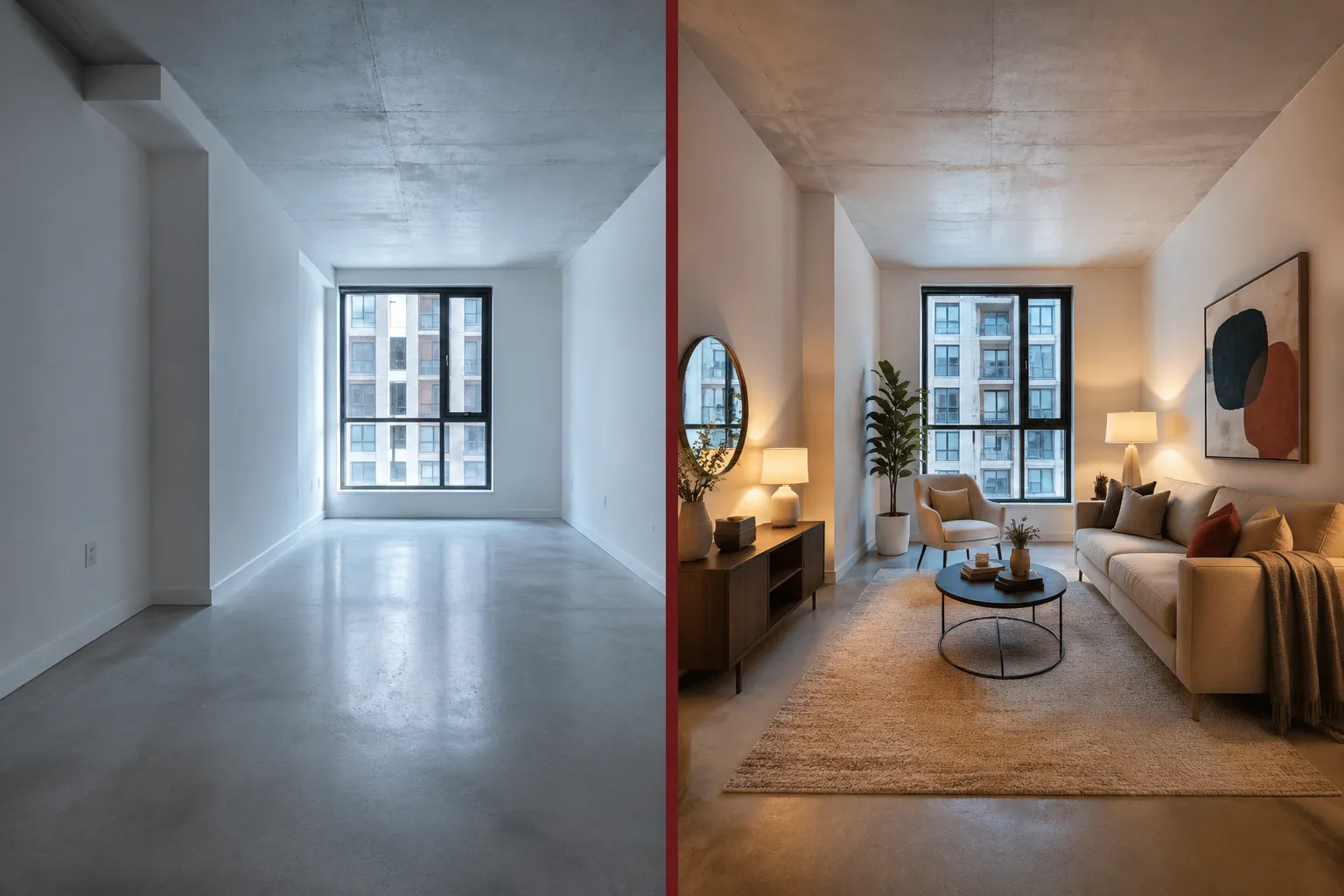
BoxBrownie vs AI Staging: Human Editing vs Instant Generative AI
BoxBrownie is a human-edited service. Tools like Collov AI, REimagine Home, and several newer generative AI platforms produce staged images in seconds using fully automated models. These are fundamentally different products.
When BoxBrownie wins:
- MLS-ready, photo-realistic results where furniture looks physically accurate and lighting is consistent with the original photo
- Complex rooms with unusual angles, natural light sources, or architectural details that confuse AI models
- Listings where the buyer pool is discerning, luxury, move-up, or high-competition markets
- Virtual renovation requests where specific material changes (tile, flooring, cabinetry) need to look credible
When instant AI staging wins:
- You need a rough visual concept in minutes for a social media post or internal presentation
- Budget is the primary constraint and photo-realism is secondary
- The property is in a price range where buyers expect basic photos, not editorial-quality imagery
The human vs AI photo editing real estate debate isn't really about which is "better", it's about what the listing needs. A $180,000 starter home in a fast-moving market may not need $24-per-image staging. A $650,000 move-up home competing with six other listings absolutely does.
BoxBrownie vs AI staging comes down to this: generative AI tools like Collov AI and REimagine Home are extraordinary for speed and ideation. BoxBrownie is extraordinary for results that go directly to MLS without a second look.
For a broader look at how real estate agents are using AI tools across their workflow, see our guide on real estate agent tech stack tools that actually close deals.
BoxBrownie Customer Reviews and Ratings
BoxBrownie holds strong ratings across multiple review platforms. The service consistently earns high marks on Trustpilot and Google Reviews, with users citing photo realism, editor responsiveness, and value for money as the top positives.
Common praise in customer reviews:
- Results look photo-realistic and MLS-ready without additional editing
- The revision process is responsive and editors follow feedback accurately
- Day-to-dusk conversion is frequently called out as "impeccable" for the $4 price point
- Customer support is accessible and responsive to order issues
Common criticisms:
- Turnaround time is the most frequent complaint, agents who need same-day results find the 24-48 hour window frustrating
- Occasional style mismatches on first delivery that require a revision round
- The credit system can feel confusing for first-time users unfamiliar with the platform
The overall consensus in the BoxBrownie review landscape is that the service delivers on its core promise: professional, human-edited virtual staging at a price point accessible to individual agents and small teams.
Frequently Asked Questions
What is BoxBrownie virtual staging?
BoxBrownie virtual staging is a human-edited service that digitally adds furniture, decor, and styling to photos of empty or sparsely furnished rooms. Editors work on each image manually, producing results that look more realistic than instant AI staging tools.
How much does BoxBrownie virtual staging cost per photo?
Standard virtual staging costs $24 per image. Day-to-dusk and item removal cost $4 per image. Virtual renovation starts at $24 per image. Photo enhancement is $1.60 per image. There is no subscription required.
How long does BoxBrownie take to deliver staged photos?
Most orders are delivered within 24 hours. Virtual renovation and 360-degree staging can take up to 48 hours. Revision requests typically take an additional 12-24 hours.
Does BoxBrownie offer a free trial?
No. BoxBrownie does not offer a free trial. The pay-per-image model with no minimum order effectively allows you to test with a single $24 image before committing to a full listing order.
What file formats does BoxBrownie accept?
BoxBrownie accepts JPEG, PNG, and TIFF files. JPEG is the most commonly used format. RAW files are not accepted. Minimum recommended resolution is 2,000 pixels on the longest side.
Can BoxBrownie stage commercial properties?
Yes. BoxBrownie virtual staging works for offices, retail units, and other commercial spaces. The virtual renovation service is particularly useful for showing commercial potential before physical work begins.
How does BoxBrownie compare to Collov AI and REimagine Home?
BoxBrownie uses human editors and takes 24 hours, producing more realistic results. Collov AI and REimagine Home use generative AI and deliver results in seconds at lower cost. BoxBrownie is better for final listing photos; AI tools are better for quick concepts or low-budget applications.
What is BoxBrownie day-to-dusk?
Day-to-dusk is a BoxBrownie photo editing service that transforms a daytime exterior photo into a warm dusk scene with glowing interior lights and a sunset sky. It costs $4 per image and is delivered within 24 hours.
Does BoxBrownie work for completely empty rooms?
Yes, and empty rooms are actually the ideal use case for BoxBrownie virtual staging. Editors have full creative control without needing to work around existing furniture, which typically produces the cleanest and most realistic results.
Can I request a specific furniture style with BoxBrownie?
Yes. When placing your order, you select from available design styles (Modern, Scandinavian, Hamptons, Industrial, and others) and can add written notes for the editor specifying preferences like color palette, furniture type, or room layout.
Is BoxBrownie worth it for FSBO sellers?
Yes. FSBO sellers can access BoxBrownie directly without a real estate agent account. At $24 per image, professional-quality virtual staging is accessible to any seller who wants to compete with agent-listed properties on presentation.
What is virtual renovation on BoxBrownie?
Virtual renovation BoxBrownie allows editors to digitally change flooring, wall colors, countertops, and other finishes in a photo, showing buyers what a property could look like after upgrades without any physical work being done. It starts at $24 per image.
Conclusion: Should You Use BoxBrownie for Your Next Listing?
The BoxBrownie virtual staging review comes down to one clear verdict: for agents and sellers who care about listing quality and have 24 hours to spare, it is one of the most cost-effective professional photo editing services available in 2026.
At $24 per staged image, the BoxBrownie cost per photo is a fraction of physical staging. The BoxBrownie turnaround time of 24 hours is fast enough for most listing schedules when planned properly. The results, produced by human editors rather than generative AI, are consistently realistic and MLS-ready.
Your next steps:
- Photograph your listing with empty rooms and good natural light.
- Create a free BoxBrownie account and order one test image to evaluate quality firsthand.
- Use the sample workflow above to build a consistent listing photo process.
- Compare BoxBrownie results against a free AI staging tool on the same room, then decide which fits your quality standard and timeline.
- Factor the $24-per-image cost into your listing prep budget as a standard line item, not an optional upgrade.
For sellers navigating the 2026 market, presentation is one of the few variables you fully control. The Spring 2026 housing market has more inventory competing for buyer attention than in recent years, which makes impeccable listing photos not a luxury, but a baseline expectation.
BoxBrownie delivers that baseline at a price that makes sense. Let it cook for 24 hours, and the results speak for themselves.
Tags: BoxBrownie virtual staging, BoxBrownie review, virtual staging cost, BoxBrownie pricing, BoxBrownie day to dusk, real estate photo editing, human vs AI staging, virtual renovation, BoxBrownie turnaround time, real estate listing photos, Collov AI, virtual staging for agents
For more agent tools, tutorials, and resources, visit the Agent Resources Hub.